





PCMFlash
$61.02



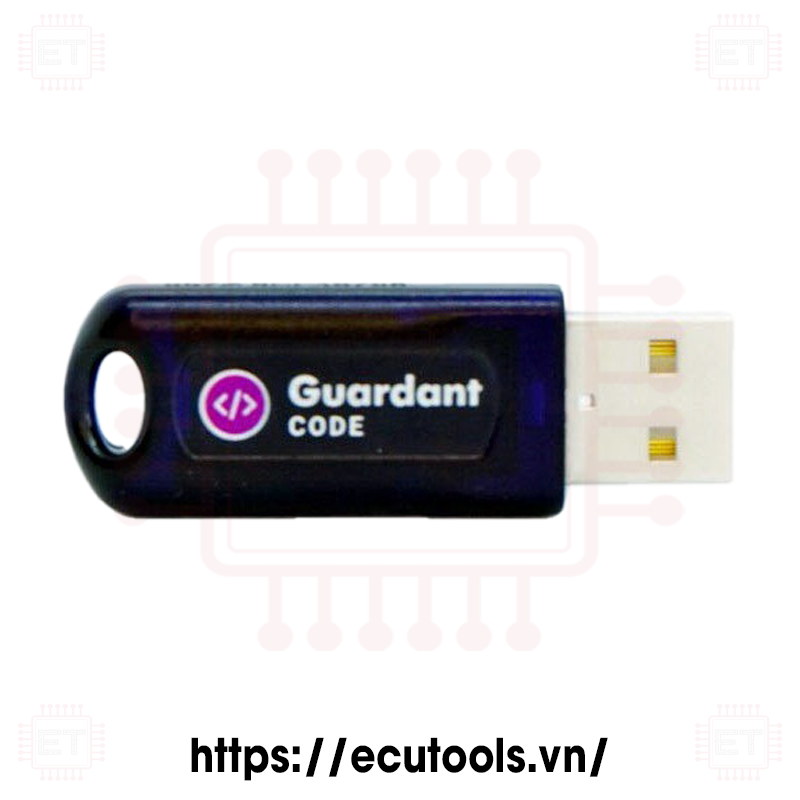
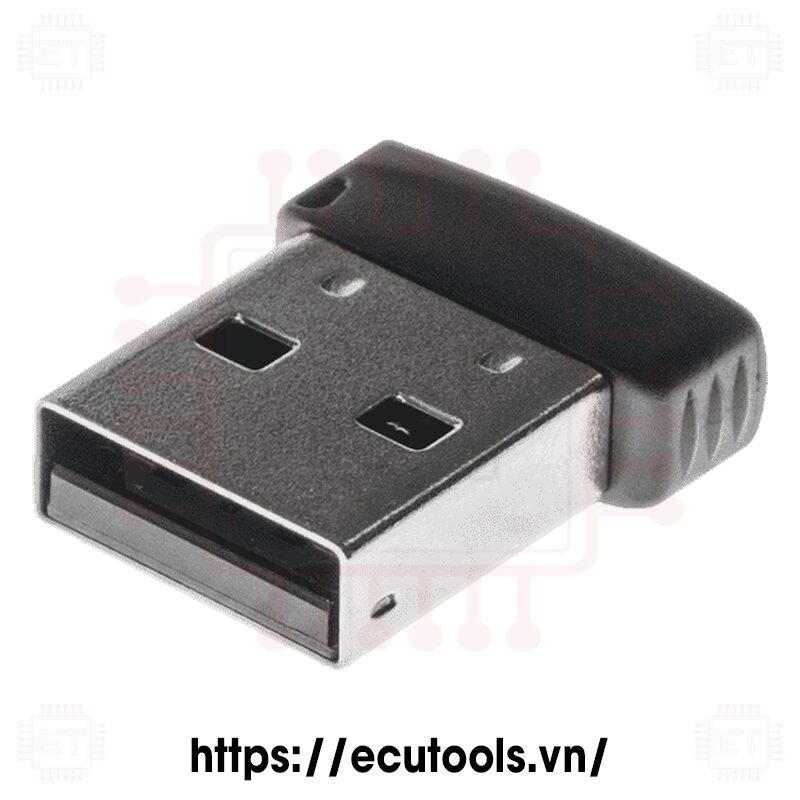
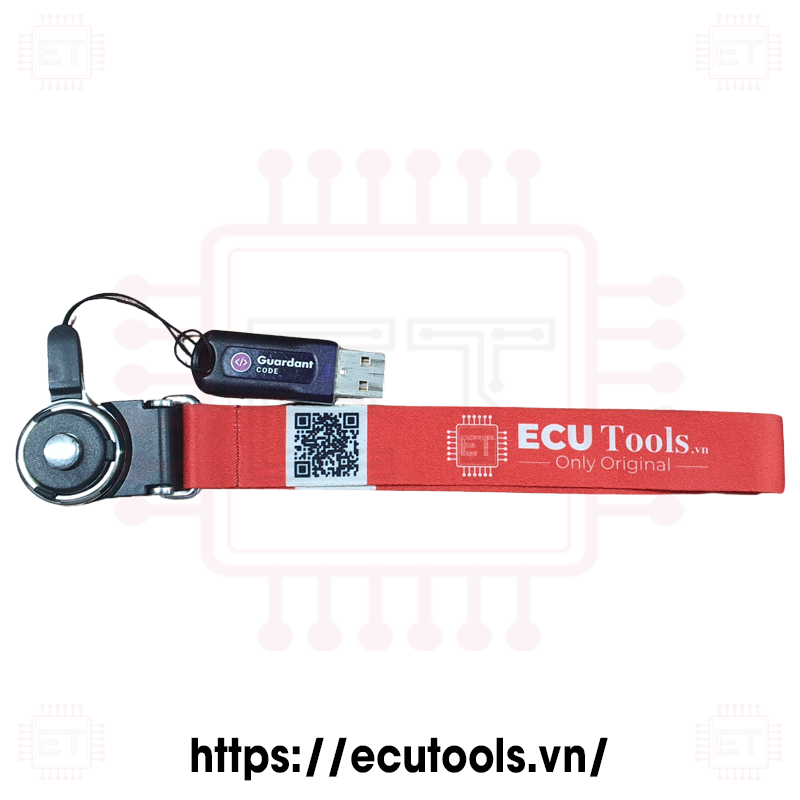
- USB Dongle PCMFlash
- Keychain


- No
Introduction to PCMFlash and USB Dongle
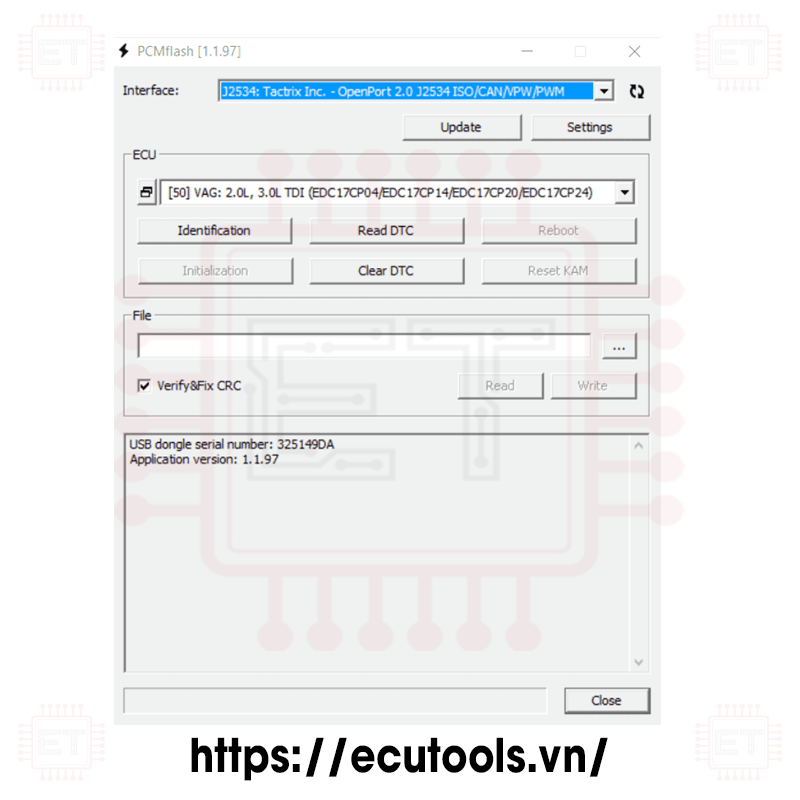
PCMFlash is a powerful software designed to read and write programs for engine control units (ECUs) and automatic transmissions. It uses J2534 devices to connect to the vehicle, and is especially compatible with Scanmatik 2 Pro. The software is provided in modules specific to different vehicle models and control units, featuring a simple, user-friendly interface with English language support. PCMFlash supports most popular car manufacturers, including passenger cars and trucks. Notably, some modules also support reading EEPROM data and cloning control units. Additionally, PCMFlash calculates checksums for flash files before they are written to the control unit.
The USB Dongle is a physical security key used to unlock PCMFlash software, produced by Guardant, adding an extra layer of security for the software..

Key Features of PCMFlash
- Software identification: Recognizes the software version
- Reading: Reads the file from the control unit
- Virtual reading of the file or of the latest software update
- Writing (update version or downgrade): Writes the file to the control unit
- Checksums and CVN correction: Checks and corrects file checksum errors
- Read DTC: Reads diagnostic trouble codes
- Clear DTC: Clears diagnostic trouble codes

Technical Specifications USB Dongle PCMFlash
- Power supply: 5 VDC via USB Port
- Connection method: USB
- Dimensions: 35×15×5mm
- Weight: < 50g
Benefits of Using PCMFlash
- Highly compatible with various J2534 devices, especially Scanmatik 2 Pro.
- Supports both engine control units and automatic transmissions.
- Supports most popular vehicle manufacturers, including both passenger cars and trucks.
- Frequent updates with new modules to meet customer needs.
- Modules can be activated individually, allowing flexibility and cost-effectiveness.
- Simple, user-friendly interface with English language support.

Warranty
* In case of lost USB dongle:
If the USB dongle is lost, the customer will need to purchase a new USB dongle. Transferring modules from the lost USB dongle to a new one is not supported.
* In case of damaged USB dongle:
– Requirement: The USB dongle must not have been opened, and it will be sent to the supplier in Russia for inspection.
– If the USB dongle is still accessible, the customer can purchase a new USB dongle, and the supplier will transfer the modules to the new USB dongle for free.
– If the USB dongle is not accessible, this case will be treated as a lost USB dongle (this is a very rare occurrence).
Note:
- No time limit on the warranty.
- Shipping costs will be the responsibility of the customer.
Whatsapp: +84.899.402.402
Facebook: ECUTools.vn
Youtube: ECUToolsvn
Tiktok: ECUTools
Website: ECUTools.vn
Software
*Please purchase at least 1 software for this product to proceed with payment
Caption:
- RD: Read
- WR: Write
- CK: Checksum correction
Supported ECU
- Ford Focus 3: 1.0L Ecoboost 2015+ GTDI 100/125PS [FV6A] (MEDG17)
- Ford Kuga 2: 1.6L Ecoboost GTDI AWD 150/182PS (MEDG17)
- Ford Kuga 2: 2.5L Duratec Ti-VCT 150/171PS
- Ford Explorer 2011-: 3.5L Cyclone V6 Ti-VCT 294PS
- Ford Explorer 2011-: 3.5L Ecoboost V6 GTDI 360PS (MEDG17)
- Ford Mondeo 5: 1.5L Ecoboost GTDI AT 150/180PS (MEDG17)
- Ford Mondeo 5: 2.0L Ecoboost GTDI 200PS (MEDG17)
- Ford Mondeo 5: 2.5L Duratec Ti-VCT 150/171PS
- Ford Mondeo 5: 2.0L Duratec Hybrid (EMS2208) [DS7A]
- Lincoln MKZ: 3.7L Duratec V6 Ti-VCT [DG9A]
Caption:
- RD: Read
- WR: Write
- CK: Checksum correction
Supported ECU
- Ford Focus 3: 2.0L DW10C STAGE 5 140/163PS (DCM3.5) [RD/WR/CK]
- Ford Kuga 1: 2.0L DW10C STAGE 5 140/163PS (DCM3.5) [RD/WR/CK
- Ford Kuga 2: 2.0L DW10C STAGE 5 140/163PS (DCM3.5) [RD/WR/CK]
- Ford Mondeo 4: 2.0L DW10C STAGE 5 140/163PS (DCM3.5) [RD/WR/CK]
- Ford Mondeo 4: 1.8L Lynx, 2.0L DW10C STAGE 4 (SID206) [RD/WR/CK]
- Ford Mondeo 5: 2.0L DW10F STAGE 5/6 150/180PS (DCM6.1) [RD/WR/CK]
- Ford Focus 2: 1.8L, 2.0L Duratorq Lynx/DW10C (SID202/SID206) [RD/WR/CK]
Caption:
- RD: Read
- WR: Write
- CK: Checksum correction
Supported ECU
- Ford Fiesta: 1.25L, 1.4L Sigma Ti-VCT (EMS2102) [RD/WR/CK]
- Ford Fiesta: 1.6L Sigma Ti-VCT (EMS2101) [RD/WR/CK]
- Ford Fiesta: 1.6L Sigma Ti-VCT USA [AE81] (EMS2205) [RD/WR/CK]
- Ford Mondeo 4: 1.6L Sigma Ti-VCT 110/125PS (EMS2101) [RD/WR/CK]
Caption:
- RD: Read
- WR: Write
- CK: Checksum correction
- UNLOCK: Unlock ECU
Supported ECU
- Ford Transit 2007: 2.2L, 2.4L Diesel 85/100/115/140PS (DCU101-108, DCU201-208)
- Ford Ranger: 2.5L Duratec (EMS2219) [GB3A]
- Reading, writing, checksum correction.
- Ford Transit 2012: 2.2L Diesel 100/125/140/155PS (SID208)
- Land Rover Defender 2012: 2.2L TD4 (SID208)
- Ford Ranger: 2.2L, 3.2L Diesel (SID209) [CK4A]
- Writing after unlocking in BSL or via OBD ,checksum correction.
- Ford Transit 2012: 2.2L Diesel 100/125/140/155PS (SID208/BSL)
- Ford Ranger: 3.2L Diesel (SID209/BSL)
Reading.
Ford Transit: 2.0L Diesel (SID211) [Unlocked]
Writing after unlocking via OBD, or in BSL with Module 53, checksum correction.
Caption:
- RD: Read
- WR: Write
- CK: Checksum correction
Supported ECU
- Mazda: 1.6L Z6 AT (Mazda3 2004+) [ RD/WR ]
- Mazda: 1.6L Z6 MT (Mazda3 2004+) [ RD/WR ]
- Mazda: 1.3L ZJ (Mazda Demio 2003+) [ RD/WR/CK ]
- Mazda: 1.8L, 2.0L, 2.3L L8/LF/L3 (Mazda3/6/CX7 2003+) [ RD/WR/CK ]
- Mazda: 2.0L LF USA (Mazda3 -2009/1MB) [ RD/WR/CK ]
- Mazda: 1.3L N3 (Mazda RX8 2003+) [ RD/WR/CK ]
- Mazda: 1.3L N3 (Mazda RX8 -2008) [ RD/WR/CK ]
- Mazda: 1.3L N3 (Mazda RX8 2009-2012) [ RD/WR/CK ]
- Mazda: Melco TCM (Mazda5/6 512KB) [ RD/WR/CK ]
- Mazda: Aisin TCM (Mazda MX5 512KB) [ RD/WR/CK ]
Caption:
- RD: Read
- WR: Write
- CK: Checksum correction
Supported ECU
- 1.3L, 1.5L ZJ/ZY (Mazda2 2011+) [ RD/WR/CK ]
- 1.5L ZY (Mazda2 US 2011+) [ RD/WR/CK ]
- 1.6L Z6 (Mazda3 2010+) [ RD/WR/CK ]
- 1.8L, 2.0L, 2.5L L8/LF/L5 (Mazda6 2008+) [ RD/WR/CK ]
- 2.0L, 2.3L, 2.5L LF/L3/L5 (Mazda3/5/CX7 2010+) [ RD/WR/CK ]
- 2.0L LF (Mazda Biante 2013+/2MB) [ RD/WR/CK ]
Caption:
- RD: Read
- WR: Write
- CK: Checksum correction
Supported ECU
- Mazda: 1.5L, 2.0L, 2.5L SKYACTIV-G P5/PE/PY (Mazda3/CX5/6 Mitsubishi) [RD/WR/CK]
- Mazda: 2.5T SKYACTIV-G PY (Mazda CX9 Mitsubishi) [RD/WR/CK]
- Mazda: 1.5L, 2.0L, 2.5L SKYACTIV-G P5/PE/PY (Mazda3/CX5/6 Denso) [RD/WR/CK]
- Mazda: 1.5L, 2.0L, 2.5L SKYACTIV-G P5/PE/PY (Mazda3/CX5/6 Denso Crypted) [RD/WR/CK]
- Mazda: 2.2L SKYACTIV-D SH (Mazda3/CX5/6 Denso) [RD/WR/CK]
- Mazda: 2.2L SKYACTIV-D SH (Mazda3/CX5/6 Denso Crypted 2MB) [RD/WR/CK]
- Mazda: 1.5L, 2.2L SKYACTIV-D S5/SH (Mazda2/3/CX5/6 Denso Crypted 3.75MB) [RD/WR/CK]
- Mazda: 1.6L Z6 (Denso) [RD/WR/CK]
- Mazda: 1.6L Z6 (Denso Crypted) [RD/WR/CK]
Caption:
- RD: Read
- WR: Write
- CK: Checksum correction
Supported ECU
- PGM-FI Generic Read-Only [RD]
- AT/CVT/DCT Generic Read-Only [RD]
- PGM-FI (Keihin SH7058/1MB) [RD/WR/CK]
- PGM-FI ( Keihin SH72543/2MB) [RD/WR/CK]
- PGM-FI (Keihin SH72546/3.75MB) [RD/WR/CK]
- PGM-FI (Keihin MPC5566/3MB) [RD/WR/CK]
- PGM-FI (Keihin TC1782/2.5MB) [RD /WR/CK]
- PGM-FI (Keihin TC275/4MB) [RD/WR/CK]
- PGM-FI (Keihin TC277/4MB) [RD/ WR/CK] AT/CVT/DCT
- (Keihin 512KB) [RD/WR/CK]
- AT/CVT/DCT (Keihin 1MB) [RD/WR/CK]
- PGM-FI (Matsushita SH7058/ 1MB) [RD/WR/CK]
- PGM-FI (Matsushita SH72543/2MB) [RD/WR/CK]
- PGM-FI 2013+ (Matsushita SH72543/2MB) (Test) [RD/WR/CK]
- PGM-FI (Panasonic TC179X/4MB) [RD/WR/CK]
- AT/CVT/DCT (Matsushita 512KB) (Test) [RD/WR/CK]
- PGM-FI (Continental MPC5554/2MB) [RD/WR/CK]
- UDCT (Continental TC1782/2.5MB) [WR/CK]
- PGM-FI (Hitachi SH7058/1MB) (Test) [RD/WR/CK]
- PGM-FI (Hitachi SH7059/ 1.5MB) (Test) [RD/ WR/CK]
- PGM-FI (Hitachi SH72543/2MB) [RD/WR/CK]
- PGM-FI (Hitachi MPC5554/2MB) (Test) [RD/WR/CK]
- AT/ CVT/DCT (Hitachi SH72531/1280KB) [RD/WR/CK]
- AT/CVT/DCT (Hitachi SH725x3/2048KB) [RD/WR/CK]
The PCMflash program supports reading/writing through the OBD-II diagnostic port (CAN-bus), as well as checksum verification and correction for engine control units (ECUs) with part numbers 37820-XXX-YYY for Honda and Acura vehicles (software 37805-XXX-ZZZZ), where XXX is one of the following values, and YYY and ZZZZ represent any suffixes for sub-variants (including ECUs with different processors):
51E, 55G, 57R, 58K, 58V, 5A2, 5A3, 5A4, 5B0, 5B2, 5B5, 5B6, 5D0, 5D2, 5D3, 5D4, 5D5, 5G0, 5G1, 5G2, 5G3, 5G5, 5G6, 5J0, 5J2, 5J6, 5K0, 5K1, 5K6, 5K7, 5L5, 5L7, 5M1, 5P6, 5R0, 5R1, 5R7, 5X6, 5X7, 5Z1, 5Z2, PCX, PFE, PTF, PZD, PZX, R0A, R0N, R0S, R1A, R1B, R1C, R1E, R1G, R1J, R1L, R1N, R1P, R1R, R1S, R1T, R1V, R1W, R1Y, R1Z, R20, R21, R28, R2A, R2C, R2G, R2H, R2J, R2N, R2R, R37, R3A, R3R, R40, R41, R42, R43, R44, R46, R48, R49, R53, R5A, R5C, R5E, R5G, R5H, R5J, R5K, R5Y, R60, R62, R63, R6A, R6B, R6C, R6D, R6E, R6F, R70, R71, R72, R74, R75, R76, R77, R78, R7S, R7T, R84, R8A, R8F, R8K, R9A, R9B, R9C, R9G, R9H, R9P, R9S, RB0, RB1, RB2, RB6, RB7, RB9, RBB, RBJ, RBK, RBR, RC0, RC1, RC7, RC8, RD1, RD2, RD7, RD8, RD9, RDA, RDB, RDF, RE0, RE1, RE2, REX, REZ, RGL, RGM, RGW, RJE, RK1, RK2, RK8, RK9, RKG, RL2, RL5, RL6, RL8, RLF, RLG, RLH, RME, RMX, RN0, RNA, RNB, RNC, RND, RNE, RNF, RNG, RNH, RNJ, RNL, RNT, RNV, RNX, RP3, RP6, RR2, RRA, RRB, RRC, RRD, RRF, RRH, RS8, RS9, RSA, RSH, RSL, RSP, RTW, RTZ, RV0, RV4, RVK, RW0, RWC, RWP, RX0, RYE, RZA, RZC, RZE, RZP, RZS, RZT, RZ
The transmission controllers in ECUs with part numbers 37820-XXX-YYY (software 37806-XXX-ZZZZ) are also supported, where XXX is one of the following values, and YYY and ZZZZ are any suffixes for sub-variants (including ECUs with different processors):
R12, R40, R41, R42, R43, R44, R46, R48, R49, R50, R60, R62, R63, R8A, R8K, RB0, RB1, RB7, RB9, RBJ, RBK, RC4, RD2, RE0, REX, REZ, RGL, RGM, RGW, RJE, RK8, RKG, RL2, RL5, RL6, RL8, RL9, RMX, RN0, RNA, RNB, RNC, RND, RNE, RNF, RNH, RNJ, RNL, RNT, RNV, RP6, RRA, RRF, RRH, RSL, RTW, RV0, RWC, RWP, RWR, RWS, RYE, RZA, RZC, RZE, RZP, RZS, RZT, RZV
There is no need to remember or identify the software name or the installed ECU: the program includes Generic modules for engine and transmission control units, and the ECU type is determined automatically.
The program also has an express diagnostic feature for all modules on the CAN bus and can erase errors in them.
For reference, here is a layout by model. This list does not claim to be complete or absolutely accurate. The year indicated is the model year. Vehicles may appear in different lists depending on the type of transmission and market.
Honda: PGM-FI (Keihin SH7058/1MB)
Accord 2008-2012, City 2009-2013, Civic 2006-2011, CR-V 2007-2010, CR-Z 2010-2012, Element 2007-2011, Elysion 2013, Fit 2007-2013, Fit Shuttle 2011-2013, Freed 2009-2014, Insight 2009-2012, JAZZ 2008-2013, Legend 2008-2011, MDX 2007-2012, Odyssey 2007-2014, Pilot 2010-2012, RDX 2013, RidgeLine 2010-2013, RL 2011, S2000 2006-2008, Spike 2011, Stream 2006, TL 2007-2008, TSX 2008-2012, ZDX 2011-2012
Honda: Accord 2.4L, Civic 2013+ (Keihin SH72543/2MB)
Accord 2013-2014, Accord Crosstour 2012-2013, Accord F-HEV 2014, Accord P-HEV 2014, BRIO 2012-2014, Civic 2012-2015, CR-V 2013, CR-Z 2013, Elysion 2013, Fit 2012-2014, ILX 2014, Insight 2012, MDX 2014, N WGN 2015, Odyssey 2009-2013, RDX 2014, RLX 2013-2014, SMALL CUV 2014, Step WGN 2011-2012
Honda: CR-V 2013+ (Keihin MPC5566/3MB)
CR-V 2012-2014
Honda: PGM-FI (Matsushita SH7058/1MB)
Accord 2008, 2012, Stream 2006, TSX 2005-2007
Honda: PGM-FI (Matsushita SH72543/2MB) (Test)
Odyssey 2009-2013, RLX 2013, Step WGN 2011-2012
Honda: PGM-FI 2013+ (Matsushita SH72543/2MB) (Test)
CRIDER 2014, JADE 2014, Odyssey 2014, Step WGN 2013, Step WGN 2014, STEPWGN 2013
Honda: PGM-FI (Continental MPC5554/2MB) (Test)
Accord 2008-2011, Accord Crosstour 2010-2011, MDX 2011-2012, Odyssey 2011, Pilot 2012, TL 2009-2013
Honda: PGM-FI (Hitachi SH7058/1MB) (Test)
Accord 2011, Acty 2011
Honda: PGM-FI (Hitachi SH7059/1.5MB) (Test)
Civic 2010, Life 2010-2012, ZEST 2009-2010
Honda: Accord 3.5L 2013+ (Hitachi SH72543/2MB)
Accord 2013-2015, Accord Crosstour 2014, N BOX 2013-2014, N ONE 2013, TLX 2014
Honda: PGM-FI (Hitachi MPC5554/2MB) (Test)
N BOX 2015
Caption:
- RD: Read
- WR: Write
- CK: Checksum correction
Supported ECU
- Honda: Accord 7 2003-2005 (Matsushita RBA/RBB SH7055/512KB) [VR/WR/CK]
- Honda: Accord 7 2006-2007/TSX 2004-2005 (Matsushita RBA/RBB SH7055/512KB) [VR/WR/CK]
- Acura: TSX 2006 (Matsushita RBB A56-A62 SH7058/1MB) [VR/WR/CK]
- Honda: Accord/CR-V/Element/Legend/Odyssey/Ridgeline (Keihin SH7058/1MB) [VR/WR/CK]
- Honda: Element/Inspire (Keihin SH7055/512KB) [VR/WR/CK]
- Honda: Legend/Acura TL 2005-2007 (Keihin RJA SH7058/1MB) [VR/WR/CK]
- Honda: CR-V 2002/2005-2007 (Keihin PPA/PNL SH7058/1MB) [VR/WR/CK]
- Honda: Fit/Jazz/Airwave 2001-2007 (Keihin OKI ML66Q592/192KB) [VR/WR/CK]
- Acura: MDX 2003-2007 (Motorola RDJ SH7055/512KB) [VR/WR/CK]
- Honda: Accord 7 USA (Motorola RCA SH7055/512KB SH7058/1024K) [VR/WR/CK]
All modules support writing and checksum verification/correction
Working with vehicles typically begins with module identification. This procedure can be performed using any of the modules. Additionally, it is recommended to read the error codes and visually check that the engine and the overall condition of the vehicle are satisfactory.
As a result of the identification, you will get something like this:
Module: Honda: Accord 7 2006-2007/TSX 2004-2005 (Matsushita RBA/RBB SH7055/512KB)
Identification
Calibration: 37805-RBB-3150 --------------
CVN Number: E982167E
Software Version: 37805-RBB-3150
Completed
Caption:
- RD: Read
- WR: Write
- CK: Checksum correction
Supported ECU
- EFI SH705415N (Hitachi SH7054/384KB) [RD/WR/CK]
- EFI SH705507N (UJ/Hitachi SH7055/512KB) [RD/WR/CK]
- EFI SH705513N (Hitachi SH7055/512KB) [RD/WR/CK]
- EFI SH705520N (Hitachi SH7055/512KB) [RD/WR/CK]
- EFI SH705821N (Hitachi SH7058/1MB) [RD/WR/CK]
- EFI SH705823N (Hitachi SH7058/1MB) [RD/WR/CK]
- EFI SH705524N Almera Classic (Hitachi SH7055/512KB) [RD/WR/CK]
- EFI SH705826N (Hitachi SH7058/1MB) [RD/WR/CK]
- EFI SH705529N Almera Classic (Hitachi SH7055/512KB) [RD/WR/CK]
List of ECUs in the program
- SH705507N – Non-sealed ecu, installed on the X-Trail until 2005, also found in other older Nissans.
- SH705513N – Sealed ecu, two connectors. It was commonly installed on Almera N16, Primera P12, X-Trail T30, and Teana.
- SH705520N – Sealed ecu, three connectors, installed on Tiida C11, Qashqai J10, X-Trail T31, Teana; it replaced the SH705513N.
- SH705524N – Sealed ecu, two connectors, installed on Almera Classic from the start of its production.
- SH705529N – Sealed ecu, two connectors, installed on Almera Classic towards the end of its production.
- SH705821N – Sealed ecu, two connectors, primarily installed on Infiniti.
- SH705823N – Sealed unit, two connectors, used on Infiniti and American-origin Nissans)
Working with ECUs
- Always keep the vehicle on charge during the writing process. Make sure to turn off all high-power consumers like climate control. The ECU monitors the electrical load, and if the conditions aren’t met, it won’t allow writing. If you try to write under these conditions, you’ll get error 95.
- Use only the recommended drivers for OpenPort to avoid any issues.
- Never turn off the ignition if an error happens during writing. Instead, restart the program or reboot the computer, but do not turn off the ignition! Start the writing process again, and if the problem continues, contact support.
- In Windows, make sure to disable any power-saving settings while flashing the ECU.
- Disconnect the fan connector in advance and switch the headlights to "parking lights" to prevent interruptions.
Start by identifying the ECU, which can be done using any module. After that, you should get a result similar to this:
“ Module: Nissan: EFI 705513N (Nissan) (Hitachi SH7055/512KB)
Identification
Software Version: 1BZ20A
Module: 705520N
Completed
In this case, the system identified an ECU from a Qashqai, model 705520N. Select it from the module list and proceed with the next steps.
To perform fast reading or reprogramming, the engine must be off, with only the ignition turned on. If the engine is running, you will receive error 94 when attempting to access the ECU. Fast reading is only available for ECUs that are already listed in the program’s database. If no data for the ECU is found (and access fails without showing an error code), you will need to use the slow reading method the first time. For slow reading, enable "recovery mode" in the settings (be sure to turn it off afterward). Slow reading takes longer but always works. In this case, send the read stock file to me. Common vehicles are already supported. After completing fast reading or reprogramming, restart the ignition and clear any errors, especially error P0605 (which is normal after flashing). Reading time typically ranges from 2-6 minutes, depending on the ECU type and your computer's performance.
For slow reading, the important factor is that the processor type must match to correctly determine the firmware size. Depending on the ECU type, slow reading takes between 60-160 minutes. If it's not possible to charge the car battery, you can perform slow reading with the engine running.
After reading, it’s recommended to check the checksum for correctness by selecting the file and starting a write process, but canceling it before completion.
If you're using pre-made firmware for the Almera Classic, you must first read the current firmware and transfer the immobilizer data into the new firmware before writing. There’s a program available for this in the Adacta store, or you can use a hex editor (check the address range 1C00-1FFF).
Before writing, disconnect the fan connector to avoid it running continuously during the process, which could drain the battery. If writing is interrupted, just restart the process without turning off the ignition. After successful writing, restart the ignition and clear error code P0605. This error will always appear after flashing and is completely normal.
If writing fails and an error occurs, recovery mode will be enabled automatically, reducing the writing speed by 2-3 times. If you know this isn’t necessary (which is usually the case), disable this option in the settings before trying again.
After flashing, you can reset all adaptations by clicking the Initialization button or perform a partial reset using the Adaptation Reset option. Technically, these are different procedures, with Initialization providing a more complete reset.
ECU Pinout:
For ECUs with two connectors (models 705513, 705524, 705529, 705821, 705823):
- 85 - K-Line
- 109 - Ignition
- 115 - Ground
- 120 - +12V

The pinout might be different, but for the ECUs I have:
Three connectors. 705520.
- 88 - K-Line
- 93 - Ignition
- 105 - +12V
- 108 - Ground (GND)

Caption:
- RD: Read
- WR: Write
- CK: Checksum correction
- NC: Checksums are not used
Supported ECU
- Forester, Impreza, Legacy 2000-2002 K-Line (UJ WA12212920/128KB)[RD/WR/NC]
- Forester, Impreza, Legacy 2000-2002 K-Line (UJ WA12212930/256KB) [RD/WR/NC]
- Forester, Impreza, Legacy 2002-2005 K-Line (UJ/Hitachi WA12212940/384KB)[RD/WR/NC]
- Forester, Impreza, Legacy 2002-2005 K-Line (UJ/Hitachi WA12212970/512KB) [RD/WR/NC]
- Forester 2006, Impreza 2006-2007 K-Line (Hitachi WA12212970WWW/512KB) [RD/WR/CK]
- Forester 2007-2008, Impreza 2008+, Legacy 2006+ CAN (Hitachi WA12212970WWW/512KB) [RD/WR/CK]
- Forester 2009-2011/Legacy 2010-2011 CAN (Hitachi SH7058/1MB) [RD/WR/CK]
- Forester 2013+ CAN (Hitachi SH7059/1.5MB) [RD/WR/CK]
- Forester 2013+ CAN (Hitachi SH72543/2MB) [RD/WR/CK]
A new module was recently added. It supports Hitachi ECUs from around 2006 to 2011. These are for naturally aspirated engines of 1.5L and 2.0L.
There are three types:
- Forester 2006, Impreza 2006-2008 K-Line (Hitachi WA12212970/512KB)
- Forester 2007-2008, Legacy 2006+ CAN (Hitachi WA12212970/512KB)
- Forester 2009-2011, Legacy 2010-2011 CAN (Hitachi SH7058/1MB)
The years mentioned are model years and may require clarification.
Reading time for CAN-based ECUs is 7 to 15 minutes, while writing takes 1 to 2 minutes. The K-Line ECUs reads in about 3.5 minutes, and writing takes about 7 minutes. The CAN ECU with the 970 processor can also be read via K-Line for faster results. The times provided are from memory and will be verified later.
Working with modules usually starts with identification.
I recommend selecting: "Forester 2007-2008, Legacy 2006+ CAN (Hitachi WA12212970/512KB)" and attempting to identify.
If successful, you're dealing with a CAN ECU. Next, check the Software Version (similar to ROMID). We are interested in the first digit.
If it’s "5", it's likely an ECU with the SH7058 processor.
If it’s "4", it's a WA12212970 ECU.
If no response follows, select the first module (K-Line). Check the Software Version.
If there’s no response, it’s an older ECU that doesn’t support the required SSM protocol level.
If the version starts with "4", it’s the required block with K-Line or CAN.
If the ID starts with "3", it’s likely a WA12212970 block with an unsupported reprogramming protocol (before 2006).
Visually, you can identify a WA12212970 ECU by the board. If only SMD components are installed, it's a "new" ECU and likely supported.
If the board has large leaded resistors, it's an older ECU.
Both WA12212970 ECUs can be read via K-Line, which is the fastest option. The SH7058 ECU is read via CAN.
After reading/writing via CAN, the ignition needs to be cycled. For writing K-Line ECU, the Green Test Connectors must be connected, but this is not required for CAN ECU. Before writing, it's recommended to disconnect the fan plug and remember to reconnect it afterward.
If there’s a loss of connection during writing, restart the process without turning off the ignition. If problems arise, enable "recovery mode" in the settings. Note that the full file is always written, so the block is "alive" as long as the ignition remains on.
Caption:
- RD: Read
- WR: Write
- CK: Checksum correction
Supported ECU
- 1.6L CFNA/CFNB/CLRA 7GV K-Line (Marelli 7GV/832KB) [RD/WR/CK]
- 1.4L CGGB K-Line (Marelli 7GVE/832KB) [RD/WR/CK]
- 1.6L BFQ K-Line (Simos 3.3A/512KB) [RD/WR/CK]
- 1.4L BUD/BXW/CGGA/CGGB K-Line (Marelli 4HV/832KB) [RD/WR/CK]
- 1.6L BSA/BSE/BSF Calibration K-Line (Simos 7.1/512KB) [RD/WR/CK]
- 1.6L BSA/BSE/BSF Calibration K-Line (Simos 7PP/1MB) [RD/WR/CK]
- 1.2L BME/BZG/CGPA Calibration K-Line (Simos 9.1/512KB) [RD/WR/CK]
By popular demand, work has begun on mass-produced ECUs from this company.
A new package has been added, currently containing only one ECU:
1.6L CFNA/CFNB 7GV K-Line (Marelli 7GV/832KB) CFNA/CFNB engines, 1.6L, 85/105 hp. Installed in VW Polo, Jetta, and some Škoda models. This is the most common engine. The ECU has been in use since around 2011 (possibly a bit earlier).
Reading, writing, and error diagnostics are available. The reading/writing time is around 9 minutes.
VW Jetta:
Module: VW: 1.6L CFNA/CFNB 7GV K-Line (Marelli 7GV/832KB)
Identification
Part Number: 03C906014ER
Main number: CFNA-MM7GV-G
Software version: 5084
VIN number: XW8ZZZ16ZDN
VW Polo:
Part Number: 03C906014B
Main Number: CFNA-MM7GV
Software Version: 9970
VIN Number: XW8ZZZ61ZEG
In principle, there are no special nuances when working with this ECU. If a write interruption occurs, you can simply restart the operation. You can manipulate the ignition, and nothing will happen to the ECU—it remains in boot mode and waits for further operations. In case of an unsuccessful write, the "recovery mode" is automatically activated, in which the data transfer speed via the K-line is reduced. If this is not needed, you can uncheck the option in the settings. If you encounter reading issues, enabling this option will also switch to a lower speed.
After reading or writing, you need to cycle the ignition (with a pause) to return the ECU to its normal operating mode.
Caption:
- RD: Read
- WR: Write
- CK: Checksum correction
Supported ECU
- EFI Generic Read-Only (Hitachi) [RD]
- EFI SH705519N (Hitachi SH7055/512KB) [RD/WR/CK]
- EFI SH705822N, SH705828N (Hitachi SH7058/1MB) [RD/WR/CK]
- EFI SH705927N (Hitachi SH7059/1.5MB) [RD/WR/CK]
- EFI SH725331N (Hitachi SH72531/1.25MB) [RD/WR/CK]
- EFI S7253332N (Hitachi SH72533/2MB) [RD/WR/CK]
- Koleos/Latitude 2.5 SH705822N (Hitachi SH7058/1MB) [RD/WR/CK]
- Koleos 2 2.5L S7253332N (Hitachi SH72533/2MB) [RD/WR/CK]
The S7253332N ECU is still in testing until someone checks it live.
As with Honda, we have added a universal module:
EFI Generic Read-Only (Hitachi)
The process starts by identifying the ECU using "EFI Generic Read-Only (Hitachi)." After execution, you get something like this:
“Module: Nissan: EFI Generic Read-Only (Hitachi)
Identification
- Software Version: 19HA7D00000
- VIN Number: 1N4AL2AP1CN518814
- Main Number: 2TRKH4SN01
- Part Number: 23710-9HA7D
Module: Nissan: EFI SH705822N, SH705828N (Hitachi SH7058/1MB)
Completed
If the module is supported, the program will display its name. You will need to use this for writing modified files.
If you get the message "Unrecognized module" it’s most likely not a Hitachi (for example, Bosch is installed on the X-Trail 2.5, Denso on diesels, or Valeo on the Terrano), or it could be one of the newer Hitachi ecu using a different protocol (such as those installed on Qashqai from 2014). These are currently not supported.
Next, you can proceed to reading, either with a specific module or using the Generic one. Reading time is 2-6 minutes depending on the block type.
Writing: As usual with Nissan, disconnect all consumers; otherwise, the ECU will not enter programming mode. Writing time is 1-4 minutes depending on the ECU type. In case of an interruption during writing or an error, simply restart the process. The ECU can only be "bricked" by writing corrupted firmware with a correct checksum (CK). Checksum verification and correction are supported, and if after reading the stock and checking the checksum in it (by pressing Write without actually writing), you get a message other than "correct," send the firmware to me for analysis and addition.
“Example - writing SH705828N:
22:38:09 Entering programming mode
22:38:09 Module identification
22:38:09 Access granted
22:38:09 Erasing
22:38:15 Data transfer
22:38:15 Transferring block 1
22:40:07 Software validation
22:40:07 Completion
22:40:07 Successfully completed
Attention! Renault Latitude 2.5: At the end of reading, the warning "checksums are incorrect, check the correctness of the selected module or contact support" is normal for them. Renault does not use checksums.
Identification works for non-activated modules as well (except boot).
Caption:
- RD: Read
- WR: Write
- CK: Checksum correction
Supported ECU
- Valeo V40/V42 (SH7058/1024KB) [RD/WR/CK]
- Sagem 3000 (SH7055/512KB) [RD/WR/CK]
- EMS3110 (TC1766/1504KB) [RD/WR/CK]
- Logan, Sandero, Fluence, Megane, Almera EMS3120 (TC1738/2048KB) [RD/WR/CK]
- Duster, X-Ray EMS3125 (TC1782/2560KB) [RD/WR/CK]
- Clio 4 1.6T EMS3150 (TC1767/2048KB) [RD/WR/CK]
- Juke 1.2T EMS3155 (TC1782/2560KB) [RD/WR/CK]
Important: When working with Valeo 42 using OpenPort, it is mandatory to ensure that the Firmware version is no older than 4340. Review this topic carefully, otherwise the reading/writing process will not proceed beyond the access stage.
ATTENTION: Many Renault ECUs will not enter programming mode unit the engine bay and the ECU itself have cooled down! This must be taken into account when planning your work. Valeo 42 is one such ECU.
Valeo 42: Always reads/writes in "full" (except for the boot, of course), and software replacement is possible.
“Adapter: Tactrix Inc. - OpenPort 2.0 J2534 ISO/CAN/VPW/PWM
DLL: 1.01.4247 Apr 18 2014 16:14:11
Firmware: 1.15.4378
Module: Renault: Valeo V42 (SH7058/1024KB)
Identification
- VIN Number: X7LHSRDJN
- Calibration: 3340R
- Hardware Number: 1414R
- Completed
Valeo 42, reading took slightly less than one and a half minutes:
“ 16:53:04 Module identification
16:53:04 Software Version: SW3340R_HW1414R
16:53:05 Entering programming mode
16:53:06 Access granted
16:53:06 Reading data
16:54:30 Completion
Valeo 42, writing took about two minutes:
“ 17:02:49 Module identification
17:02:49 Entering programming mode
17:02:50 Access granted
17:02:51 Erasing
17:03:00 Transferring data
17:04:50 Software validation
17:04:50 Completion
EMS3120: Always reads/writes in "full" (except for boot, of course), and software replacement is possible.
“ Module: Renault: EMS3120 (TC1738/1504KB/2048KB)
Identification
VIN Number: X7L4SRAV451
Calibration: 4541R
Hardware Number: 4319R
Reading
“ 14:42:55 Module identification
14:42:55 Software Version: SW4541R_HW4319R
14:42:55 Entering programming mode
14:42:57 Access granted
14:42:57 Reading data
14:48:06 Completion
Writing
“ 14:50:15 Module identification
14:50:15 Entering programming mode
14:50:16 Access granted
14:50:16 Erasing
14:50:41 Transferring data
14:54:50 Software validation
14:54:52 Completion
Identification works for non-activated modules as well (except boot).
Caption:
- RD: Read
- WR: Write
- CK: Checksum correction
Supported ECU
- 2.5L, 3.0L, 2.0T, 2.5T Denso 2003+ K-Line (SH7055/512KB) [RD/WR/CK]
- 2.5L, 3.0L, 2.0T, 2.5T Denso 2003+ K-Line (SH7055S/512KB) [RD/WR/CK]
- 2.5L, 3.0L, 2.0T, 2.5T Denso 2003+ K-Line (SH7058/1MB) [RD/WR/CK]
- 2.5L, 3.0L, 2.0T, 2.5T Denso 2007+ CAN-bus (SH7058S/1MB) [RD/WR/CK]
- 2.0L, 2.5L, 3.0L, BRZ Denso 2013+ CAN-bus (SH72531/1.25MB) [RD/WR/CK]
- 1.6L, 2.0L DI Denso 2018-2021 CAN-bus (1N83M/1.5MB) [RD/WR/CK]
- Forester 2.5L DI Denso 2018-2021 CAN-bus (1N83M/4MB) [RD/WR/CK]
- Outback/Legacy 2.5L DI Denso 2019-2021 CAN-bus (1N83M/4MB) [RD/WR/CK]
- 2.0L Denso Diesel Euro 4 CAN-bus (SH7058S/1MB) [RD/WR/CK]
- 2.0L Denso Diesel Euro 5 CAN-bus (SH7059/1.5MB) [RD/WR/CK]
- 2.0L Denso Diesel Euro 6 CAN-bus (SH72543/2MB) [RD/WR/CK]
Caption:
- RD: Read
- WR: Write
- CK: Checksum correction
Supported ECU
- MH Generic Read-Only [RD]
- Colt MT (MH8304F/512KB) [RD/WR/CK]
- Colt AT (MH8304F/768KB) [RD/WR/CK]
- Colt RallyArt 1.5T (MH8104F/512KB) [RD/WR/CK]
- Galant 9 2.4L (2005-) (MH8304F/768KB) [RD/WR/CK]
- Pajero MT (2007-) (MH8302F/512KB) [RD/WR/CK]
- Pajero AT (2007-) (MH8304F/768KB) [RD/WR/CK]
- Pajero Sport (2010-) (MH8106F/1MB) [RD/WR/CK]
- L200 2.4L MT (2008-) (MH8302F/512KB) [RD/WR/CK]
- Lancer X 1.5L (2007-), Outlander XL JDM (MH8104F/512KB) [RD/WR/CK]
- ASX (-2013), Lancer X 1.6/1.8/2.0L, Outlander XL (MH8106F/1MB) [RD/WR/CK]
- ASX (2013-), Mirage, Outlander 3 (2013-) (MH8115F/1.25MB) [RD/WR/CK]
- Eclipse Cross (2018-) (MH8601/4MB) [RD/WR/CK]
- Expander (2018-) (MH8611/2MB) [RD/WR/CK]
- Outlander 2.4L (Delphi SPC563M/1.5MB) [RD/WR/CK]
Introducing the new package - Mitsubishi CAN-bus. It consists of the following modules:
- MH Generic Read-Only
- Colt MT (MH8304F/512KB)
- Colt AT (MH8304F/768KB)
- Pajero AT (2007-) (MH8304F/768KB)
- Pajero Sport (2010-) (MH8106F/1MB)
- Lancer X 1.5L (2007-), Outlander XL JDM (MH8104F/512KB)
- ASX (-2013), Lancer X 1.6/1.8/2.0L, Outlander XL (MH8106F/1MB)
- ASX (2013-), Mirage, Outlander 3 (2013-) (MH8115F/1.25MB)
This means that all ECUs with MH8304F, MH8104F, MH8106F, and MH8115F processors are supported. The package includes reading, writing, checksum verification and correction, automatic immobilizer data transfer for Pajero, and initialization (exit from programming mode) for all ECUs.
- Reading time: 1-2.5 minutes, depending on the block type (from version 1.1.67)
- Writing time: 1-2 minutes, depending on the block type.
The special module "MH Generic Read-Only" is used for convenient identification and subsequent reading (useful when a single model might use multiple different blocks).
An example of the identification result for Outlander XL (JDM) looks something like this:
Module: Mitsubishi: MH Generic Read-Only
Identification:
Hardware Number: 1860A622
Software Version: 1860A62207
Calibration: F03633
Protocol: MH8104F/MH8106F/MH8115F
VIN Number: CW5W-0006133
CVN Number: 599C69AF
And reading goes like this:
17:04:40 Entering programming mode
17:04:42 Gaining access
17:04:43 Module identification
17:04:43 Software version: 1860A62207_F03633_SMF036
17:04:43 Flash size: 512KB
17:04:43 Reading data
17:04:43 Reading block 1
17:11:08 Completion
17:11:11 Successfully completed
All this allows for accurate identification of the block type.
The identification procedure is completely safe for any blocks. Additionally, to avoid "bricked" states during other operations, the compatibility of the selected module's protocol with the one installed in the vehicle is checked.
Operation is possible with any adapters that support the CAN bus; "boot" pins are not used.
A few words about "bricked" blocks. These typically occur when attempting to read them using EcuFlash. In fact, the block is operational but is in programming mode. To exit this state, "Initialization" must be performed. If the block's software is valid, the procedure will complete successfully, and the block will return to normal mode.
When clearing errors, they are cleared from all modules on the CAN bus.
Writing MH8115F: Outlander 3, part number 1860B956.
18:45:10 Entering programming mode
18:45:12 Gaining access
18:45:12 Erasing
18:45:18 Data transmission
18:45:18 Transmitting block 1
18:46:39 Verification
18:46:39 Software validation
18:46:42 Completion
18:46:42 Successfully completed
All the specified blocks have been tested on live vehicles.
When performing reading operations, it is strongly recommended to turn off the fans or remove the corresponding relay, and if the vehicle is older, connect a charger to the battery.
Attention: Reading and writing may not work with blocks that have tuned firmware with protection programmed into them, in this case, you will receive an error during the "Gaining access" stage.
Renault/Nissan 1.5dCi
1.5L dCi Delphi DCM 1.2 (ST10/512KB)
1.5L dCi Delphi DCM 3.4 (SH7059/1536KB)
1.5L dCi SID 301/303/304 (MPC562/2MB)
1.5L dCi SID 305/306 (TC1766/1504KB)
1.5L dCi SID 307 (TC1767/2MB)
2.3L dCi SID 309 (TC1767/2MB)
Nissan Juke 1.5L dCi SID 310 (TC1767/2MB)
Reading, writing, checksum correction.
Caption:
- RD: Read
- WR: Write
- CK: Checksum correction
Supported ECU
- Priora, Kalina 1.6L/16V, Niva 1.7L (M(E)17.9.7) [RD/WR/CK]
- Patriot/Hunter/Bukhanka 2.7L (M(E)17.9.7) [RD/WR/CK]
Caption:
- RD: Read
- WR: Write
- CK: Checksum correction
Supported ECU
- 2.0L, 2.4L (SIM2K-140) [RD/WR/CK]
- 2.0L, 2.5L (SIM2K-D160) [RD/WR/CK]
- 2.0L, 2.4L (SIM2K-141/142/341) [RD/WR/CK]
- 2.0L (SIM2K-C201) [RD/WR/CK]
- 2.0L, 2.0T (SIM2K-240/241/242/245) [RD/WR/CK]
The following types of ECUs are supported:
- SIM2K-140/D160 (K-line): Reading, writing, checksum verification, and correction are supported.
- SIM2K-240/241/245/C201: Reading (can be done with the engine running), writing (including GDS format files), checksum verification, and correction are supported.
- SIM2K-141/341: Reading (without removing from the vehicle), writing, checksum verification, and correction are supported.
In case of errors during reading/writing, turn the ignition off and on again, then restart the operation.
Automatic ECU type detection during identification. Built-in protection: if an incompatible module is selected for the installed ECU and an attempt to read/write is made, a message will be displayed indicating that the operation is not possible.
SIM2K-140:
VIN number:
Hardware Number: 65778852_C05
EBU type: SIM2K-140
Software Version: 6577885143--
Calibration: N6K0OQ3A
CVN number: 4880B9AD
Performed
Writing
11:15:10 Login to programming mode
11:15:11 Access
11:15:15 Data Transfer
11:15:15 Erasing area 1
11:15:17 Block Transfer 1
11:15:48 Verification
11:15:52 Access
11:16:01 Erasing area 2
11:16:13 Block 2 transfer
11:20:24 Verification
11:20:24 Erasing area 3
11:20:26 Block 3 transfer
11:20:54 Verification
11:20:54 Software Validation
11:20:56 Completion
11:20:56 Completed successfully
SIM2K-241:
VIN number: TMAJU81ECFJ640
Hardware Number: KR773952_C05
EBU type: SIM2K-241
Software Version: KR77395119
Calibration: EL4YP2AS1F1D
CVN number: 75A73F4E
Performed
Writing
10:25:48 Login to programming mode
10:25:50 Access
10:25:51 Data Transfer
10:25:51 Erasing area 1
10:25:56 Block 1
10:26:00 Verification
10:26:05 Access
10:26:14 Erasing area 2
10:26:44 Block 2 transfer
10:29:16 Verification
10:29:16 Erasing area 3
10:29:21 Block 3 transfer
10:29:34 Verification
10:29:34 Software Validation
10:29:35 Completion
10:29:37 Completed successfully
SIM2K-341:
Hardware Number: KR772852_C02
EBU type: SIM2K-341
Software Version: KR77285124--
Calibration: ZAR0RP3C
CVN number: 92D797DA
Performed
Reading
10:33:24 Module Identification
10:33:24 Software Version: ZAR0RP3C
10:33:24 Login to programming mode
10:33:27 Access
10:33:27 Loader transfer
10:33:28 Block 1
10:33:28 Verification
10:33:29 Reading data
10:33:29 Reading Block 1
10:35:08 Completion
10:35:10 Completed successfully
Writing
10:36:03 Login to programming mode
10:36:06 Access
10:36:06 Data Transfer
10:36:06 Erasing area 1
10:36:07 Block Transfer 1
10:36:18 Verification
10:36:25 Access
10:36:30 Erasing area 2
10:36:37 Block 2 Transfer
10:38:34 Verification
10:38:34 Erasing area 3
10:38:34 Block 3 transfer
10:38:44 Verification
10:38:44 Software Validation
10:38:47 Completion
10:38:49 Completed successfully
K-Line/Bootloader (MH720xF/MH810xF/MH820xF/MH830xF/MH8115) [RD/WR/CK]
Caption:
- RD: Read
- WR: Write
- CK: Checksum correction
- UNLOCK: Unlock ECU
Supported processors:
- 128KB - MH7202F, MH7203FA
- 256KB - MH8206F
- 512KB - MH8102F, MH8104, MH8201F, MH8202F, MH8301F, MH8302F, MH8305F, MH8306F
- 768KB - MH8303F, MH8304F
- 1024KB - MH8106F
MH7202F, MH7203FA, MH8102F, MH8104F, MH8106F, MH8201F, MH8206F, MH8302F, MH8304F, MH8305F, MH8306F
MH8115F is not supported due to a radically different protocol.
An integrated option for selecting the boot pin is available (for OpenPort AUX, 12 or 11). It is possible to work with Mongoose JLR/Ford by creating an adapter for switching the programming voltage from the 13th pin.
There is an automatic flash size detection mode; however, it does not guarantee an accurate size determination, as some are difficult to distinguish from one another. In such cases, for example, 768KB might be read instead of 512KB.
It is possible to work with ECUs from other brands that use Mitsubishi blocks with the listed processors, but the accuracy of the checksum calculation for them is not guaranteed. Let’s add the list of models together. So far, Mazda has been tested (without checksum, first and second generation, only "on the bench") and Korean vehicles on MH720xF.
CAN-based ECUs (except for Pajero on 8304) do not have diagnostics on the K-line, meaning identification and error codes will not work. However, reading and writing via the K-line, provided the boot pin is connected (it should be pin 8 on the OBD connector), will still work.
128KB - MH7202F, MH7203FA:
- Mitsubishi Carisma, Pajero, Eclipse, Galant (2000-2004); Montero Pajero 3.2 DID 4M41 (2002)
- Hyundai Sonata 2.0 (Korea, TagAZ) 2004, Santa Fe 2.4 (2001-2004), Tiburon 2.0 (Coupe), Matrix 1.8
- Kia Sorento 2.4, Magentis 2.0 (2000-2004)
256KB - MH8206F:
- Mitsubishi Lancer IX MT
512KB - MH8102F, MH8104, MH8201F, MH8202F, MH8301F, MH8302F, MH8305F, MH8306F:
- From 2001: Montero Sport 3.5L
- From 2001: Pajero 3.0
- From 2004: Galant 2.4L MIVEC
- Outlander (2003-2005); Outlander CU5W 2.4 AT MIVEC (07/05 – 12/08)
- From 2003: Montero Sport 3.5L 4WD
- From 2004: Galant 3.8L V6
- 2006-2009: Eclipse GT
768KB - MH8303F, MH8304F:
- From 2006: Outlander AWD AT
- From 2006: Outlander 2.4L 4WD AT MIVEC
- From 2005: Galant 2.4L
- Colt 1.3 (2004-2008)
MH8305F:
- Lancer IX AT
And 8306 is also used in Lancer 9 1.6/2.0 AT while 8305 is also found in some Galant 9 models.
Caption:
- RD: Read
- WR: Write
- CK: Checksum correction
Supported ECU
- 76F0038/39/40/70/85, MPC565/SH72512/SH72544 CAN-bus [VR/WR/CK]
- 76F0038/39/40/50/70/85, 70F4019 GearBox CAN- bus [VR/WR/CK]
- 76F0038/39/40/50/70/85 HV Control CAN-bus [VR/WR/CK]
- 76F0004/23/38/39/40/70/85, MPC565 K-Line [VR/WR/CK]
It consists of three modules that differ by the type of communication with the blocks:
- 76F0038/39/40/70/85, MPC565, SH72512 CAN-bus [WR/CK]
- 76F0004/23/38/39/40, MPC565 K-Line [WR/CK]
- 76F0004/23/38/39/40 K-Line JDM [WR/CK]
That means one module is for CAN, the second is for K-Line, and the third is for vehicles with K-Line specific to the Japanese market. The processor type is provided for general information, but the program will automatically determine everything it needs.
These processors are installed in control units produced by Denso, Fujitsu Ten, and Hitachi/Delphi.
Firmware version for OpenPort 2.0 should be no lower than 4340, otherwise, it won't work with CAN.
The new LC200, LX570/450d models are supported starting from PCMflash version 1.1.64.
Procedure:
- Perform identification until it's successful.
- Find a file with an exact matching software version and start the flashing process.
For vehicles with K-Line, it's crucial to follow the program's instructions carefully. Turn off the ignition for at least 15 seconds when requested and turn it back on when prompted. It may also be necessary to remove the key from the ignition.
A very important note for those wishing to use OBD:
ATTENTION:
- In case of a failure, you will need a programmer (for example, the Autokey Toyota Lexus Flasher). If you don't have access to one, it’s better not to proceed. For K-Line, you can likely avoid using a programmer. Try turning the ignition off and on again, attempt to restart the flashing process, or, if that doesn't work, enable the "recovery mode" in the settings and try again.
- The likelihood of failure exists and is not zero. The most common problems are:
- Poor contact in the OBD socket, which can happen even on a new car (!)
- Interference from additional equipment, such as aftermarket alarm systems
- There is no reading function, and I do not provide a stock file set. Finding a suitable file is the responsibility of the tuner.
- When using the OpenPort 2 adapter, the firmware version requirements are the same as for Valeo 42. Mongoose/Pro JLR, Chipsoft, and Ford/Mazda VCM 2 adapters have also been tested and confirmed.
The specifics of Toyota's programming protocol are such that when receiving an incomplete or corrupted message, the ECU often enters a "halt" mode, and repeated flashing is usually impossible, even if the ignition remains on. It’s a bit easier when dealing with K-Line.
In version 1.1.71, a display feature for updated calibrations has been added, allowing you to flash these directly into the ECU without requiring a prior update via CUW. It looks something like this:
Calibration: 34224200
Calibration file: 89663-42242
Update: 89663-42E70 89663-42246
Hardware number: ALA30 2ADFHV
Catalog number: 89661-42C00
CVN number: 4B7DA8EB
This simplifies the process and makes flashing more efficient by skipping the CUW update step.
As a result, you can immediately flash one of the three calibrations into this ECU: 89663-42242, 89663-42246, or 89663-42E70.
After flashing 89663-42246, it changed to the following:
Calibration: 34224600
Calibration file: 89663-42246
Update: 89663-42E70
Hardware number: ALA30 2ADFHV
Catalog number: 89661-42C02
CVN number: 7B587FEA
This makes it easier to find suitable options.
ATTENTION
Correct identification example for Lexus GS300 GRS19# 3GRFSE:
Module: Toyota: 76F0038/39/40/70/85, MPC565/SH72512/SH72544 CAN-bus
Identification
Calibration: 330G0000
Calibration file: 89663-30G00
Hardware number: GRS19# 3GRFSE
Catalog number: *****-30J70
CVN number: A1C75577
ECU type: Toyota: 76F0038/39/40/70/85, MPC565/SH72512/SH72544 CAN-bus
Completed.
The line of interest is "Calibration file," which in this case is 89663-30G00
In the network, files with identifiers 89663-30G00-1, 89663-30G00-А/B/C/D can be found.
Files with numbers are non-existent, a DIY modification by someone.
Files with letters do exist, and the presence of a letter does not matter for us.
Pinout LC200 diesel (yellow - CAN-H, blue - CAN-L)
LC120, GX470, RX350, petrol, years 2006-2008. Board 275036-0360
Hiluxes before 2016
- 1.6L, 2.0L CRDI (EDC17C08/TPROT3) [RD/WR/CK]
- 2.0L, 2.2L CRDI (EDC17CP14/TPROT3) [RD/WR/CK]
- 2.0L, 2.2L, 3.0L CRDI (EDC17CP14/TPROT11) [RD/WR/CK]
- 1.6L, 2.0L CRDI (EDC17C53) [RD/WR/CK]
- 2.0L, 2.2L, 3.0L CRDI (EDC17C57/EDC17CP62) [Unlocked] [RD/WR/CK/UNLOCK] for SB V24, writing after unlocking with module 53 or 71.
- 2.0L, 2.2L, 3.0L AdBlue CRDI (DCU17PC42/DCU17PC43) [RD/WR/CK] writing after unlocking with module 53 or 71.
Caption:
RD: Read
WR: Write
CK: Checksum correction
UNLOCK: Unlock ECU
“Module: Kia/Hyundai: 1.6L, 2.0L CRDI (EDC17C08/TPROT3)
Identification
Hardware Number: ME(D)/EDC17 SB_V05.01.00/1766:EDC17 P610_CB.VD5A
ECU Type: EDC17C08/TPROT3
Software Version: D5SL504ACVERI1RL
Part Number: 39101-2F571-----
Calibration: SLBEI5RDC3------
Calibration File: 00000010:1037530866:P610D50I 00000030:1037530866:P610D50I 00000040:1037530866:P610D50I 00000050:1037530866:P610D50I 000000C0:1037530866:P610D50I 00000060:1037530866:P610D50I 000000 80:1037530866:P610D50I
CVN number: 1ABFE0FA”
-----------------------------------------------------------------------------
“Hardware Number: ME(D)/EDC17 SB_V05.01.00/1796:EDC17 P609_CB.P83A
ECU Type: EDC17CP14/TPROT3
Software Version: 83CM402MNVERI4R2
Part Number: 39103-2F450-----
Calibration: CMMEI4RAN3------
Calibration File: 00000010:1037516121:P609830I 00000030:1037516121:P609830I 00000040:1037516121:P609830I 00000050:1037516121:P609830I 00000060:1037516121:P609830I 00000080:1037516121:P609830I
CVN number: 5C3A5081
Starting from version 1.1.75, the ability to write ECUs with TPROT11 has been added! Now any EDC17CP14 can be tuned without disassembly. It is important to note that a full read is required for writing; only calibrations cannot be written. Writing calibrations is only possible for TPROT3 ECUs.
Caption:
- RD: Read
- WR: Write
- CK: Checksum correction
Supported ECU
- Patriot/Hunter 2.2L ZMZ 5143.1 (EDC16C39-6.H1) [ WR/CK ]
- Patriot 2.3L Iveco F1A (EDC16C39-5.A3) [ RD/WR/CK ]
“ ZMZ:
Hardware Number: 6H1-HW03
ECU Type: EDC16C39-6.H1
Catalog Number: 0281006291
VIN Number: 316380F10
Calibration: C45282A_
Software Version: 1037538674”
“ Iveco:
Hardware Number: EDC16C39 5.A3
ECU Type: EDC16C39-5.A3
Catalog Number: 0281014911
VIN Number: XTT31631090
Calibration: P_315
Software Version: 9.1.0
Calibration File: 1037378086P_315V91”
Important: When reprogramming a Patriot (facelift 2015), the instrument cluster must be put into test mode by holding the trip reset button while turning on the ignition. Additionally, in the case of a connection loss during writing, it is necessary to disconnect the power control unit (located on the right front pillar under the plastic cover, requiring two screws to be removed for access). Only the middle of the three connectors needs to be disconnected.
*
Caption:
- RD: Read
- WR: Write
- CK: Checksum correction
Supported ECU
- Duster 1.6L 2WD EMS3130 (ST10/512KB) [ RD/WR/CK ]
- EMS3132 MT (C167/256KB) [ RD/WR/CK ]
- EMS3134 AT (C167/512KB) [ RD/WR/CK ]
- Sagem 3000 (SH7055/512KB) [ RD/WR/CK ]
- Sirius 35 (C167/512KB) [ RD/WR/CK ]
These ECUs are found in various vehicles, including the Renault Duster (1.6L, front-wheel drive - EMS3130), Renault Logan 1, Sandero 1, Lada Largus, and Nissan Almera with manual transmissions (EMS3132). The EMS3134 is used in similar models with automatic transmissions. These ECUs can also be found in many other Renault vehicles with engines ranging from 1.4 to 2.0 liters.
The modules support both calibration reading/writing and full ECU software writing. Before starting any operations, ensure you select or confirm the appropriate operating mode. These modules also support various file formats from different loaders.
Important: When writing full ECU software, ensure it matches the vehicle! The VIN number is embedded in the ECU firmware, and if necessary, this information must be transferred. However, this step is not required when working only with calibrations. To help, fully read files will include the vehicle's VIN in the filename.
EMS3130 - Working with calibrations:
“ VIN: X7LHSRH854941
Calibration ID: 3515R
Main Number: 0826R
Hardware Number: 0828R
09:49:33 - Module identification
09:49:34 - Software version: SW3515R_HW0828R
09:49:34 - Access granted
09:49:34 - Reading data
09:50:14 - Successfully completed
10:00:07 Module identification
10:00:09 Access granted
10:00:10 Erasing
10:00:11 Transferring data
10:00:11 Transferring block 1
10:00:30 Software validation
10:00:38 Completion
10:00:39 Successfully completed
File Naming Note: After reading the block, the file was named SW3515R_HW0828R_10254833AA. The first part is the software version, the second is the hardware version, and the third is the calibration number in Siemens format. Some loaders or calibrators may incorrectly interpret ECU identification data, resulting in file names like HW3515R_SW0010828R, where the software and hardware versions are swapped, and the "001" prefix (actually a supplier code from Siemens/VDO/Continental) is added to the software version. Despite this naming, the files themselves are correct.
EMS3132 - Working with calibrations:
“ VIN number: X7LLSRAAH8H1
Calibration: 8200915308
Main number: 8200661124
Hardware number: 8200598393
09:57:48 Module identification
09:57:50 Software Version: SW8200915308_HW8200598393
09:57:51 Access granted
09:57:51 Reading data
09:57:51 Reading block 1
09:58:46 Successfully completed
10:00:07 Module identification
10:00:09 Access granted
10:00:10 Erasing
10:00:11 Transferring data
10:00:11 Transferring block 1
10:00:30 Software validation
10:00:38 Completion
10:00:39 Successfully completed
EMS3134, working with calibrations:
“ VIN number: X7L
Calibration: 8201142845
Main number: 8201051558
Hardware number: 8200933361
10:13:50 Module identification
10:13:50 Software Version: SW8201142845_HW8200933361
10:13:50 Access granted
10:13:51 Reading data
10:13:51 Reading block 1
10:14:42 Successfully completed
10:15:33 Module identification
10:15:34 Access granted
10:15:34 Erasing
10:15:35 Transferring data
10:15:35 Transferring block 1
10:16:16 Software validation
10:16:26 Completion
10:16:26 Successfully completed
Identification also works for non-activated modules (except for boot).
Caption:
- RD: Read
- WR: Write
- CK: Checksum correction
- UNLOCK: Unlock ECU
Supported ECU
- UAZ: Patriot/Hunter/Bukhanka 2.7L (ME17.9.71) [ RD/WR/CK ] entry after unlocking
- VAZ: Niva 1.7L (ME17.9.71) [ RD/WR/CK ] entry after unlocking
- ME17.9.71 (TC1724/BSL) [ RD/UNLOCK ]
WARNING: To write modified firmware via OBD, it is necessary to "unlock" the ECU once in BSL mode, which means the ECU must be opened physically! Stock firmware can be written immediately. After unlocking, you can write any firmware without the need for "preparation." In BSL mode, reading the ECU is also possible.
Important information about the Niva! Reports from the field indicate that the CAN bus was forgotten when connecting to the OBD port in this vehicle. Therefore, reading the password and programming it is only possible by directly connecting to the ECU or by adding pins 6 and 14 to the connector.
“ Module: UAZ: Patriot/Hunter/Bukhanka 2.7L (ME17.9.71)
Identification
Hardware Number: ME17.9.71
Software Version: VS35B473
Catalog Number: 3163-3763014-30
Calibration: 1037539916
Module: VAZ: Niva 1.7L (ME17.9.71)
Identification
Hardware Number: ME17.9.71
Software Version: 2123B4724S
Catalog Number: 21230-1411020-50
Calibration: 10SW003177
“ Process Log:
09:46:29 Entering programming mode
09:46:29 Access granted
09:46:41 Data transfer
09:46:41 Erasing area 1
09:46:49 Transferring block 1
09:47:07 Verification
09:47:11 Erasing area 2
09:47:12 Transferring block 2
09:47:13 Verification
09:47:14 Erasing area 3
09:47:33 Transferring block 3
09:48:24 Verification
09:48:31 Completion
09:48:35 Successfully completed
Unlocking Procedure:
- First, directly in the vehicle (or on the bench without "boots"), you need to read the password. To do this, select ME17.9.71 UAZ or Niva from the module list and click read. The program will read the password from the ECU and offer to save it to a file. At the same time, the program will display the current status of the ECU, i.e., whether signature verification is enabled or not. If it is already disabled, then someone has done this previously, and the following steps can be skipped.
- Remove the ECU from the vehicle, open it, and install two 1 kOhm resistors as shown below:

Next, connect the power and the CAN bus as shown in the diagram. The +12V and ignition (IGN) wires should be connected together. If diagnostics are needed (i.e., identification, reading, and clearing errors), connect the K-line depending on the type of software (UAZ or Niva) since different pins are used. Please note that diagnostics will only work without resistors.

- In the loader, select ME17.9.71/BSL and click the read button. The program will ask you to specify the password file; you need to select the file saved in the first step. Then, when prompted by the program, turn on the power (not earlier and not later). The block should start reading, and within less than a minute, a full read will be completed. Turn off the block.
- Click the Initialization button to unlock the block. The program will again ask for the password file. Then, as instructed by the program, turn on the power (not earlier and not later). After the operation completes successfully, everything is ready. You can remove the resistors and proceed with programming via OBD as needed.
Caption:
- RD: Read
- WR: Write
- CK: Checksum correction
Supported ECU
- SH7055/SH7058(S)/SH7059 FLASH (512KB/1024KB/1536KB) [RD/WR/CK]
- Jaguar X 2001-2008, S/XJ/XK 2003-2006 SH7055 FLASH (512KB) [RD/WR]
- Jaguar X 2001-2008, S/XJ/XK 2003-2006 SH7055 EEPROM (86) [RD/WR]
- Mazda3 Z6 -2009 SH7055/SH7058 EEPROM (56) [RD/WR]
- Mitsubishi/Nissan/Subaru Diesel SH7058(S)/SH7059 EEPROM (86) [RD/WR]
- Subaru Metal-Case SH7055/SH7058 EEPROM (56) [RD/WR]
- Subaru Plastic-Case SH7058 EEPROM (86) [RD/WR]
- Subaru Plastic-Case SH7058S EEPROM (56) [RD/WR]
- Subaru Plastic-Case SH7058S EEPROM (86) [RD/WR]
- Suzuki Liana/Jimny SH7055 EEPROM (56) [RD/WR]
- Suzuki SH7055/SH7058 EEPROM (56) [RD/WR]
- Suzuki SH7058S EEPROM (56) [RD/WR]
- Volvo SH7055/SH7058 EEPROM (56) [RD/WR]
- Opel 1.7L CDTI SH7058/SH7059 EEPROM (86) [RD/WR]
- Trucks SH7058(S)/SH7059 EEPROM (25A320/640/128) [RD/WR]
The 42 "Denso SH705X Bootloader" package is designed to work with ECUs manufactured by Denso, equipped with SH7055/SH7058/SH7058S/SH7059 processors, commonly found in vehicles with gasoline and diesel engines, predominantly of Japanese origin, such as Mitsubishi, Nissan, Subaru, and Suzuki. The package operates via the CAN bus, either "on bench" or in-vehicle (if CAN is present in the OBD connector), regardless of the diagnostic protocol. It supports reading and writing flash memory, and for most blocks, it also supports working with EEPROM. CRC check and correction are performed.
Key points:
- Working with these units is safe, and if there is an interruption during writing, the process can be restarted.
- Diagnostics are not included in this package since the work does not proceed through the diagnostic protocol. Therefore, if working in a vehicle, it's recommended to have a scanner ready. In some vehicles, you may need to disconnect the battery terminal to reset all electronics after losing connection with the ECU. Be prepared for this, as it’s a specific usage feature.
- Flash read and write take 1 to 2 minutes, depending on flash size and block type.
- Automatic detection of processor type and flash memory size, with data integrity control before transmission.
- Working with EEPROM is generally safe. During testing, the contents were not corrupted when reading with the wrong option selected, although this is not recommended. All major types like 93c86, 93a86, 93c56, 93a56, L56R were tested. If you’re unsure what to choose, it’s better not to proceed as you likely don’t need it.
- In some vehicles (mostly those where diagnostics are done via K-line), the CAN bus might not be present in the OBD connector (e.g., Suzuki with SH7055). In such cases, you will need to connect directly to the CAN bus or work on the bench.
Vehicle list:
- Mitsubishi – All diesel models with Denso ECUs (around 2007 and later).
- Nissan – Similarly, but early models with SH7058 may not have CAN in the OBD connector.
- Subaru – All diesel models (Euro 4, Euro 5), as well as gasoline models from around 2003, though CAN in the OBD connector is present from around 2007, alongside diagnostics.
- Suzuki – Gasoline models: those with 7055 (Ignis, Jimny, possibly others) lack CAN in the OBD. Supported blocks differ with four connectors (older models have three). Models with 7058 (SX4, Grand Vitara, Kizashi) all have CAN in OBD. These models are from approximately 2007 to 2013.
- Volvo – Gasoline 2.4 C30/S40, from around 2008, requires verification. The processor is SH7058, tested, and you need to disconnect the battery terminal after the work to retrieve the key.
- Opel – Diesel vehicles with 1.7 engines, ECUs with SH7055 and SH7058 processors were tested, including working with EEPROM. When writing a tune into 7058/7059, ensure that the three bytes at address 7FE9 are set to 00 00 00! This disables the digital signature check. If it shows FF FF FF, the protection is enabled.
- JLR – Gasoline models, no guarantees are provided as Denso parts may be absent.
22:50:27 Entering programming mode
22:50:29 Transferring bootloader
22:50:30 Checking
22:50:31 Module identification
22:50:31 ECU type: SH7058
22:50:31 Flash: 1024KB
22:50:31 Reading block 1
22:51:03 Checking
22:51:05 Completed successfully
22:51:40 Entering programming mode
22:51:42 Transferring bootloader
22:51:43 Checking
22:51:43 Identifying module
22:51:43 Transferring data 22:51:43
Erasing
22:51:57 Transferring data
22:52:56 Checking
22:52:57 Completed successfully
Pinout for Suzuki Liana, Jimny (bench connection):
- Red: +12V
- Black: Ground
- Blue: CAN-L
- Yellow: CAN-H
- Green: K-line (not required for module operation)
Pinout for Subaru Forester JDM (ECUs 22611-AG570/571/572):
There is a special procedure for ECUs that won't start at all (after writing something unclear via OBD):
- Connect the ECU on the bench.
- Enable recovery mode in Settings.
- Select the file for writing.
- Completely disconnect power from the ECU for at least 30 seconds.
- Click "Write."
- The program will check the checksum and then prompt you to turn on the ignition. Important: do not turn anything on at this moment!
- Click OK, and the standard read/write window will appear.
- As soon as the message "Entering programming mode" appears, fully power the ECU.
- After 5 seconds, the writing process should start.
- If writing doesn't start, check the connections and restart from step 3.
Caption:
- RD: Read
- WR: Write
- CK: Checksum correction
Supported ECU
- Discovery 3 2.7L TDV6 (SID201/SID204) [RD/WR/CK]
- Range Rover 3.6L TDV8 (SID203) [RD/WR/CK]
- Range Rover 2010+ 3.6L TDV8 (SID203) [RD/WR/CK]
- Jaguar S/XF/XJ (X200/X250/X350) 2.7L TDV6 (SID204) [RD/WR/CK]
- Discovery 4 2.7L TDV6 (SID204) [RD/WR/CK]
- Territory 2.7L Duratorq V6 (SID204) [RD/WR/CK]
- Freelander 2/Evoque/Discovery Sport 2.2L I4 Diesel (EDC17CP42) [RD/WR/CK]
- Ford Mondeo 4 2.2L DW12C STAGE 5 (EDC17CP42) [RD/WR/CK]
- Freelander 2 2.2L I4 Diesel (EDC16CP39) [RD/WR/CK]
- Freelander 2/Evoque 2.0L Ecoboost GTDI (MED17) [RD/WR/CK]
- Jaguar XF (X250) 2.0L Ecoboost GTDI (MED17.9.7) [RD/WR/CK]
- Jaguar XE/F 2.0L Ingenium GTDI (MED17.9.9) [RD/WR/CK]
- Jaguar XJ/Range Rover (X351/L405/L494) 3.0L V6/5.0L V8 SC (MED17.8.31) [RD/WR/CK]
- Jaguar XE/XJ/F/Range Rover (X152/X351/X760/X761/L405/L494) 5.0L V8 SC (MED17.8.32) [RD/WR/CK]
- Range Rover Velar (L560) 3.0L V6 SC (MED17.8.32) [RD/WR/CK]
- Evoque/Discovery Sport/Velar/Defender 2.0L Diesel (MEDC17.9) [RD/WR/CK]
- Jaguar/Range Rover 3.0L V6, 4.4L V8 Diesel (EDC17CP55) [RD/WR/CK]
Caption:
- RD: Read
- WR: Write
- CK: Checksum correction
Supported ECU
- 76F0196/198/199/219 CAN-bus [VR/WR/CK]
- 76F0196/198/199/219 P5-CAN-bus [RD/WR/CK]
- 76F0199 GearBox P5-CAN-bus [RD/WR/CK]
1. 76F0196/198/199/219 CAN-bus [VR/WR/CK] - Prado 150 and Hilux, 2.4 and 2.8l engine, as well as Prado 150, 4.0l petrol engine. There are currently 6 stock files for them:
Prado 150:
89663-60X13 - update for 89663-60X10, 89663-60X11, 89663-60X12
89663-60X23 - update for 89663-60X20, 89663-60X21, 89663-60X22
89663-60X71 - update for 89663-60X70
Hilux:
89663-F0303 - update for 89663-F0300, 89663-F0301, 89663-F0302
89663-F0433 - update for 89663-F0430, 89663-F0431, 89663-F0432
89663-F0593 - update for 89663-F0590, 89663-F0591, 89663-F0592
These stock or modified files can be used in place of any of the ones mentioned above. The bootloader will automatically update the software during the flashing process, meaning there's no need to update in advance using CUW. The files are available from all of the tuners I recommend who specialize in Toyota.
2. 76F0196/198/199/219 P5-CAN-bus [RD/WR/CK] - The Toyota Camry with a 2.0L engine produced since January 2015, the Auris/Corolla with a 1.2L turbo engine, Lexus models with a 2.0L turbo engine, as well as those with a naturally aspirated 3.5L engine (e.g., RX350). It is highly likely that more models and engines will be included here in the future.
3. 76F0199 GearBox P5 -CAN-bus [RD/WR/CK] - the processor that controls the automatic transmission (AT). These vehicles use the new P5-CAN diagnostic protocol and will only be identified by corresponding lines. For them, reading is available. When reading the ECU, the flash size is determined automatically. The reading time is 10-16 minutes, depending on the flash size.
DO NOT DISABLE the correction of the checksum
Caption:
- RD: Read
- WR: Write
- CK: Checksum correction
Supported ECU
- 1.4L, 1.8L TSI (MED17.5/MED17.5.2/MED17.5.5) [VR/WR/CK]
- 1.0L, 1.2L, 1.4L TSI (MED17.5.21/MED17.5.25/MED17.1.27) [VR/WR/CK]
- 1.0L, 1.6L MPI (ME17.5.20/ME17.5.24/ME17.5.26) [VR/WR/CK]
- 1.4L TSI, 2.0L, 2.5L, 4.0L TSI, 4.2L FSI (MED17.1/17.1.1/17.1.10/17.1.61/17.1.62) [VR/WR/CK]
- 1.4L TSI, 3.6L FSI (MED17.1.6/MED17.1.21) [VR/WR/CK]
- 5.2L FSI Master/Salve (MED17.1.1) [VR/WR/CK]
Starting from version 1.1.72, packages for programming Bosch control units used by the VAG group and operating on the UDS protocol will gradually be added.
Packages:
No. 48
ME(D)17.5.21/17.5.24/17.5.25/17.5.26, 17.5/17.5.2/17.5.5, 17.1, 17.1.6 – intended for working with Volkswagen Polo (restyled), Golf 7, Passat B8, Škoda Rapid, Octavia A7, Octavia A5 (1.4, 2013 model year), Yeti, Tiguan (restyled), Jetta 6, Audi A1/A3/A4 with petrol engines 1.0TSI, 1.2TSI, 1.4TSI, 1.6MPI, 1.8TSI, Audi A4, A5, Q5, and others with 2.0TSI engines, VW Touareg with 3.6FSI.
Reading is not available (technically impossible), so:
- Instead, a set of stock files is provided, obtained by converting updates.
- Before using a file, ensure that the catalog number in its name matches that of the ECU. Otherwise, you risk bricking the ECU or nearly bricking it, and restoring the original firmware may not be possible.
- The files I provide are partially encrypted, so they cannot be used with other devices.
- Files read via BSL can be used, provided they are stock files; otherwise, you'll likely encounter an error at the "Preparation" stage.
- Files from cmdflash or simple "calibrations" cannot be used.
In the identification data, the ECU type is always displayed, which the program determines automatically. Pay close attention to this. Programming ECUs on the bench is impossible because an immobilizer is required.
It is highly recommended to have VCDS (VAG-COM) on hand to clear errors across all units after reprogramming.
The software has been tested with OpenPort 2, MongoosePro JLR, Ford/Mazda VCM2, VAS5054, SMS Dialink, Chipsoft Lite/Mid adapters. Chipsoft drivers must be at least version 1.0.1, as earlier versions will cause problems with some vehicles. Writing time ranges from 2-6 minutes, depending on the ECU type, adapter, and vehicle. If you encounter an error after erasing the first block, update the adapter. There is no need to panic – the ECUs do not "crash" in such cases, and you can simply turn off the ignition. Naturally, the vehicle will not start.
Checksums are verified and corrected, and there are no issues with RSA. Disabling checksum correction is highly discouraged as it may result in a semi-brick. Note that ME(D)17.5.2x ECUs have a new design and are extremely difficult to disassemble. Therefore, proceed with caution.
Module: VW: 1.6L MPI (ME17.5.26)
Identification
Main number: 04E907309AH
Part number: 04E906057AF
Software version: 7730
Hardware number: R4 1.6l MPI CWVA
VIN number: XW8AN6
Coding: 011A0052032400001000
ECU type: ME 17.5.26
14:10:25 Preparing
14:10:30 Entering programming mode
14:10:34 Gaining access
14:10:34 Transferring data
...
14:12:08 Checking
14:12:09 Software validation
14:12:09 Completing
14:12:13 Completed successfully
Module: VW: 1.0L, 1.2L, 1.4L TSI (MED17.5.21/MED17.5.25)
Identification
Main number: 04E907309A
Part number: 04E906016
Software version: 6391
Hardware number: 1.2l R4 TSI CJZA
VIN number: XW8AB2
Coding: 01110012230410080000
ECU type: MED17.5.21
14:17:33 Preparing
14:17:38 Entering programming mode
14:17:39 Gaining access
14:17:40 Transferring data
...
14:20:03 Checking
14:20:04 Software validation
14:20:04 Completing
14:20:08 Completed successfully
List of catalog numbers for which there are softwares in package 48:
03C906016AD 03C906016AP 03C906016BA 03C906016BB 03C906016BC 03C906016BD 03C906016BE 03C906016BF 03C906016BG 03C906016BH 03C906016BK 03C906016BL 03C906016BN 03C906016BP 03C906016BS 03C906016BT 03C906016CA 03C906016CD 03C906016CE 03C906016CG 03C906016CN 03C906016CQ 03C906016CR 03C906016DF 03C906016DG 03C906016DH 03C906016DJ 03C906016DK 03C906016DL 03C906016DM 03C906016DP 03C906016DQ 03C906016DT 03C906016EB 03C906016EC 03C906016ED 03C906016EE 03C906016EF 03C906016EG 03C906016EH 03C906016EJ 03C906016EK 03C906016EL 03C906016EM 03C906016EN 03C906016ES 03C906016ET 03C906016FB 03C906016FC 03C906016FD 03C906016FE 03C906016FF 03C906016FG 03C906016FJ 03C906016FL 03C906016FM 03C906016FP 03C906016FQ 03C906016FR 03C906016FT 03C906016GD 03C906016GG 03C906016GH 03C906016GJ 03C906016GK 03C906016GL 03C906016GQ 03C906016GS 03C906016HF 03C906016HG 03C906026A 03C906026AA 03C906026AF 03C906026AP 03C906026AS 03C906026AT 03C906026BC 03C906026BD 03C906026BM 03C906026BN 03C906026BP 03C906026BR 03C906026BS 03C906026BT 03C906026CA 03C906026CC 03C906026CE 03C906026D 03C906026F 03C906026G 03C906026J 03C906026K 03C906026L 03C906026P 03C906026Q 03C906027AD 03C906027AE 03C906027AR 03C906027BC 03C906027BD 03C906027BE 03C906027BF 03C906027BJ 03C906027CE 03C906027CF 03C906027CG 03C906027CH 03C906027CP 03C906027D 03C906027DB 03C906027DC 03C906027DF 03C906027DG 03C906027DH 03C906027DM 03C906027E 03C997016K 03C997016L 03C997016M 04C906057 04C906057A 04C906057AB 04C906057AD 04C906057L 04C906057N 04E906016 04E906016A 04E906016AC 04E906016AD 04E906016B 04E906016BB 04E906016C 04E906016CE 04E906016CF 04E906016CG 04E906016CH 04E906016CN 04E906016CP 04E906016CR 04E906016CS 04E906016CT 04E906016DE 04E906016DF 04E906016DJ 04E906016DL 04E906016DM 04E906016E 04E906016EG 04E906016F 04E906016G 04E906016H 04E906016J 04E906016K 04E906016L 04E906016M 04E906016N 04E906016Q 04E906016R 04E906016S 04E906016T 04E906027AF 04E906027AG 04E906027AJ 04E906027AL 04E906027AT 04E906027BB 04E906027BC 04E906027BK 04E906027BL 04E906027BR 04E906027BS 04E906027BT 04E906027CD 04E906027CE 04E906027CH 04E906027CK 04E906027CL 04E906027DA 04E906027DC 04E906027DF 04E906027DG 04E906027DM 04E906027DN 04E906027DP 04E906027DR 04E906027EF 04E906027EK 04E906027ET 04E906027F 04E906027FK 04E906027FL 04E906027GM 04E906027GN 04E906027GP 04E906027GQ 04E906027GR 04E906027GS 04E906027GT 04E906027HB 04E906027HC 04E906027HD 04E906027HE 04E906027HF 04E906027HG 04E906027HJ 04E906027HK 04E906027HL 04E906027HM 04E906027HN 04E906027HQ 04E906027HR 04E906027JA 04E906027JC 04E906027JD 04E906027JL 04E906027JM 04E906057A 04E906057AD 04E906057AF 04E906057AG 04E906057AH 04E906057AQ 04E906057AR 04E906057B 04E906057C 04E906057CC 04E906057CD 04E906057CE 04E906057CJ 04E906057CK 04E906057CP 04E906057CQ 04E906057D 04E906057DA 04E906057DB 04E906057DC 04E906057DD 04E906057K 8K1907115B 8K1907115C 8K1907115D 8K1907115F 8K1907115G 8K1907115H 8K1907115K 8K1907115M
Caption:
- RD: Read
- WR: Write
- CK: Checksum correction
Supported ECU
- 76F0196/198/199/219 Bootloader [RD/WR/CK]
- 76F0199 Gearbox Bootloader [RD/WR/CK]
- 76F0196 HV Control Bootloader [RD/WR/CK]
Direct connection to the ECU connector, boot/bench cable or "Powerbox for PCMflash" device (or similar) for automatic power management and "boot" pins, Scanmatik 2/Pro/3 or Mongoose Pro MFC or Tactrix Openport 2.0 adapter are required.
- Reading, Writing (including recovery of ECUs in "unknown" state), checksum verification and correction are supported. Works with Can-bus and P5-CAN ECUs.
- Connection: Refer to the wiring diagram of correct module
- A boot/bench cable or a device like the "Powerbox for PCMflash" (or similar) is required for automatic control of power and boot pins. Tested with Scanmatik 2/Pro/3, Mongoose Pro MFC, Tactrix Openport 2.0. DIY setups with loose wires and manual power control are not supported and will not be!
- In module 49, the BOOT pin is connected to the corresponding wire in the cable, usually a gray wire with a crocodile clip. If using a Powerbox, make sure the BOOT and POWER switches are set to AUTO mode!
- Special case for ECUs with two microcontrollers (e.g., P5-CAN):
To read the TCU (transmission), you must first start reading the engine section (main) and interrupt it during the read. Then, switch to "Gearbox" and read it. After that, return to the engine section and read it again. The ECU will then return to a working state.
In general, it's easier to read the P5-CAN TCU using module 46. Writing does not require such steps and is performed normally.
- Reading time is under 1.5 minutes. During writing, the password in the file is not checked against the ECU, meaning you can write any file to the ECU (as long as the file size matches). Naturally, this is done at the user's own risk. Identification is performed by a diagnostic method and is for reference only. It does not determine the type of microcontroller and the ECU generation. But you can use the extended identification from module 46.
- Important: The reading operation is destructive – it temporarily replaces the boot sector in flash memory during the read process, and restores it at the end. If interrupted or if an error occurs, the ECU will not start or respond with ID data. In that case, simply repeat the operation.
- Example of work:
Identification
Module: Toyota: 76F0196/198/199/219 Bootloader
Identification
VIN number:
Calibration: 304A2100 A5801000
Calibration file: 89663-04A21
ECU type: ECM -EngineControl
Reading:
21:30:00 Entering programming mode
21:30:00 MCU: D76F0198
21:30:00 Flash: 1536KB
21:30:00 Transferring block 1
21:30:01 Verifying
21:30:01 Gaining access
21:30:01 Reading data
21:30:56 Finishing
21:30:57 Transferring block 1
21:30:58 Completed successfully
Writing:
21:53:07 Entering programming mode
21:53:08 Flash: 1536KB
21:53:08 Transferring data
21:53:09 Transferring block 1
21:54:00 Validating software
21:54:00 Completing
21:54:01 Completed successfully
Caption:
- RD: Read
- WR: Write
- CK: Checksum correction
Supported ECU
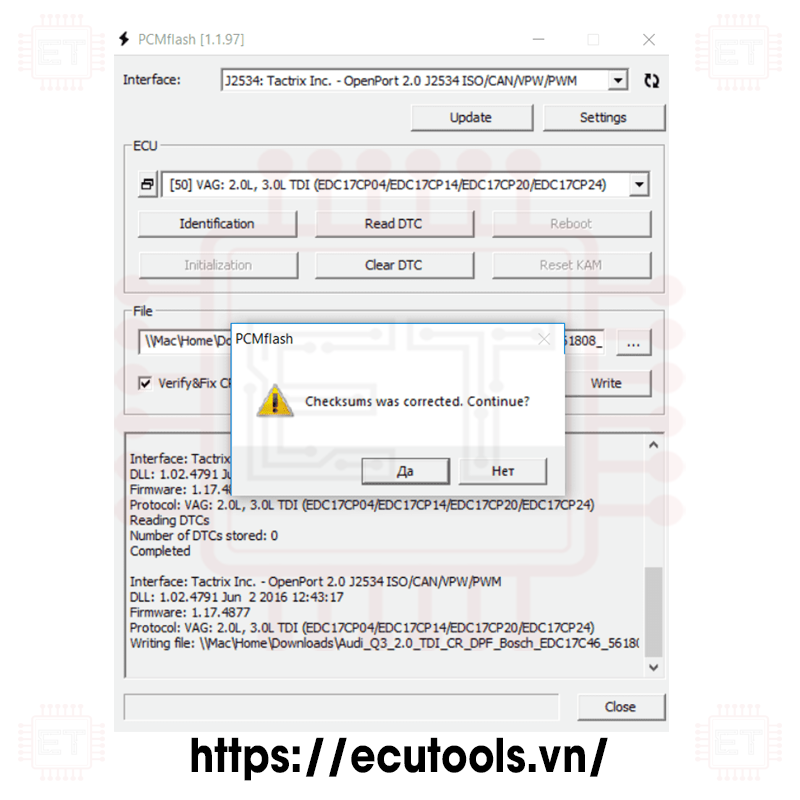
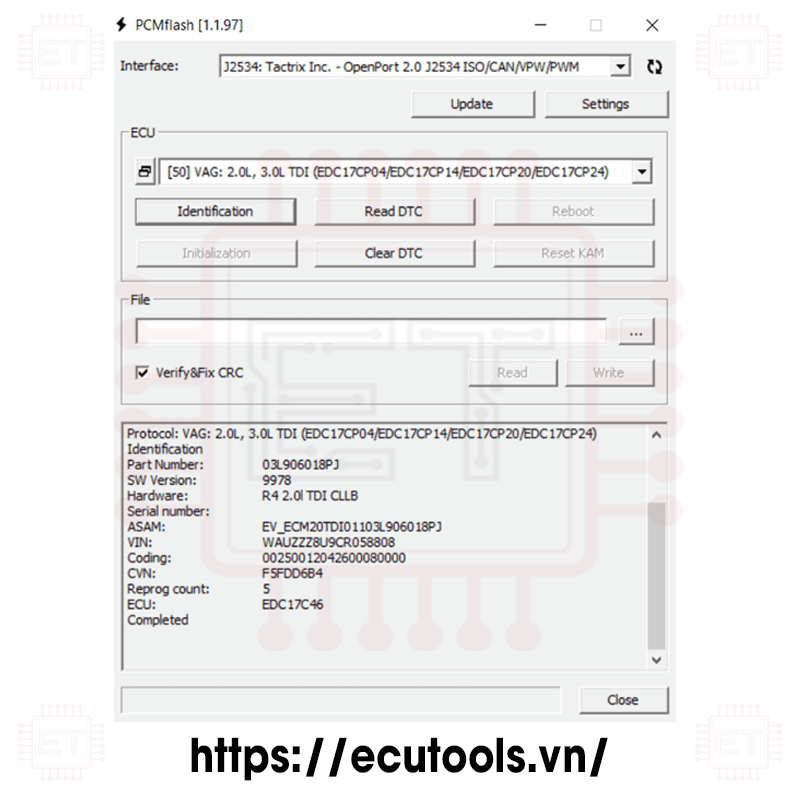
- 2.0L, 3.0L TDI (EDC17CP04/EDC17CP14/EDC17CP20/EDC17CP24) [VR/WR/CK]
- 3.0L TDI (EDC17CP44) [VR/WR/CK]
- 4.2L TDI (EDC17CP24/EDC17CP44) [VR/WR/CK]
- 2.0L TDI (EDC17C46) [VR/WR/CK]
- 2.0L TDI (EDC17C54) [VR/WR/CK]
- 1.6L, 2.0L TDI (EDC17C64) [VR/WR/CK]
- 2.0L TDI (EDC17C74) [VR/WR/CK]
- 3.0L TDI (EDC17CP54) [VR/WR/CK]
Starting from version 1.1.72, packages for programming Bosch control units used by the VAG group and operating on the UDS protocol will gradually be added.
Packages:
No. 49, 50
EDC17CP14, EDC17CP20, EDC17C54 – intended for working with Volkswagen T5, Amarok, Crafter (around 2010), 2.0L diesel engines, as well as Audi vehicles up to 2010.
EDC17CP44, EDC17C46, EDC17C64 – intended for working with vehicles (VW Touareg, Tiguan, Golf, Audi Q5, Q7, A3, A4, A5, A6, A7, A8, Škoda Octavia, and others) from around 2010, with 2.0L and 3.0L diesel engines. These ECUs were installed on almost all passenger cars and crossovers, and it’s impossible to list them all. The coverage is very extensive.
Reading is not available (technically impossible), so:
- Instead, a set of stock files is provided, obtained by converting updates.
- Before using a file, ensure that the catalog number in its name matches that of the ECU. Otherwise, you risk bricking the ECU or nearly bricking it, and restoring the original firmware may not be possible.
- The files I provide are partially encrypted, so they cannot be used with other devices.
- Files read via BSL can be used, provided they are stock files; otherwise, you'll likely encounter an error at the "Preparation" stage.
- Files from cmdflash or simple "calibrations" cannot be used.
In the identification data, the ECU type is always displayed, which the program determines automatically. Pay close attention to this. Programming ECUs on the bench is impossible because an immobilizer is required.
It is highly recommended to have VCDS (VAG-COM) on hand to clear errors across all units after reprogramming.
The software has been tested with OpenPort 2, MongoosePro JLR, Ford/Mazda VCM2, VAS5054, SMS Dialink, Chipsoft Lite/Mid adapters. Chipsoft drivers must be at least version 1.0.1, as earlier versions will cause problems with some vehicles. Writing time ranges from 2-6 minutes, depending on the ECU type, adapter, and vehicle. If you encounter an error after erasing the first block, update the adapter. There is no need to panic – the ECUs do not "crash" in such cases, and you can simply turn off the ignition. Naturally, the vehicle will not start.
Module: VW: 2.0L TDI (EDC17CP20)
Identification
Main number: 03L907309L
Part number: 03L906019JR
Software version: 5620
Hardware number: R4 2.0L EDC CFCA
VIN number: WV2ZZZ
Coding: 0125001A232600080000
ECU type: EDC17CP20
12:53:40 Preparing
12:53:45 Entering programming mode
12:53:50 Gaining access
12:53:51 Transferring data
...
12:58:03 Checking
12:58:03 Software validation
12:58:03 Completing
12:58:06 Completed successfully
List of catalog numbers for which there are softwares in package 49th:
03L906012 03L906012A 03L906012AA 03L906012AB 03L906012AC 03L906012AD 03L906012AE 03L906012AF 03L906012AG 03L906012AH 03L906012AJ 03L906012AK 03L906012AM 03L906012AQ 03L906012AS 03L906012AT 03L906012B 03L906012BA 03L906012BB 03L906012BC 03L906012BE 03L906012BG 03L906012BH 03L906012BK 03L906012BL 03L906012BM 03L906012BN 03L906012BP 03L906012BR 03L906012BS 03L906012BT 03L906012C 03L906012CA 03L906012CB 03L906012CC 03L906012CD 03L906012CG 03L906012CH 03L906012CJ 03L906012CK 03L906012CL 03L906012CT 03L906012D 03L906012DB 03L906012DC 03L906012DD 03L906012DE 03L906012DF 03L906012DJ 03L906012DK 03L906012ET 03L906012F 03L906012FA 03L906012FB 03L906012FC 03L906012FD 03L906012FE 03L906012FF 03L906012FG 03L906012G 03L906012GQ 03L906012GR 03L906012J 03L906012K 03L906012L 03L906012M 03L906012P 03L906012Q 03L906012R 03L906012S 03L906012T 03L906019A 03L906019AB 03L906019AE 03L906019AF 03L906019AG 03L906019AH 03L906019AJ 03L906019AK 03L906019AM 03L906019AQ 03L906019AR 03L906019AS 03L906019B 03L906019BC 03L906019BD 03L906019CP 03L906019CR 03L906019D 03L906019DC 03L906019DD 03L906019DE 03L906019DF 03L906019DG 03L906019DH 03L906019DJ 03L906019DK 03L906019DL 03L906019DM 03L906019DN 03L906019DP 03L906019DQ 03L906019DR 03L906019DS 03L906019DT 03L906019E 03L906019EC 03L906019ED 03L906019EK 03L906019EL 03L906019EM 03L906019EN 03L906019EQ 03L906019ES 03L906019ET 03L906019F 03L906019FA 03L906019FB 03L906019FC 03L906019FD 03L906019FE 03L906019FF 03L906019FG 03L906019FH 03L906019FJ 03L906019FK 03L906019FL 03L906019FM 03L906019FN 03L906019FP 03L906019FQ 03L906019FR 03L906019FS 03L906019FT 03L906019G 03L906019GA 03L906019GB 03L906019GC 03L906019GD 03L906019GE 03L906019GF 03L906019GG 03L906019GH 03L906019GJ 03L906019GK 03L906019GL 03L906019GM 03L906019GN 03L906019GP 03L906019GQ 03L906019GR 03L906019GS 03L906019GT 03L906019HA 03L906019HJ 03L906019HK 03L906019HL 03L906019HM 03L906019HP 03L906019JB 03L906019JM 03L906019JN 03L906019JP 03L906019JQ 03L906019JR 03L906019L 03L906019M 03L906022 03L906022B 03L906022BD 03L906022BE 03L906022BF 03L906022C 03L906022CB 03L906022CC 03L906022CD 03L906022CF 03L906022CG 03L906022CH 03L906022CJ 03L906022CK 03L906022CS 03L906022CT 03L906022DL 03L906022DM 03L906022ER 03L906022FG 03L906022FH 03L906022FL 03L906022GE 03L906022GF 03L906022GH 03L906022GK 03L906022HN 03L906022JB 03L906022JC 03L906022JD 03L906022JE 03L906022JF 03L906022JG 03L906022JH 03L906022JJ 03L906022JM 03L906022JN 03L906022JP 03L906022JQ 03L906022JR 03L906022JS 03L906022JT 03L906022KA 03L906022KC 03L906022L 03L906022MG 03L906022MH 03L906022MJ 03L906022MK 03L906022ML 03L906022MM 03L906022MN 03L906022MP 03L906022MQ 03L906022 MR 03L906022NG 03L906022NH 03L906022NJ 03L906022P 03L906022RK 03L906022SB 03L906022SL 03L906022SM 03L906022SP 03L906022TG 03L906022TL 03L997009 03L997009A 03L997009B 03L997009C 03L997009F 03L997009G 03L997403 03L997403A 03L997403B 03L997403C 03L997403D 03L997403E 03L997403F 03L997403G 03L997403H 03L997403J 03L997403K 03L997403L 03L997403M 03L997403N 03L997403P03L997403Q 03L997403R 03L997403S
Caption:
- RD: Read
- WR: Write
- CK: Checksum correction
Supported ECU
- Great Wall/Lifan ME17 (ME17.8.8) [RD/WR/CK]
- Chery 1.5L/1.6L/2.0L D4G15/E4G16/SQR484 (ME17.8.8) [RD/WR/CK]
- Chery 2.0L D4G20 (ME17.8.8) [RD/WR/CK]
- Chery 1.5L/1.5T/2.0T E4G15C/E4T15C/D4T20 (ME17U6) [RD/WR/CK]
- Chery 1.6T F4J16 (MED17.8.10) [RD/WR/CK]
- Jetour 1.6T F4J16 (MED17.8.10) [RD/WR/CK]
- GAC 1.5T/2.0T 4A15M1/4B20M1 (ME17.8.8.1) [RD/WR/CK]
- GAC 1.5T 4A15J1 (ME17U6/UP6.0) [RD/WR/CK]
- GAC 1.5T 4A15J1 (MED17.8.10) [RD/WR/CK]
- Great Wall/Haval MED17 (MED17.8.10) [RD/WR/CK]
- Geely ME17 (ME17.8.8.1) [RD/WR/CK] Reading requires direct connection to the ECU connector
- Geely 1.8T MED17 (MED17.8.10/TC1728) [RD/WR/CK]
- Geely 1.5T MED17 (MED17.8.10/TC1782) [RD/WR/CK]
- MG MED17 (MED17.8.10) [RD/WR/CK]
- SGMW 1.5L B15 (ME17U6/ECU6.1) [RD/WR/CK]
- BAIC 2.0T (Delphi MT62.1) [RD/WR/CK]
- BAIC 2.4T 4K22D4T (Delphi MT62.1U) [RD/WR/CK]
- BAIC 2.0T (Delphi MT95.1) [RD/WR/CK]
- Chevrolet 1.5L Aveo/Sail 3 (ME17.8.8) [RD/WR/CK]
- Changan 1.5L (Delphi MT62.1) [RD/WR/CK]
- Changan CS35PLUS 1.6L, Eado 1.5T (Delphi MT92.1) [RD/WR/CK]
- Changan CS75PLUS 1.5T (Delphi MT92.1E) [RD/WR/CK]
- Changan 1.5T (Delphi MT95.1) [RD/WR/CK]
- Changfeng 2.0T (Delphi MT62.1) [RD/WR/CK]
- Chery 1.6L (Delphi MT62.1) [RD/WR/CK]
- Chery 1.5T PHEV (Delphi MT62.3) [RD/WR/CK]
- Dayun 2.4T 4K22D4T (Delphi MT62.1U) [RD/WR/CK]
- Dongfeng 2.0T (Delphi MT92) [RD/WR/CK]
- Dongfeng/Fengon 2.0L (Delphi MT62/MT62.1) [RD/WR/CK]
- Dongfeng/Fengon 1.5T (Delphi MT62.3) [RD/WR/CK]
- Dongfeng/Fengon 1.8L (Delphi MT22.3) [RD/WR/CK]
- Dongfeng/Fengxing 2.0L (Delphi MT62.1) [RD/WR/CK]
- Dongfeng/Fengshen 1.5T (Delphi MT62.1U) [RD/WR/CK]
- Dongfeng/Fengshen 1.5T (Delphi MT62.3) [RD/WR/CK]
- Dongfeng/Nazhijie 1.8T (Delphi MT62.1) [RD/WR/CK]
- Dongfeng/Oting 2.4L (Delphi MT62.1U) [RD/WR/CK]
- Dongfeng/Oting 1.8T (Delphi MT92.1) [RD/WR/CK]
- Dongfeng/Oting 2.0T (Delphi MT95.1) [RD/WR/CK]
- Foton 2.4L (Delphi MT62.1U) [RD/WR/CK]
- Foton 2.0L (Delphi MT95.1) [RD/WR/CK]
- GAC 2.0T 4B20J1D (Delphi MT92.1) [RD/WR/CK]
- GAC 2.0T 4B20J1D (Delphi MT95.1) [RD/WR/CK]
- Geely/Great Wall/LuxGen MT80 K-Line [RD/WR/CK]
- Geely/Great Wall/LuxGen MT80 CAN-bus [RD/WR/CK]
- Great Wall 2.4L (Delphi MT62.1U) [RD/WR/CK]
- Great Wall/Haval 1.5T, 2.0T (Delphi MT92/MT92.1) [RD/WR/CK]
- Great Wall/Tank 3.0T Master/Slave (Delphi MT95.1) [RD/WR/NC]
- Huanghai 2.4T (Delphi MT62.1) [RD/WR/CK]
- JAC 1.5T (Delphi MT62.1) [RD/WR/CK]
- JAC 1.5T (Delphi MT92.1E) [RD/WR/CK]
- Jinbei 2.0L 1TZS (Delphi MT62.1) [RD/WR/CK]
- Jinbei 1.6L SWDC16M (Delphi MT62.1U) [RD/WR/CK]
- Junma/Traum 1.5T SFG15T (Delphi MT62.1) [RD/WR/CK]
- Lifan 1.8L (Delphi MT22.3) [RD/WR/CK]
- SAIC 2.0L 1TZH (Delphi MT62.3) [RD/WR/CK]
- SGMW 1.5T 280T (Delphi MT92.1) [RD/WR/CK]
- Southeast 1.5L (Delphi MT22.3) [RD/WR/CK]
- Southeast 1.5T (Delphi MT62.1) [RD/WR/CK]
- Zotye 2.0T (Delphi MT62.1) [RD/WR/CK]
Caption:
- RD: Read
- WR: Write
- CK: Checksum correction
Supported ECU
- 2.7L, 3.3L, 3.8L (MT38/CAN) [WR/CK]
- 2.7L, 3.3L (MT38/K-Line) [RD/WR/CK]
- 2.7L, 3.3L, 3.8L (MT38/BSL) [RD/WR/CK]
- 3.3L, 3.8L, 5.0L (MT86) [RD/WR/CK]
Operating Features:
- For all modules except BSL: In case of an interruption during writing, you need to turn off the ignition for 10 seconds (until the main relay turns off) or press the "Reset" button to return the ECU to a "normal" state. If an interruption occurs during writing, nothing critical happens; simply start the process again.
- Reading:
- MT38 K-Line, MT38 BSL: A full flash read (2048 KB)
- MT86: Only calibration data is read (128 KB).
- Writing:
- 3a. MT38 K-Line, CAN: Software writing (without service areas); full-size files are supported, ChipLoader format files (missing the last 64 KB), and GDS format files.
- 3b. MT86: Calibration data writing (with a warning message), if present in the file (128 KB/1504 KB), or firmware in GDS format or full flash files.
- 3c. MT38 BSL: If a full-size file is written, the entire flash will be written, including service areas (EEPROM, boot). If the file is in GDS or ChipLoader format, only the software area is written (without service areas). To write only the software area using a full-size file, hold down Shift and press the "Write" button.
MT38 Connection on Bench:
- B12, B76 - +12V
- B39 - Ground
- A27 - K-line
- A41 - CAN-H
- A42 - CAN-L
For BSL operation, regardless of block type (CAN or K-line):
- B12, B76 - +12V
- B39 - Ground
- A24 - +12V (switch to BSL mode)
- A27 - K-line
BSL Mode Operation:
“Module: Kia/Hyundai: 2.7L, 3.3L, 3.8L (MT38/BSL)
Identification
Enter programming mode
Transfer bootloader
Check
Hardware number: 28080591
ECU type: MT38/CAN
Part number: 391053E101
Main number: TG7U27*M2AS7F8BB
Software version: 28144119
Calibration file: TG7U27*M2AS7K6BA
Calibration: 11873239
Completed
Explanation - The main number is "TG7U27*M2AS7F8BB" - this is the basic software of the unit that was in it before the update.
17:09:04 Entering programming mode
17:09:04 Transferring bootloader
17:09:07 Checking
17:09:08 Reading data
17:09:08 Reading block 1
17:12:51 Completed successfully
-----------------------------------------------------------------------------
17:15:49 Entering programming mode
17:15:49 Transferring bootloader
17:15:52 Verifying
17:15:52 Transferring data
17:15:52 Erase area 1
17:16:23 Transferring block 1
17:20:26 Completing
17:20:27 Completed successfully
The same block, channel:
Module: Kia/Hyundai: 2.7L, 3.3L, 3.8L (MT38/CAN) VIN
identification
number:
Hardware number: 28080591
ECU type: MT38/CAN
Software version: 28144119
Calibration file: TG7U27*M2AS7K6BA
Calibration: 11873239
CVN number: 03277788
17:23:10 Entering programming mode
17:23:13 Gaining access
17:23:13 Transferring data
17:23:13 Erase area 1
17:23:35 Transferring block 1
17:24:59 Verification
17:25:02 Completion
17:25:05 Completed successfully
Caption:
- RD: Read
- WR: Write
- CK: Checksum correction
Supported ECU
- TC1762/TC1766 MICRO (1504KB)
- TC1762/TC1766 EEPROM (32KB)
- TC1792/TC1796 MICRO (2048KB)
- TC1796 MICRO+EXT (4096KB/6144KB)
- TC1796 EXT (2048KB/4096KB)
- TC1792 EEPROM (64KB)
- TC1796 EEPROM (128KB)
- TC1736 MICRO (1024KB)
- TC1736 EEPROM (32KB)
- TC1738/TC1767 MICRO (2048KB)
- TC1738/TC1767 EEPROM (64KB)
- TC1797 MICRO (4096KB)
- TC1797 EEPROM (64KB)
- TC1797 MICRO+EXT (6144KB/8192KB)
- TC1797 EXT (2048KB/4096KB)
- TC1724/TC1728 MICRO (1536KB)
- TC1724/TC1728 EEPROM (64KB)
- TC1782/TC1784 MICRO (2560KB)
- TC1782/TC1784 EEPROM (128KB)
- TC1791/TC1793 MICRO (4096KB)
- TC1791/TC1793 EEPROM (192KB)
- TC1791/TC1793 MICRO+EXT (6144KB/8192KB)
- TC1791/TC1793 EXT (2048KB/4096KB)
- Delphi MT86 EEPROM (16KB)
- Delphi CRD3.1 EEPROM (32KB)
- EDC17C06 EEPROM (8KB)
- EDC17CV41 EEPROM (32KB)
This module supports reading and writing for Infineon Tricore MCUs in BSL / Open Mode. It also supports password reading for some ECUs using Infineon Tricore MCUs such as SIM2K-24x, Ford EMS22XX, Ford SID20X, Bosch, Bosch GPT.
Key Terminologies:
- BSL (Bootstrap Loader): A special operating mode of the MCU. In some cases, ECU disassembly may be required for direct connection.
- TPROT (Tuning Protection): Bosch’s technology for protecting ECU software from external modifications. This includes both software-level protection (RSA signature) and hardware-level protection (password to access the memory integrated into the processor).
- GPT: A special mode of Bosch ECUs, used to read passwords from certain types of ECUs.
Sample Procedure When Using This Module:
- Remove the ECU from the vehicle.
- Identify the pinout and connection instructions for the ECU.
- Use a multimeter (VOM) to check if there is a 120-ohm resistor on the CAN line. If not, connect an external resistor. In general, it's safe to add a 120-ohm resistor to the CAN line, as the standard resistance for the CAN line in vehicles is 60 ohms.
- Read the ECU password:
+ If you have a dedicated module for password reading for a specific ECU, use it.
+ If the ECU is from Bosch, you have two options: If the TPROT is below 8, password reading is not required, and PCMFlash will automatically detect it. If TPROT is 8 or higher, proceed with password reading.
- Perform the ECU reading and writing according to the ECU's connection instructions.
Reference Connection Instructions:
You can use ECU connection instructions from EVC, Alientech, or Dimsport for this module.
Some Tested ECUs:
Bosch
Ford MEDG17 TC1797
VAG MED17.1 TC1796 TPROT8+
VAG MED17.1.1 TC1796 TPROT8+
VAG MED17.1.6 TC1797 TPROT8+
VAG MED17.1.6 TC1797 GPT
VAG MED17.1.21 TC1793 GPT
Ford MED17.2 TC1767 TPROT7
Ford MED17.2 TC1767 GPT
Mini MEV17.2 TC1766
BMW MEVD17. 2 TC1797 TPROT7
BMW MEVD17.2 TC1797 GPT
BMW MEV17.2.1 TC1796+EXT
Mini MEV17.2.2 TC1767
BMW/Mini MEVD17.2.3 TC1793F GPT
BMW MEVD17.2.4 TC1797 GPT
BMW MEVD17.2.6 TC1797 GPT
BMW MEVD17.2.9 TC1797 GPT
PSA MED17.4 TC1766
PSA MEV17.4 TC1766
PSA MED17.4.2 TC1767
BMW MEV 17.4.6 TC1796+EXT
VAG MED17.5 TC1766
MED17.5.1 TC1796+EXT
VAG MED17.5.2 TC1767 TPROT8+
VAG MED17.5.5 TC1766
VAG MED17.5.5 TC1766 GPT (password read via Ford/Opel/Volvo)
VAG MED17.5.5 TC1767 GPT
VAG ME17.5.6 TC1767 GPT
VAG MED17.5.20 TC1766
VAG MED17.5.21 TC1782 GPT
VAG ME17.5.24 TC1724 GPT
VAG ME17.5.26 TC1724 GPT
MB MED17.7.1 TC1797 TPROT7
MB MED17.7.2 TC1797 GPT
MB MED17.7.3 797
MB MED17.7.3.1 TC1797+EXT GPT
MB MED17.7.5 TC1793+EXT GPT
China ME17.8.8 TC1728
Geely MED17.8.10.1_BSL
JLR MED17.8.31 TC1797 GPT
K/H MEG17.9.2 TC1767 TPROT8+
VAZ ME17.9.7 TC1762
K/H ME17.9.8 TC1767 TPROT8+
K/H MEG17.9.8 TC1767 TPROT8+
K/H MEDG17.9.8 TC1767 TPROT8+
K /H ME17.9.11 TC1762
K/H MEG17.9.12 TC1762
K/H MEG17.9.13 TC1762
K/H MEG17.9.21 TC1724 TPROT8+
K/H ME 17.9.21.1 TC1724 GPT
Suzuki ME17.9.51 TC1762
Suzuki ME17.9.61 GPT TC1724 GPT
UAZ ME17.9.71 TC1724
VAG EDC17U01 TC1766
BMW EDC17CP02 TC1766 TPROT3
VAG EDC17CP04 TC1796 TPROT7
VAG EDC17U05 TC1796L EXT (external flash only, processor without built-in memory)
Honda EDC17CP06 TC1792
Toyota EDC17CP07 TC1766
K/H EDC17C08 TC1766 TPROT3
BMW EDC17CP09 TC1796+EXT
PSA EDC17C10 TC1797 TPROT7
Ford EDC17C10 TC1797 TPROT7
MB EDC17CP10 TC1796+EXT (requires 120 ohm resistor per channel)
Renault/Opel EDC17C11 TC1766
JLR EDC17CP11 TC1796+EXT TPROT6
K/H EDC17CP14 TC1796 TPROT3
K/H EDC17CP14 TC1796 TPROT11 (reading the password in the car or when powered by the battery)
VAG EDC17CP14 TC1796
VAG EDC17CP14 TC1796+EXT
VAG EDC17CP14 TC1796+EXT GPT
Honda EDC17CP16 TC1796
GMC EDC17CP18 ТС1796+EXT
GM EDC17C19 TC1792
VAG EDC17CP20 TC1796
Volvo EDC17CP22 TC1796+EXT
Jeep EDC17CP27 TC1796
Toyota EDC17CP37 TC1766
BMW EDC17C41 TC1797 GPT (GPT pins T96.9 T96.92)
BMW EDC17C41 TC1797 GPT (5 Con)
RENAULT EDC17C42 TC1767
JLR EDC17CP42 TC1797
MB EDC17C43 TC1797
VAG EDC17CP44 TC1797 8+
China EDC17CV44 TC1767
NISSAN EDC17C45
BMW EDC17CP45 TC1797 GPT (GPT pins M3.31, M4.19)
VAG EDC17C46 TC1767 TPROT8+
VAG EDC17C46 TC1767 GPT
MB EDC17CP46 TC1797 GPT (requires 120 ohm resistor per channel)
Volvo EDC17CP48 TC1797 GPT
Iveco EDC17C49 TC1797
Jeep EDC17C49 TC1797 TPROT8+
FCA EDC17C49 TC1797 GPT
BMW EDC17C50 TC1797 GPT (GPT pins T96.89, T96.92)
Iveco EDC17CP52 TC1797
K/H EDC17C53 TC1767 TPROT8+ (micro grippers were used)
VAG EDC17C54 TC1797 TPROT8+
VAG EDC17 CP54 TC1793+EXT GPT
BAW EDC17CV54 TC1767
JLR EDC17CP55 TC1793 GPT
BMW EDC17C56 TC1797 GPT (GPT pins T96.9, T96.92)
K/H EDC17C57 TC1793F TPROT8+
MB EDC17CP57 TC1793 GPT
Honda EDC17C58 TC1793 GPT
GM E DC17C59 TC1767 GPT (GPT pins T60.29, T60.58 ) cars with a 2.0L engine
GM EDC17C59 TC1767 GPT (GPT pins T94.20, T60.58) cars with a 1.3L engine
MB EDC17CP60 TC1793 GPT
VAG EDC17C64 TC1797 GPT
MB EDC17C66 TC1793F GPT
Volvo EDC17CP68 TC1797 GPT
VAG EDC17C74 TC1793 GPT
FCA EDC17C79 TC1797 GPT
Nissan EDC17C84 TC1782 GPT
Siemens/Continental
Renault EMS3110 TC1766
K/H SIM2K-241 TC1767
Ford SID208/SID209 TC1797
Ford EMS2204/EMS2211 TC1738
Renault SID305 TC1766
Renault SID306 TC1766
PSA SID807 TC1796
Ford SID807EVO TC1797
PSA SID807EVO TC1797
VAG SIMOS8.1 TC1796
VAG SIMOS8.2 TC1796
Delphi
GM MT-60 TC1766 (lift watchdog leg)
China MT-80 TC1762
GM MT-80 TC1762
K/H MT-86 TC1766
MB CRD 3.10 TC1797 (requires 120 ohm resistor per channel)
MB CRD3P.C0
Caption:
- RD: Read
- VR: Virtual Reading
- WR: Write
- CK: Checksum correction
- UNLOCK: Unlock ECU
Supported ECU
- 2.8L V6 FSI (SIMOS8.1) [ RD/WR/CK ]
- 3.2L V6 FSI (SIMOS8.2) [ RD/WR/CK ]
- 3.0L V6 TFSI (SIMOS8.3) [ VR/WR/CK ]
- 3.0L V6 TFSI (SIMOS8.4) [ VR/WR/CK ]
- 3.0L V6 TFSI (SIMOS8.5) [ VR/WR/CK ]
- 2.8L V6 FSI (SIMOS8.6) [ RD/WR/CK ] (read-write calibrations after unlocking in BSL!)
- SIMOS8.6 (EEPROM/UNLOCK/BSL) [ RD/WR/UNLOCK ] (EEPROM read/write, ECU unlock)
- 1.2L TSI (SIMOS10) [ RD/VR/WR/CK ]
- 1.2L MPI (SIMOS11) [ RD/VR/ WR/CK ]
- 1.8L, 2.0L TSI (SIMOS12.1/SIMOS12.2) [ VR/WR/CK ]
- 1.6L TDI (PCR2.1) [ RD/WR/CK ] (calibration read/write after unlocking in BSL!)
- PCR2.1 (EEPROM/UNLOCK/BSL) [ RD/WR/UNLOCK ] (EEPROM read/write, ECU unlock)
The SIMOS 8.xx ECUs were installed in Audi vehicles with large engines. For the 8.1, 8.2, 8.3, 8.4, and 8.5 versions, writing is done via OBD without the need for any additional actions. For versions 8.3, 8.4, and 8.5, a stock file database is provided (this contains the full ECU software and allows for software updates). For the SIMOS 8.6 version, prior opening and unlocking in BSL mode using the corresponding module is required. Instructions are provided below.
The PCR 2.1 ECUs were installed in various VAG group vehicles with a 1.6L diesel engine. For operation, prior unlocking is required.
Please note: where real reading is available, only the calibration area is read (not the entire software). In this case, pay close attention to ensure the calibration version matches the current software version during writing. Otherwise, you risk bricking the ECU after the write process. Work very carefully. Only SIMOS 8.1/8.2 ECUs can be restored later using package 53. The rest will need to be replaced with new ones.
The SIMOS 8.4 ECU can also be unlocked, allowing reading to be available. However, I recommend using the stock files provided with the package.
ECU marking usually includes another digit at the end of the name, for example SIMOS 8.23. For us, this is not important, from the program's point of view, this is 8.2.
PCR2.1


Red - +12v, black - ground, yellow - CAN-HIGH, blue - CAN-LOW
SIMOS8.6


Red - +12V, Black - ground, Yellow - CAN-HIGH, Blue - CAN-LOW
Procedure for working with ECUs requiring unlocking (PCR2.1, SIMOS8.6):
- Check the current state of the ECU directly in the vehicle. If the verification is disabled, proceed immediately to reading/writing calibrations. Otherwise, follow the next steps.
- Remove the ECU from the vehicle, open it, and switch the processor to BSL mode using the connection method provided below (PCR2.1, SIMOS8.6). The process is similar to that in Package 53. You can use tools like powerboxes, but it's also possible to manage without them.
- Select "SIMOS8.6 (EEPROM/UNLOCK/BSL)" or "PCR2.1 (EEPROM/UNLOCK/BSL)" depending on the ECU type.
- Click Identification - and save the block data in a text file.
- Click Reading - and save an untouched EEPROM image.
- Since the ECU is locked, perform Initialization. For PCR2.1, you will get a corresponding status message (for SIMOS8.6, the status will not be displayed).
- If you need to restore the EEPROM contents, you can select the previously saved file and use the write button to restore it.
Working with ECUs after unlocking (2.1, 8.6) or if unlocking is not required (8.2, 8.4, 8.5)
This process is straightforward. It is important to understand that when reading an unlocked ECU, you only obtain the calibration data, not the complete software. In this case, writing is only possible if the software versions match. However, if the stock was taken from the database of stocks included with the module, there are no such restrictions, and the ECU can be "updated."
Temic TCU
- DQ200 (0AM) [ VR/WR/CK ]
- DQ200MQB/G2 (0CW) [ RD/VR/WR/CK ]
- DQ250C (02E) [ RD/VR/WR/CK ]
- DQ250E/F (02E) [ VR/WR/CK ]
- DQ250MQB (0D9) [ RD/VR/WR/CK ]
- DQ400 (0DD) [ RD/WR/CK ]
- DQ500 (0BH/0BT) [ RD/WR/CK ]
- VL300/V30 (01J/0AN ) [ VR/WR/CK ]
- VL381/DL382 (0AW/0CK) [ VR/WR/CK ]
- DL501/G2 (0B5) [ VR/WR/CK ]
- DQ200/MQB/G2/DQ400 Boot (MICRO) [ RD/WR/CK ]
- DQ200/MQB/G2/DQ400 Boot (EEPROM) [ RD/WR ]
- DQ250E/F /MQB Boot (MICRO) [ RD/WR/CK ]
- DQ250E/F/MQB Boot (EEPROM) [ RD/WR ]
- VL300/V30 BSL (FLASH) [ RD/WR/CK ]
- VL300/V30 BSL (EEPROM) [ RD /WR/CK ]
- VL381 Boot (MICRO) [ RD/WR/CK ]
- VL381 Boot (EEPROM) [ RD/WR ]
- DL501/G2 Boot (MICRO) [ RD/WR/CK ]
- DL501/G2 Boot (EEPROM) [ RD/WR ]
- DL382 Boot (MICRO) [ RD/WR/CK ]
- DL382 Boot (EEPROM) [ RD/WR ]
- Honda UDCT Boot (Continental TC1782/MICRO) [ RD/WR/CK ]
- Honda UDCT Boot (Continental TC1782/EEPROM) [ RD/WR ]
- EDC DC0/DC4 Gen2 (DKG250 Gen2) Boot (TC1784/MICRO) [ RD/WR ]
- EDC DC0 /DC4 Gen2 (DKG250 Gen2) Boot (TC1784/EEPROM) [ RD/WR ]
- VGS-FDCT Boot (TC1766/MICRO) [ RD/WR ]
- VGS-FDCT Boot (EEPROM) [ RD/WR ]
- VGS2-FDCT Boot (TC1784/MICRO) [ RD/WR ]
- VGS2-FDCT Boot (TC1784/EEPROM) [ RD/WR ]
- Haval 7DCT450 Bootloader (EAST80 .D1 TC265/MICRO) [ RD/WR/CK ]
- Haval 7DCT450 Bootloader (EAST80.D1 TC265/EEPROM) [ RD/WR ]
- Hyundai TAD701/TAD801 D7UF1-2/D7F34-2/D8LF1 Bootloader (TC275/MICRO) [ RD /WR/CK ]
- Hyundai TAD701/TAD801 D7UF1-2/D7F34-2/D8LF1 Bootloader (TC275/EEPROM) [ RD/WR ]
Caption:
- RD: Read
- VR: Virtual Reading
- WR: Write
- CK: Checksum correction
- UNLOCK: Unlock ECU
Module 58 is designed for working with DSG and CVT ECUs. It supports writing via "OBD" (primarily intended for tuning), as well as working in BOOT mode (mainly for repairs) – reading and writing processor memory, as well as external EEPROM. For BOOT mode, a direct connection to the transmission connector is used, but without opening the ECU. OBD operation is supported for UDS variants of ECUs.
Composition:
DQ200 (0AM) [WR/CK]
DQ250C (02E) [RD/WR/CK]
DQ250E/F (02E) [WR/CK]
DQ200MQB/G2 (0CW) [WR/CK]
DQ250MQB (0D9) [WR/CK]
VL300/V30 (01J/0AN) [WR/CK]
VL381 (0AW) [WR/CK]
DL501/G2 (0B5) [WR/CK]
DQ500 (0BH/0BT) [RD/WR/CK] read via direct connection
DQ200/MQB/G2 Boot (MICRO) [RD/WR/CK]
DQ200/MQB/G2 Boot (EEPROM) [RD/WR]
DQ250E/F/MQB Boot (MICRO) [RD/WR/CK]
DQ250E/F/MQB Boot (EEPROM) [RD/WR]
VL300/V30 BSL (FLASH) [RD/WR/CK]
VL300/V30 BSL (EEPROM) [RD/WR/CK]
VL381 Boot (MICRO) [RD/WR/CK]
VL381 Boot (EEPROM) [RD/WR]
DL501/G2 Boot (MICRO) [RD/WR/CK]
DL501/G2 Boot (EEPROM) [RD/WR]
Coverage:
DQ200 - BOOT - all, OBD - all except 0AM with K-line
DQ250 - BOOT - revisions E/F/MQB, OBD – all
DQ500 - 0BT/0BH (not 0DL!) OBD only, reading with direct connection
VL300/V30 - BSL - all, OBD - all except KW1281
VL381 – all
DL501 – all
OBD Operation: As with other packages, there are no particular features. In case of an interrupted write process, you can turn off the ignition and then simply rewrite it. In case of a failure due to an unsuccessful tune, the ECU can be recovered in BOOT mode.
BOOT Mode Operation: Direct connection to the ECU connector is used, and power switching is either done manually or (HIGHLY recommended) using an automatic power management circuit operated by the L-line (such as Powerbox or a modified box from KESS). In case of manual control, entering boot mode may not happen on the first attempt.
DQ500 Reading: Only possible via direct connection! IMPORTANT: Power must be switched manually, and only the ignition (pin 15) should be turned on and off. The second contact must remain constantly connected!
BSL Operation with VL300/V30: You need to drill a small hole in the cover, just large enough to insert a needle. The needle, through a 1 kΩ resistor, should be connected to ground. K-line connection is required, and it is highly recommended to use automatic power control to quickly locate the boot pin on the board. The photos below show where to drill and the exact point on the board where the needle should make contact.


Connection diagram to the connectors:

Red - +12V, black - ground, yellow - CAN-HIGH, blue - CAN-LOW, green - K-Line.
Cloning procedure - read MICRO and EEPROM from the "old", write MICRO and EEPROM to the "new" one.
Below is the simplest circuit for organizing auto power supply and work on the table. Terminating resistor on the CAN bus is mandatory!

Caption:
- RD: Read
- WR: Write
- CK: Checksum correction
- UNLOCK: Unlock ECU
Supported ECU
- 1.6L (CPGDSH2.24.1/CPEGD2.20.1/UDS) [RD/WR/CK]
- 1.4T, 1.6L (CPEGD2.20.3/CPEGD2.20.4/UDS) [RD/WR/CK/UNLOCK]
- 1.0L, 1.2L (CPEGP2.10.1/CPGPSH2.14.1/UDS) [RD/WR/CK/UNLOCK]
- 1.6L (CPEGD3.20.1/CPEGP3.20.2/CPGPSH3.24.1/UDS) [RD/WR/CK]
- 1.6L (CPGPSH3.26.1/UDS) [RD/WR/CK]
Supported ECUs: Two Generations
Generation 2 (With TC17xx MCU):
- CPGDSH2.24.1/2.26.1/CPEGD2.20.1: Reading/Writing via the diagnostic port, no unlock required.
- CPEGP2.10.1, CPGPSH2.14.1, , CPEGD2.20.3, CPEGD2.20.4, CPGDSH2.26.3: Reading via the diagnostic port, then unlock (only required once), and continue with writing. Note: If you attempt to write without unlocking, the process will fail during the access stage. In this case, turn the ignition off, then back on, perform the unlock, and proceed with writing.
Generation 3 (with TC27x microcontroller):
- CPEGD3.20.1, CPEGP3.20.2, CPGPSH3.24.1: Reading/Writing via the diagnostic port, no unlock required. Notes:
- If a disconnection occurs during writing, enable "recovery mode" in the settings and write the stock file. Then disable "recovery mode" and write the modified file (only calibrations are written).
- If a software update is needed, first write the stock file in "recovery mode" by selecting full writing, then proceed with writing the modified file
- After reading/writing CPGPSH3.24.1, the ECU may not start and may return error identifiers. In this case, disconnect the battery terminal for 30 seconds and reconnect it.
- CPGPSH3.26.1: Reading/Writing via the diagnostic port, no unlock required. Note: If identification fails or hangs for too long, try turning the ignition off and on again and repeat the operation.
Operation on the bench is possible. However, CPEGP2.10.1, CPGPSH2.14.1 may refuse to enter "programming mode" during writing. In this case, install the ECU in the vehicle and complete the writing process there.
Caption:
- RD: Read
- WR: Write
- CK: Checksum correction
Supported ECU
- PowerShift TCM (6DCT450) [ RD /WR ]
- PowerShift 6DCT450 Boot (MICRO) [ RD/WR ]
- PowerShift 6DCT450 Boot (EEPROM) [ RD/WR ]
- PowerShift 6DCT451 TCM GGDS [ RD/WR/CK ]
- PowerShift 6DCT451 [XPS6 Gen3] Boot (MICRO) [ RD/WR ]
- PowerShift 6DCT451 [XPS6 Gen3] Boot (EEPROM) [ RD/WR ]
OBD operation (reading and writing of working software is possible, access to EEPROM is not supported): Ford vehicles can be operated via OBD, supporting GGDS and KWP protocols. For Volvo and JLR, newer vehicles are supported through GGDS.
Note: The writing of VBF files and their conversion is NOT SUPPORTED
Boot mode operation - direct connection to the ECU connector is required. In this mode, access to both the internal memory of the processor and external EEPROM is possible. This means full TCM cloning can be performed. Boot mode operation is possible in the vehicle, but you will need to experiment and get used to it. To successfully enter this mode, you need to enable recovery mode and select manual power management. Turn on the ignition when prompted by the program. The functionality in this mode is not guaranteed.
A few words about cloning when replacing TCM. The hardware number is engraved on the TCM near the ribbon cable attachment to the board, but to see it, you will need to unscrew the valve body. The number looks like 7M5R-14C247-xx. This number will also be visible when reading EEPROM. Compatibility is guaranteed only if the number matches completely; otherwise, it’s a matter of luck. The latest revision for the first-generation TCM has the number 7M5R-14C247-FA.
- Fuso Canter (EDC7C4-6/EDC16C31) [RD/WR/CK]
- Fuso Canter Euro 5 CAN-bus (EDC17CP15) [RD/WR/CK]
- Fuso Canter Euro 5 CAN-bus (EDC17CP52) [RD/WR/CK]
Caption:
RD: Read
WR: Write
CK: Checksum correction
- Preface on EDC7C4-6 / EDC16C31
- They’re essentially the same unit. It’s an EDC7 inside an EDC16 housing.
- Two hardware variants:
- Pure K-line: The OBD socket has K-line; identification and diagnostics work.
- CAN: the socket has both CAN and K-line, but K-line is NOT connected to the ECU. That said, all CAN ECUs still support reprogramming over K-line, but only with a direct connection to the ECU connector
- CAN ECUs are the most troublesome: The reprogramming implementation is extremely clumsy, so the CAN bus speed doesn’t match the operating speed. Therefore, if the vehicle has a tachograph or transmission control unit (possibly other add-ons), programming over CAN in-vehicle will be IMPOSSIBLE. You’ll get an error when entering programming mode and the ECU will stop responding.
It’s not bricked: Just disconnect and reconnect the battery terminal and it will “come back.” To program such ECUs, you must remove the unit and connect directly to the connector (CAN or K-line).
Solution: After switching the ignition ON, wait 30 seconds before pressing OK.
- Power on the bench: All 24 V ECUs work fine on 12 V when on bench.
- Read/write content: The bootloader reads a complete full—a file containing both external and internal flash (FullFlash); writing is done in the same full format.
- Preface on EDC17
- Reading: calibration area only.
- Writing: Depending on the file, if full software writing is possible, the software will ask about it. You can use files read in BSL mode to writing normal.
Caption:
- RD: Read
- WR: Write
- CK: Checksum correction
Supported ECU
- EDC17U01/U05/CP04/CP14 K-Line [VR/WR/CK]
- ME17/MED17/EDC17 CAN TP2.0 [VR/WR/CK]
A new package 65 "VAG MED17/EDC17 CAN TP2.0/K-Line" has been added, designed to work with Bosch ME(D)17/EDC17 ECUs that operate on the CAN TP2.0/K-Line protocol. It supports writing modified firmware via the diagnostic port, checksum verification, and correction. Supported ECUs include MED17.1/17.1.1, ME(D)17.5/17.5.1/17.5.2/17.5.5/17.5.6/17.5.20, EDC17U01/U05, EDC17CP04/14/20/24, excluding paired ECUs.
Contents:
- EDC17U01/U05/CP04/CP14 K-Line [VR/WR/CK]
- ME17/MED17/EDC17 CAN TP2.0 [VR/WR/CK]
Explanations:
- Only writing of firmware to ECUs with any TPROT is supported. Stock files are taken from the archive. Full software is written (just like in UDS blocks). Calibrations read by other tools via OBD are not suitable.
- Reading is not available and won’t be added. ECUs with high TPROT cannot be read (and some with low TPROT as well). It’s not worth implementing.
- I may add reading for ECUs that only have low TPROT. Separate modules for these may be included in the package.
- Full reads from boot/BSL can be used without prior preparation, but please send such stock files to be added to the database.
- When choosing software, ensure the exact match of the part number, just like with other VAGs, which ensures compatibility, while the software version indicates the software level. The software can be updated immediately.
- After writing, clear errors using the button to avoid guessing why the "Check" light is on.
Features:
- Read the explanations.
- During writing, the fan may turn on, so connect a battery charger in advance (but not to laptops) or disconnect the fan connector if it's accessible.
- Writing is slower than UDS, so keep this in mind. The writing time is usually 5-10 minutes.
- K-Line is only found in EDC17. If the ECU provides identifiers via K-Line, try starting the writing process through it. If the process stops when entering programming mode, the ECU is CAN-based. Use the "neighboring" module (note: Touaregs with the CASA engine can have either K-Line or CAN, so don’t be surprised).
- ECUs are not afraid of connection interruptions, so you can turn off the ignition.
- If additional equipment is installed in the vehicle connected to CAN (like LPG systems, radar detectors, trip computers), it may cause issues where even the identifiers won’t be shown. This equipment needs to be disconnected.
What is supported: This was primarily developed for 17.5 with high TPROT (for example, PASSAT CC, PASSAT B7 - 1.8/2.0 TSI engines), 17.5.2 (e.g., facelifted Tiguan with 180 hp, PASSAT), edc17cp14 - 2009-2010 Touaregs with CASA engines, etc. However, it also works with other ECUs. Note: 17.5.6 (North and South American markets), 2.0, 2.5 FSI engines have not been tested yet, but there shouldn’t be any issues. 17.1.1 - RS Q3 - similarly supported.
Caption:
- RD: Read
- WR: Write
- CK: Checksum correction
- UNLOCK: Unlock ECU
Supported ECU
- PGM-FI (Bosch EDC17CP06/EDC17CP16/2MB)
Functions/ Tính năng: Writing, checksum correction.
- PGM-FI (Bosch EDC17CP50/4MB) [Unlocked]
- PGM-FI (Bosch EDC17C58/4MB) [Unlocked]
- PGM-FI (Bosch EDC17C72/2.5MB) [Unlocked]
- PGM-FI (Bosch MED17.9.3/4MB) [Unlocked]
- PGM-FI (Bosch ME17.9.55/1.5MB) [Unlocked]
Functions/ Writing after unlocking with Module 53 or 71, checksum correction.
Caption:
- RD: Read
- WR: Write
- CK: Checksum correction
Supported ECU
- Jaguar XF/XJ/XK (X250/X350/X351/X150) 3.0L V6, 3.5L V8, 4.2L V8/SC (Denso) [RD/WR/CK]
- Range Rover/Sport/Discovery 3 4.0L V6, 4.4L V8, 4.2L V8/SC (Denso) [RD/WR/CK]
- Freelander 2 (L359) 3.2L V6 233PS (Denso) [RD/WR/CK]
- Range Rover (L320/L322/L319), Jaguar (X150/X250/X351) 5.0L V8/SC (Denso)[RD/WR/CK]
- Volvo XC90 29bit 2006-2010 3.2L (Denso) [Test] [RD/WR/CK]
- Volvo XC90 29bit 2006-2010 4.4L (Denso) [Test] [RD/WR/CK]
Caption:
- RD: Read
- WR: Write
- CK: Checksum correction
Supported ECU
- MED17.7.1/17.7.2/17.7.3/17.7.3.1/17.7.5 [ VR/WR/CK ]
- EDC17CP01/CP10 [ RD/WR/CK ] only ECU with external flash memory
- EDC17C43/CP46/CP57/CP60/C66 [ RD/WR/CK ]
- M156/M272/M273 (ME9.7) [ RD/WR/CK ]
- Aston Martin M177 (MED17.7.5) [ WR/CK ]
Version 1.1.98 has added support for MED17/EDC17 control units.
The package at the time of release includes:
- MED17.7.1/17.7.2/17.7.3/17.7.3.1 [VR/WR/CK]
- EDC17CP01/CP10 [RD/WR/CK] – only ECUs with external flash memory
- EDC17CP46/CP57/CP60/C66 [RD/WR/CK]
For EDC17, calibration area reading and writing are supported, while for MED17, writing and virtual reading are supported (starting from bootloader version 1.1.98-2). For MED17, files read in BSL (boot mode) can be used directly; there's no need to transfer anything anywhere. Please note: software replacement is not possible, only work with calibration areas. Checksums are calculated, and I strongly recommend not trying to calculate them manually, as most editors corrupt files when preparing them for boot-mode writing, which is entirely unnecessary and outdated. You can read and write control units on the bench, except for those that communicate via FlexRay instead of CAN.
Work starts as usual with identification, demonstrated here using EDC17CP46 as an example.
Identification
VIN number: WDC166024
Hardware number: 0064467140
Software version: 642 902 7501 642 903 1306 642 904 0200
Calibration file: CR60-BJL1-166WA-642LS-EU6OPS_4x4_3S_MY13-ME17
Calibration: 642 903 1306
CVN number: 7D4E9BFF
ECU type: EDC17CP46
Completed
The key points in this output are:
The ECU type is displayed for EDC17, allowing you to choose the correct protocol for reading and writing. For MED17, this is not necessary, as the bootloader will automatically determine what needs to be written based on the file. Next, pay attention to the highlighted digits in the software version, as well as the entire version itself. The first three digits represent the engine model; in this case, 642 stands for OM642. Then comes the data type: 902 is the working program, 903 is the calibration, and 904 is the bootloader. Following that are four digits representing the version itself. For compatibility, we are only interested in the calibration (903), which is placed in a separate field. For different car models, calibrations may be shared, and such files can be written to different models if they match. Additionally, the calibration file is shown, which, for diesel engines, contains a fairly detailed description of the configuration.
An important note regarding EDC17CP10: initially, these units did not have external flash memory, in which case the ECU type will display "EDC17CP10 NOT SUPPORTED." These units cannot be read or written. CVN is only displayed if you hold down the Shift key; this is because some units may take up to 5 minutes to calculate CVN after programming or a "cold" start.
On the ECU cover, you can see the 900 number, which is the order number, as well as 901, which is the hardware version. Flashing the software according to the sticker won't work, so we perform a "free" identification.
Reading diesel ECUs is straightforward here. You press the read button, and you get something like this in the end:
15:22:24 Entering programming mode
15:22:24 Software version: 6429027501_6429031306_6429040200_CR60-BJL1-166WA-642LS-EU6OPS_4x4_3S_MY13-ME17
15:22:24 Reading data
15:22:24 Reading block 1
15:26:15 Reading block 2
15:26:53 Completing
15:26:53 Completed successfully
Reading can be performed with the engine running. The reading time is up to 10 minutes. The resulting file name will also include the Bosch number, for example:
1037534027_6429027501_6429031306_6429040200_CR60-BJL1-166WA-642LS-EU6OPS_4x4_3S_MY13-ME17-20181209-201843.bin
Writing. Select the file and proceed with writing.
15:20:44 Entering programming mode
15:20:53 Gaining access
15:20:54 Transferring data
15:20:54 Erase area 1
15:21:07 Transferring block 1
15:21:50 Verifying
15:21:51 Transferring block 2
15:21:58 Verifying
15:21:58 Completing
15:22:04 Completed successfully
After writing, turn the ignition off and back on, then clear the error codes using the corresponding button. If the writing process is interrupted, nothing bad will happen, and you can turn the ignition off if needed. Simply restart the writing process. There’s no need to turn off the fans, but it’s better to turn off other electrical consumers. The writing process doesn’t take long, but it's better to be cautious.
Regarding MED17.7.x, everything mentioned above for diesel engines applies here. Below is information about finding the correct software using the example of MED17.7.2.
VIN number: WDD2073
Hardware number: 2749010700
Software version: 2709040100 2709026400 2749039801
Calibration file: 4D41070P57H0001 0904
Calibration: 2749039801
The most reliable option is searching by calibration number (highlighted), although unfortunately, it's not always available. Often, only the Bosch number is present, which may be unknown. However, there is a great resource that can help you find the necessary numbers and software. It is the EVC database - https://www.evc.de/en/product/ols/reseller/projects.asp.
We search by calibration number - https://www.evc.de/en/product/ols/resel ... 2749039801, and we get suggestions, including the Bosch number - 1037544264.
The same goes for the "Calibration File" - we check for a full match - https://www.evc.de/en/product/ols/resel ... 70P57H0001.
Caption:
- RD: Read
- WR: Write
- CK: Checksum correction
Supported ECU
- 2.8L CRDI (EDC17CP27)[ RD/WR/CK ]
- 3.0L CRDI (EDC17C49/C79) [ RD/WR/CK ] direct connection to ECU may be required for reading
The following ECUs are supported:
2.8L CRDI (EDC17CP27) [Test][RD/WR/CK]
3.0L CRDI (EDC17C49/C79) [RD/WR/CK]
Identification looks like this:
VIN number: 1C4RJFCM5EC531366
Part number: 05150767AC
Serial number: T00YF1234H1514
Software version: 68270626AE
Calibration file: MAW4J4W270XX02H
CVN number: EDD3BF04
To see the CVN, you need to hold down the Shift key.
Reading: EDC17CP27 - via the OBD port, can be done with the engine running. For EDC17C49/C79, try reading in the vehicle; if that doesn't work (and if there's a "gateway"), direct connection to the ECU port is required. Reading time is up to 10 minutes. After reading, you’ll get a file that also contains the Bosch number: 10SW002641_68270626AE_MAW4J4W270XX02H-20181203-002526.bin
The pinout for EDC17C49/C79 can be found on the evc.de website.
Second option:
Writing: Only calibrations are written, so you either modify the one that was read or find a file by software version or calibration file. Files read in BSL (boot mode) are suitable. In case of a communication interruption, simply restart the writing process; you can turn off the ignition if needed. IMPORTANT: If you get a P0633 error after writing, it’s likely that the tuner forgot (or doesn’t know how) to mask this error. Some tools, like K-Tag, perform this automatically, and many users may not realize this.
Example process log:
16:55:08 Entering programming mode
16:55:14 Gaining access
16:55:15 Data transfer
16:55:15 Erasing area 1
16:55:34 Transferring block 1
16:56:47 Verification
16:56:47 Completion
16:56:51 Successfully completed
Caption:
- RD: Read
- WR: Write
- CK: Checksum correction
Supported ECU
Direct connection to the ECU connector and a Scanmatik 2 or Scanmatik 2 Pro adapter are required for operation
- MEDC17 (TC1762/1766/1792/1796) FLASH [RD/WR/CK]
- MEDC17 (TC1762/1766/1792/1796) EEPROM [RD/WR]
- MEDC17 (TC1724/1728/1767/1782/1784/1797) FLASH [RD/WR/CK]
- MEDC17 (TC1724/1728/1767/1782/1784/1797) EEPROM [RD/WR]
- MEDC17 (TC1791/1793) FLASH [RD/WR/CK]
- MEDC17 (TC1791/1793) EEPROM [RD/WR]
- MEDC17 BSL PASSWORD [RD]
- EDC17C06 EEPROM (8KB) [RD/WR]
- EDC17CV41 EEPROM (32KB) [RD/WR]
- MEV17.2 EXT EEPROM (8KB) [RD/WR]
Explanations:
- Flash: This is a full flash, including both internal and external flash (if present). The internal and external flash will not be read separately
- EEPROM: This is the internal EEPROM of the processor.
- BSL PASSWORD: This option is for reading the password, which can be used with Module 53. Module 71 does not require a password to work!
Sample Procedure When Using This Module
- Connect the external ECU connector with a Bench/Boot cable according to the pinout (Power, Ground, CAN bus, GPT signals)
- Click the "Identification" button in any selection included in the module 71. Select the power management mode (as usual – using automatic). You’ll get something like this:
“Adapter: Scanmatik - SM2 USB
DLL: 1.0.0.15 (built 01.02.19)
Firmware: FW:0802 HW:02 SN:A
Module: Bosch: MEDC17 (TC1762/1766/1792/1796) FLASH
Identification
Entering programming mode
Gaining access
Transferring bootloader
Checking
Serial number: 41808203-07C0B982-74080010-1118FB00
Hardware number: 00001820-00009101 0053C001-0055C001
ECU type: TC1797 rev. 1
Protection 1: RW W0 [00000-1FFFFF]
Protection 2: RW W0 [00000-1FFFFF]
Ext Flash: S29CD016 (2MB)
Done”
- This is the usual output, in this case this ECU is MED17.7.3.1 with TC1797 processor and 2MB external flash. Then select the correct processor type, either MEDC17 (TC1724/1728/1767/1782/1784/1797) Flash or EEPROM
- Click Read. It is recommend reading both FLASH and EEPROM when working
- It might be useful to save the processor password. In this case, regardless of the ECU type, simply select 'Bosch: MEDC17 BSL PASSWORD' and click Read. Again, the password is not required for the package to function. It's only needed if BSL mode work is necessary
- Writing: Select the correct processor type and files. Click Write and everything proceeds as usual. This module supports unlocking for Module 36, Module 39, Module 66 without opening ECU
Connection option
- Use the Bench/Boot cable for Scanmatik 2 Pro.
- Use a high-quality PowerBox for PCMflash. Low-quality PowerBoxes are not recommended because dangerous voltage (up to +12V) can appear on the GPT pins, potentially damaging the ECU.
Caption:
- RD: Read
- WR: Write
- CK: Checksum correction
Supported ECU
- Ford F-150: 3.5L Ecoboost V6 (MG1CS015) [HL3A] [RD/WR/CK]
- Ford Fiesta 8: 1.5L Ecoboost MT (MG1CS016) [JX6A] [RD/WR/CK]
- Ford Focus 4: 1.0L, 1.5L Ecoboost MT (MG1CS016) [JX6A] [RD/WR/CK]
- Ford Focus 4: 1.5L Ecoboost AT (MG1CS017) [JX6A] [RD/WR/CK]
- Ford Mustang 6: 2.3L Ecoboost (MG1CS017) [JR3A] [RD/WR/CK]
- Ford Edge: 2.7L Ecoboost (MG1CS018) [K2GA] [RD/WR/CK]
- Ford F-150: 2.7L Ecoboost (MG1CS018) [JL3A] [RD/WR/CK]
- Ford Mustang 6: 5.0L Coyote V8 (MG1CS019) [JR3A] [RD/WR/CK]
- Ford F350: 6.2L, 7.3L Boss V8 (MG1CS019) [LC3A] [RD/WR/CK]
Caption:
- RD: Read
- WR: Write
- CK: Checksum correction
Supported ECU
- R7F701202/R7F701216 P5-UDS [RD/WR/CK]
- LC300/LX500d 3.3TD P5-UDS (F33A-FTV/R7F701216) [RD/WR/CK]
- LC300/LX500d 3.3TD MCU #2 P5-UDS (F33A-FTV/R7F701216) [RD/WR/CK]
- LC150/Hiace/Hilux/Revo/Fortuner 2.4TD, 2.8TD P5-UDS (1GD-FTV/2GD-FTV/R7F701216) [RD/WR/CK]
- LC150/Hiace/Hilux/Revo/Fortuner 2.4TD, 2.8TD 6AT Gearbox P5-UDS (AC60F/R7F701201) [RD/WR/CK]
- Camry/ES/Rav4/UX 2.0L, 2.5L P5-UDS (M20A-FKS/A25A-FKS/R7F701202) [RD/WR/CK]
- Camry/ES/Rav4 2.5L 8AT Gearbox P5-UDS (UB80/R7F701201) [RD/WR/CK]
- Camry/ES/Rav4 2.5L HV P5-UDS (A25A-FXS/R7F701202) [Test] [RD/WR/CK]
- Corolla 2.0L P5-UDS (M20A-FKS/R7F701202) [RD/WR/CK]
- Highlander/Siena 2.5L HV P5-UDS (A25A-FXS/R7F701216) [Test] [RD/WR/CK]
- NX250 2.5L P5-UDS (A25A-FKS/R7F701216) [RD/WR/CK]
- Yaris GR 1.6T P5-UDS (G16E-GTS/R7F701216) [Test] [RD/WR/CK]
In version 1.2.0, a new package 74 "Toyota/Lexus Generation 3" has been added, designed to work with Denso ECUs with R7F701202 processors, operating under the P5-UDS protocol, installed in Toyota/Lexus vehicles with gasoline engines. It supports reading, writing, checksum verification, and correction. Currently, it supports Lexus ES250, LS500, UX vehicles, as well as some hybrid vehicles (ES300h, RAV4) for the European market. For the U.S. market, it supports Camry and Corolla models with 2.0 and 2.5-liter gasoline engines.
Caption:
- RD: Read
- WR: Write
- CK: Checksum correction
Supported ECU
- Ford Truck: 6.7L Power Stroke V8 (EDC17CP05) [BC3A] [RD/WR/CK]
- Ford Truck: 6.7L Power Stroke V8 (EDC17CP05) [DC3A/FC3A] [RD/WR/CK]
- Ford Truck: 6.7L Power Stroke V8 (EDC17CP65) [HC3A] [RD/WR/CK]
- Ford Truck: 3.0L Power Stroke V6 (EDC17CP65) [JL3A] [RD/WR/CK]
Caption:
- RD: Read
- WR: Write
- CK: Checksum correction
- UNLOCK: Unlock ECU
Supported ECU
- Kia/Hyundai: MG7.9.8/MEG17.9.12 Gearbox (ST10F275/TCU) [ RD/WR ]
- TC14 Gearbox (MPC562/TCU) [ RD/WR/CK ]
- TC60/TC80/ME(D) G17.9.8/13 Gearbox (SH72549/TCU) [ RD/WR/CK ]
- MEG17.9.21 Gearbox (SH72549/TCU) [ WR/CK ]
- SIM2K-24x/341 Gearbox (TC1766/TCU) [ RD/WR/CK ]
- SIM2K-24x Gearbox (TC1738/TCU) [ RD/WR/CK ]
- SIM2K-341 Gearbox (TC1738/TCU) [ RD/WR/CK ]
- SIM2K-143 Gearbox (TC1738/TCU) [ RD/WR/CK ]
- CPTSH2.08.1/CPTSH2.08.2 Gearbox (SH72544/TCU) [ RD/WR/CK ]
- Gearboxes with ST10 are full read, the software can be written, and it can be changed.
- Gearboxes with MPC562, SH72549 – only calibrations are read and written. They can only be changed if the software version matches!
- Gearboxes in SIM2K – the software can be read and written, and it can be changed.
For all gearboxes, writing files in GDS format is supported. As usual, start by identifying and carefully checking the ECU type. The software in SIM2K on TC1738 can be of two types, and inside SIM2K-240, there can be software similar to SIM2K-341. Therefore, focus specifically on the ECU type, as the protocols in the program are named conventionally, according to the most commonly used versions.
Examples of identification (MEG7.9.8, TC14, TC80, SIM2K):
Hardware number: BT090806
ECU type: ST10F275/TCU
Software version: TTD2C16UA1
Calibration: C3063401
CVN number: D6B383EA
Hardware number: BC190106_BS190102_BB190101
ECU type: MPC562/TCU
Software version: TBK2C20NAC
Calibration: 564D0505
CVN number: BC21B82E
Hardware number: b60d0505
ECU type: SH72549/TCU
Part number: 95440-4F032
Software version: c35_v0000
Calibration: TBK0M20NH1
CVN number: DE3A17B4
Hardware number: KR821552_C06
ECU type: SIM2K-24X/341/TC1766
Software version: KR82155118
Calibration: TYF0Z24SA4
CVN number: 88A27D07
Read-write (for time estimation)
MEG7.9.8
17:24:49 Identifying module
17:24:49 Software version: TTD2C16UA1
17:24:50 Reading data
17:44:00 Completed successfully
17:44:50 Entering programming mode
17:44:51 Gaining access
17:44:52 Transferring data
17:46:20 Completed successfully
TC14
17:10:06 Identifying module
17:10:06 Software version: TBK2C20NAC
17:10:06 Reading data
17:17:48 Completed successfully
17:19:09 Entering programming mode
17:19:10 Gaining access
17:19:11 Transferring data
17:19:34 Completed successfully
TC80:
17:02:01 Identifying module
17:02:01 Software version: TBK0M20NH1_c35_v0000
17:02:01 Reading data
17:06:00 Completed successfully
17:07:21 Entering programming mode
17:07:22 Gaining access
17:07:23 Transferring data
17:08:07 Completed successfully
SIM2K:
12:34:45 Identifying module
12:34:46 Software version: TYF0Z24SA4
12:34:49 Reading data
12:36:25 Completed successfully
12:38:42 Entering programming mode
12:38:45 Gaining access
12:38:46 Transferring data
12:41:03 Completed successfully
Caption:
- RD: Read
- WR: Write
- CK: Checksum correction
Direct connection to the ECU, Scanmatik 2 Pro, a connection cable OR a quality J2534 device + Powerbox for PCMflash are required
Supported ECU
- ME9/MED9/EDC7/EDC16/PSG16/TCU (MPC556/MPC562/MPC564) [ RD/WR/CK ]
ME9/MED9/EDC7/EDC16/PSG16/TCU MICRO (MPC556/MPC564) [ RD/WR/CK ] - ME9/MED9/EDC7/EDC16/PSG16/TCU EXT (MPC556/MPC562/MPC564) [ RD/WR/CK ]
- ME9/MED9/EDC7/EDC16/PSG16/TCU EEPROM (MPC556/MPC562/MPC564) [ RD/WR ]
Explanations:
- Flash: This is a full flash, including both internal and external flash (if present). Essentially, it’s a combination of EXT + MICRO
- MICRO: This is the internal flash memory of the processor, present only in MPC556 and MPC564.
- EXT: This is the external flash memory, present in all ECUs of module
- EEPROM: This is an external eeprom. The size (type) is determined automatically when reading
Sample Procedure When Using This Module
- Connect the external ECU connector with a Bench/Boot cable according to the pinout (Power, Ground, K-line, GPT signals)
- Click the "Identification" button in any selection included in the module 77. Select the power management mode (as usual – using automatic). You’ll get something like this:
“Adapter: Tactrix Inc. - OpenPort 2.0 J2534 ISO/CAN/VPW/PWM
DLL: 1.02.4820 Jul 6 2016 17:20:04
Firmware: 1.16.4819
Module: Bosch: ME9/MED9/EDC16 (MPC556/MPC562/MPC564)
Identification
Entering programming mode
ECU type: EDC16_MPC564
Done”
- Select what you want to read (You can select everything to create a complete backup of the ECU). In the window, choose the ECU Type, which is required for checksum verification. After that, the reading process starts
- Writing: Select the correct processor type and files. Click "Write," and everything will proceed as usual. Do not change the options "Use write optimizations" and "Write SW areas only, skip service areas" unless you fully understand their purpose.
+ The "Use write optimizations" option speeds up the writing process.
+ The "Write SW areas only, skip service areas" option skips service areas (like Boot service), which ensures safety if you're only tuning the ECU.
+ If you're cloning an ECU using Module 77, you need to disable "Write SW areas only, skip service areas" to allow writing to the service areas.
Supported ECUs
All EDC7 and EDC16 should work. Not all ME9/MED9 will work because manufacturers have blocked access at their discretion. For example, Volvo ME9.0 allows access, but Ford ME9.0 does not. BMW/Mercedes ME9/MED9 are not supported, access is locked
Connection option
- Use the Bench/Boot cable for Scanmatik 2 Pro.
- Use a high-quality PowerBox for PCMflash. Low-quality PowerBoxes are not recommended because dangerous voltage (up to +12V) can appear on the GPT pins, potentially damaging the ECU.
Direct connection to the ECU connector is required for operation!
Caption:
- RD: Read
- WR: Write
- CK: Checksum correction
Supported ECU
- CAN-bus Bootloader FLASH (MH8114F/MH8115F/MH8501F) [RD/WR/CK]
- CAN-bus Bootloader FLASH (MH8601F/MH8610F/MH8611F/1N83M) [RD/WR/CK]
The module is designed for service mode operations with Mitsubishi ECUs that use MH8115F, MH8501F, MH8601F, MH8611F, and 1N83M processors. It supports reading, writing, checksum correction (for the listed ECUs), FLASH memory operations, and reading/writing the processor's built-in EEPROM (D-Flash). Below is the current list of supported ECUs with their corresponding processor families:
Mitsubishi
- Outlander 3, ASX, Pajero Sport – MH8115F (D-Flash in the ECU is not used)
- Eclipse Cross 1.5T – MH8601F
- Expander, Eclipse Cross 2.0L – MH8611F (not tested)
Mazda
- SkyActiv-G Gen 3 – MH8501F (D-Flash in the ECU is not used)
- SkyActiv-G Gen 4 – 1N83M
Suzuki
- MR41S – MH8115F
- MH55S – MH8610F
Subaru
- CVT – 1N83M
Important: The operation is only possible on Bench Mode with power management, including manual control, but it is recommended to use an automatic setup. Cables for Scanmatik 2, Powerbox for PCMflash, and modified KESS boxes are suitable. control is typically done via the K-Line.
We’d like to highlight the issue with EEPROM. The D-Flash of certain processors can have a third state "erased" and Mitsubishi does not have any special mechanisms for handling such cells. When reading them, the dump will contain garbage data, and when writing, this garbage will be written into the memory. Limited testing has shown that this does not affect functionality, but it raises significant concerns for me. We do not recommend experimenting with EEPROM!
Caption:
- RD: Read
- WR: Write
- CK: Checksum correction
Direct connection to the ECU connector is required for operation!
Supported ECU
- SH725xx FLASH [ RD/WR/CK ]
- SH725xx EEPROM [ RD/WR ]
- 1N83M FLASH [ RD/WR/CK ]
- 1N83M EEPROM [ RD/WR ]
In version 1.2.3-1, a new module 80 has been added. This module is designed to work with Denso ECUs that use SH725xx family processors. It supports reading, writing, checksum correction (for the listed ECUs), FLASH memory operations, EEPROM reading and writing, and ECU cloning. Below is the current list of supported ECUs with their respective processor families:
Supported ECUs by Manufacturer and Processor Family:
- Subaru:
- Petrol: SH72531 (plastic, metal)
- Diesel Euro6: SH72543 (not tested)
- Mazda (Gen3/Crypto):
- Petrol: SH72531 (not tested)
- Automatic Transmission SKYACTIV: SH72531
- Petrol SKYACTIV-G: SH72543
- Diesel SKYACTIV-D: SH72543/SH72546
- Volvo:
- Petrol 2.5T: SH72543
- Diesel Euro6: SH72546
- Kia/Hyundai:
- Trucks, Diesel Euro6: SH72543
- Small-Diesel Euro6: SH72546
- Mitsubishi:
- Diesel 4N14 Euro6: SH72543
- FAW:
- Petrol: SH72530
- Suzuki:
- Petrol: SH72530/SH72533
- Nissan:
- VCM: SH72531
This is not an exhaustive list, as some information is either unavailable or insufficient. However, various commercial vehicles with Euro 6 diesel engines built on ECUs similar to those of Kia/Hyundai are also supported, as this is essentially an OEM solution from Denso.
Important: Operation is on table, with power management, including manual control. However, using an automatic setup is recommended. Suitable cables include Scanmatik 2 cables, Powerbox for pcmflash, and modified boxes from KESS. Control is managed as usual via the K-line. ECUs are not affected by power interruptions.
Connection schematics: collected in an album, available for download here https://pcmflash.ru/downloads/.
Writing optimization has been implemented (similar to modules 53, 71, 77) — only changes are written, service areas are skipped — only the software area is written. You can use files prepared for OBD.
Please pay attention to the EEPROM. The processor's D-Flash (Data Flash) memory has a third state called "erased," which applies to groups of 8 memory cells. When reading erased cells, instead of random garbage data (as is the case with some loaders), a placeholder string like PCMFLASH is used. Visually, these areas are noticeable in the memory dump. When writing, such cells will remain in the erased state. Some loaders use a different placeholder (for example, K-Tag) or double-sized files where the second half contains a usage mask. The latter are not supported; we'll see if there is any demand for this functionality. Currently, operation is guaranteed only with files read by PCMflash.
Caption:
- RD: Read
- WR: Write
- CK: Checksum correction
Supported ECU
- ZF 6HP26/6HP28 TCM (MPC5xx/TC1766) [RD/WR/CK]
- ZF 6HP28 Continental TCM (TC1766) [AH42-Ax] [RD/WR/CK]
- ZF 6HP28 Continental TCM (TC1766) EEPROM [AH42-Ax] [RD/WR]
- ZF 8HP70 TCM (SH725xx) [RD/WR/CK]
- ZF 8HP45/8HP70 TCM (TC2xx) [RD/WR/CK]
- ZF 9HP48 TCM (TC1782) [RD/WR/CK]
- ZF 9HP48 TCM EEPROM (TC1782) [RD/WR]
- AWF21 Freelander 2/Evoque TCM [RD/WR/CK]
- AWF21 Ford Mondeo 4 TCM [RD/WR/CK]
Caption:
- RD: Read
- WR: Write
- CK: Checksum correction
Direct connection to the ECU connector is required for operation!
ECUs manufactured after mid-2021 may not be supported.
Supported ECU
- Bosch SH725xx TCU (FLASH) [RD/WR/CK]
- Bosch SH725xx TCU (EEPROM) [RD/WR]
In version 1.2.5 a new module 82 "Bosch SH725xx TCU Bootloader" was added, designed to work in service mode (on the table) with Bosch transmission control units with SH725xx family microcontrollers used in ZF 8HP, VAG DQ380/381/500, MEDG17.9.8, MEG17.9.13, MEG17.9.21, TC60/80. Reading, writing, checking and correction of the KS in FLASH memory and reading and writing EEPROM are supported.
Important: BMW and JLR after the introduction of FlexRay switched to Bosch control units with Infineon Tricore microcontrollers of the Aurix family in ZF 8HP, the module does NOT work with them at all. VAG still uses SH725xx.
Direct connection to the ECU connector is required and automatic power management is highly desirable. Use "Powerbox for PCMflash" or Scanmatik cable.
Tested with Scanmatik 2/PRO, Dialink, Chipsoft, Mongoose, CarDAQ, OpenPort 2.0 (firmware update may be required).
- Bosch SH725xx TCU (FLASH) [RD/WR/CK]
- Bosch SH725xx TCU (EEPROM) [RD/WR]
ECU cloning is possible. To do this, you need to read FLASH and EEPROM from the original and write them to the donor by disabling "skipping service areas". The operation is safe. Make sure that the processor type and boot version match! Otherwise, it will not work.
Identification example, 0D5 (AL551)
Boot: bh1i0201
Hardware number: 103442025501
MCU: R5F72568R
Flash: 4096KB
Eeprom: 128KB
Information on working with MEDG17.9.8, MEG17.9.13, MEG17.9.21 . These units have two processors on the CAN bus - motor and box. In order for the motor processor not to interfere with the work with the box in the service mode, you must enable the "Reduce exchange speed" option in the program Settings.
Regarding the operation with MEG17.9.13: The unit starts extremely unstably, and the transmission part does not always respond. It has been observed that if the engine part (main connector) is powered continuously, and the transmission part is powered through the power management circuit, then the transmission part starts to operate more stably.
Caption:
- RD: Read
- WR: Write
- CK: Checksum correction
Supported ECU
- DQ380/381/500 (0DE/0DL/0GC) [VR/WR/CK]
- AL420/AL600 (09L/09E) K-Line [VR/RD/WR/CK]
- AL420/AL600 (09L/09E) CAN TP2.0 [VR/RD/WR/CK]
- AL450/AL551/AL951 (0CM/0BK/0BL) [VR/RD/WR/CK]
- AL552/AL952 (0D5/0D6) [VR/WR/CK]
- AL1000/AQ250/AQ450 (0C8/09G) UDS [VR/WR/CK]
- AL600/AL750/AQ250 (09D/09G) K-Line [Test] [RD/WR/CK]
- AL750/AQ250 (09D/09G) CAN TP2.0 [Test] [RD/WR/CK]
In version 1.2.5, a new module 83 "VAG Bosch DQ380/DQ381/DQ500/ZF 8HP" has been added, designed to work through the vehicle's diagnostic port with DSG and automatic transmission ECUs used in VAG group vehicles. It supports virtual reading, writing, checksum verification, and correction. This module is intended exclusively for tuning or updating the transmission control software. For cloning and working with EEPROM, use module 82.
- DQ380/381/500 (0DE/0DL/0GC) [VR/WR/CK]
- AL450/AL551/AL951 (0CM/0BK/0BL) [VR/RD/WR/CK]
- AL552/AL952 (0D5/0D6) [VR/WR/CK]
"Real" reading is currently only supported for AL551, while for AL450/AL951, it's still under review. Reading is limited to the calibration (maps) area, whereas virtual reading covers the entire software. Therefore, files from virtual reading can be used to change the software version, but files from regular reading cannot.
WARNING: DQ380/381/500 has a peculiarity in file naming. The manufacturer decided to use the same part number for mechatronics across different configurations, so the list of files provided by the program may contain INCOMPATIBLE files, for example, different shift points for diesel and gasoline engines. To determine file compatibility when changing the software version, it is MANDATORY to ensure that the last 4 characters in the file name match those seen in the ECU identification.
Example of DQ381 identification:
Part number: 0GC300012B
Software version: 1643
Component: GSG DQ381
Hardware number: 0GC927711H
ASAM: EV_TCMDQ381061
Parameter: FL_0GC300012B_1643_VPWZ.par
VIN number:
Coding: 0007
Programming count: 2
ECU type: DQ381/DQ500 Bosch
Look at the "Parameter" in the identification result. The last 4 characters are VPWZ. Select from the list only those options for 0GC300012B that contain VPWZ:
0GC300012B_1404_VPWZ
0GC300012B_1405_OPWZ
0GC300012B_1406_OTWZ
0GC300012B_1420_VPWZ
0GC300012B_1421_OPWZ
0GC300012B_1422_OTWZ
0GC300012B_1426_VPWZ
0GC300012B_1427_OPWZ
0GC300012B_1428_OTWZ
0GC300012B_1429_RTWZ
0GC300012B_1434_OPWZ
0GC300012B_1638_OPWZ
0GC300012B_1640_OTWZ
0GC300012B_1641_RTWZ
0GC300012B_1642_OPWZ
0GC300012B_1643_VPWZ
0GC300012B_1644_OTWZ
DQ381 writing log:
13:43:44 Entering programming mode
13:43:45 Gaining access
13:43:46 Transferring data
13:43:46 Erase area 1
13:43:48 Transferring block 1
13:44:00 Verifying
13:44:00 Erase area 2
13:44:08 Transferring block 2
13:45:54 Verifying
13:45:55 Erase area 3
13:45:56 Transferring block 3
13:46:04 Verifying
13:46:05 Software validation
13:46:05 Completing
13:46:08 Completed successfully
AL551 calibration reading log:
14:11:43 Identifying module
14:11:43 Software version: AL551_8R1927158H_1005
14:11:43 Reading data
14:11:43 Reading block 1
14:15:00 Completed successfully
AL551 calibration writing log:
14:19:27 Preparation
14:19:33 Entering programming mode
14:19:34 Gaining access
14:19:35 Transferring data
14:19:35 Erase area 1
14:19:38 Transferring block 1
14:19:50 Verification
14:19:51 Software validation
14:19:51 Finish
AL552 full writing log:
12:35:54 Preparing
12:35:59 Entering programming mode
12:36:01 Gaining access
12:36:01 Transferring data
12:36:01 Erase area 1
12:36:10 Transferring block 1
12:37:25 Verifying
12:37:46 Erase area 2
12:37:49 Transferring block 2
12:38:02 Verifying
12:38:08 Validating software
12:38:08 Finishing
Caption:
- RD: Read
- WR: Write
- CK: Checksum correction
- VR: Virtual Reading
Supported ECU
- 1.4L, 1.6L, 2.0L TDI (DCM6.2) [VR/RD/WR/CK]
Starting from version 1.2.5, a new module 84 "VAG Delphi DCM6.2" has been added to the program, designed to work through the vehicle's diagnostic port with Delphi DCM6.2 engine control units used in VAG group vehicles. It supports virtual reading, writing, checksum verification, and correction.
1.4L, 1.6L, 2.0L TDI (DCM6.2) [VR/WR/CK]
The ECU is not afraid of connection interruptions. You can turn off the ignition and then simply restart the writing process. In case of a disconnection, don't panic, just repeat the writing process. If necessary, you can enable reduced speed in the settings. WARNING: The ECU is vulnerable to faulty flashes. Keep in mind that if a faulty flash is used, there will be no way to recover it. Always order files from reputable sources with experience working with this ECU!
Virtual reading, just like in other modules for VAG. The writing time is usually less than 10 minutes:
Catalog number: 04L906056CL
Software version: 2370
Component: R4 1.6l TDI
Hardware number: 04L907445B
ASAM: EV_ECM16TDI03004L906056CL
VIN number: VSSZZ
Encoding: 0000000000018000000
CVN number: E5AE4EE9
Programming: 4
ECU type: DC M6.2
14:09:04 Preparation
14:09:09 Entering programming mode
14:09:11 Gaining access
14:09:11 Transferring data
14:09:11 Erase area 1
14:09:22 Transferring block 1
14:15:53 Verification
14:15:55 Software validation
14:15:55 Finish
Caption:
- RD: Read
- WR: Write
- CK: Checksum correction
Supported ECU
- 6HP26 TCM [RD/WR/CK]
- 6HP26 TCM [RD/WR/CK]
- 5R110 TCM (BlackOak/448KB) [RD/WR/CK]
- 5R110 TCM (GreenOak/512KB) [RD/WR/CK]
- 5R110 TCM (SilverOak/2MB)[RD/WR/CK]
- 6R80/6R140 TCM [BC3A] [RD/WR/CK]
- 6F55/8F40/10R80/10R140 TCM [HC3A/HL3A/JL3A/JX6A/LC4A] [RD/WR/CK]
- 8F40/10R80/10R140 TCM [K1GA/K2GA/LC3A/LK4A] [RD/WR/CK]
Caption:
- RD: Read
- WR: Write
- CK: Checksum correction
- VR: Virtual Reading
Supported ECU
- Changan Alsvin 5DCT (EAST80.51/SPC563M) [VR/WR/CK]
- Changan Alsvin 5DCT Bootloader (EAST80.51/SPC563M) [RD/CK]
- Changan DF733 (ATDG-81-9.4) [RD/WR/CK]
- Chery CVT19 (EAST80.11/MPC5534) [VR/WR/CK]
- Chery CVT18/CVT25 (EAST80.13/SPC563M) [VR/WR/CK]
- Chery CVT25 Bootloader (EAST80.13/SPC563M) [RD/CK]
- Chery/Exeed VX 8AT 2023MY (Aisin 845AHA) [VR/WR/CK]
- Geely DSI 6AT [RD/WR/CK]
- Geely Coolray 7DCT330 [VR/RD/WR/CK]
- GAC 7WDCT (ATDG-81-9.4) [RD/WR/CK]
- Haval 7DCT450 (EAST80.D1) [VR/RD/WR/CK]
- Haval 7DCT300 (HYCET) [VR/RD/WR/CK]
- Huanghai A8R50 (ATDG-81-9.4) [RD/WR/CK]
Caption:
- RD: Read
- WR: Write
- CK: Checksum correction
Supported ECU
- Changan 1.4T, 1.5T, 2.0T (UD8/MG1US008) [RD/WR/CK]
- Chery/Exeed 2.0T F4J20 (MG1US008) [RD/WR/CK]
- DongFeng 1.5T (UP8/MG1US008) [RD/WR/CK]
- FAW 1.5T, 2.0T (UD8/MG1US008) [RD/WR/CK]
- Ranger 2.3L Ecoboost China (MG1US008) [P3N9] [RD/WR/CK]
- Geely 1.5L (MG1UA008) [RD/WR/CK]
- Geely/Livan 1.5T (MG1US708) [Test] [RD/WR/CK]
- Great Wall/Haval 1.5T, 2.0T (MG1US008) [RD/WR/CK]
- Haval Jolion 1.5T (MG1UA008) [RD/WR/CK]
- JAC T9 2.0T (UD8/MG1US008) [RD/WR/CK]
- JAC J7 1.5T (UP8/MG1UA008) [RD/WR/CK]
- SGMW 1.5L/1.5T N15A/N15T (MG1UA008) [RD/WR/CK]
- SWM 1.5T (MG1UA008) [RD/WR/CK]
In version 1.3.0, a new module 89 "China MG1" has been added, designed to work with MG1U family ECUs installed in vehicles from Chinese manufacturers. It supports reading, writing through the vehicle's diagnostic port, as well as checksum checking and correction.
Reference:
- The ECU UD8/MG1US008 is installed in cars with direct injection, while UP8/MG1UA008 is installed in those with conventional distributed injection. The first ECU has a fully metal casing, while the second has a plastic cover with integrated connectors. Microcontrollers: TC277 and SPC574K, respectively.
Important notes:
- For reading, direct connection to the ECU connector may be required (currently in pre-facelift Haval F7/F7x).
- For Haval Jolion, only calibrations (maps) are available for reading, while for other ECUs, the entire software is available.
- During writing, the loader specifies what needs to be written. For software writing, it may involve replacing the software, while writing calibrations (which is much faster) requires the software version to match exactly.
- No need to fear interruptions during writing; you can turn off the ignition and start the writing process again.
- Reading and writing are possible on the bench.
- Reading can take up to 20 minutes, and writing up to 10 minutes, depending on the type of ECU.
- If you write a seriously corrupt file, there is a chance to brick the ECU, and there are currently no recovery methods.
Caption:
- RD: Read
- WR: Write
- CK: Checksum correction
Supported ECU
- BAIC 2.0L TD (DCM6.2AP) [RD/WR/CK]
- BAIC 2.0L TD EEPROM (DCM6.2AP) [RD/WR]
- Changan 2.0L TD (DCM7.1AP) [RD/WR/CK]
- Dongfeng 2.3L TD (DCM7.1AP) [RD/WR/CK]
- Dongfeng/Yuchai 2.4L TD (DCM7.1AP) [RD/WR/CK]
- Great Wall/Haval 2.0L TD (DCM6.2AP) [RD/WR/CK]
- Great Wall/Haval 2.0L TD (DCM7.1AP) [RD/WR/CK]
- Great Wall/Haval 2.0L TD EEPROM (DCM7.1AP) [RD/WR]
- JAC 2.0L TD (DCM6.2AP) [RD/WR/CK]
- JAC 2.0L TD EEPROM (DCM6.2AP) [RD/WR]
- Jiangling/Isuzu 2.8L TD (DCM7.1AP) [RD/WR/CK]
- Qingling/Isuzu 3.0L TD (DCM6.2AP) [RD/WR/CK]
- Qingling/Isuzu 3.0L TD (DCM7.1AP) [RD/WR/CK]
- Trucks (DCM6.24) [Test] [RD/WR/CK]
- Foton/Vanche/Yuchai 2.4L TD (DCM7.24) [RD/WR/CK]
- Foton/Vanche/Yuchai 2.4L TD EEPROM (DCM7.24) [RD/WR]
- JCB 4.4L, 4.8L TD (DCM7.24) [RD/WR/CK]
- JCB 4.4L, 4.8L TD EEPROM (DCM7.24) [RD/WR]
Caption:
- RD: Read
- WR: Write
- CK: Checksum correction
Supported ECU
- Mercedes-Benz CRD3/CRD3P FLASH [RD/WR/CK]
- Mercedes-Benz CRD3/CRD3P EEPROM [RD/WR]
In version 1.3.2, a module has been added for working with all modifications of Delphi CRD3/CRD3P ECUs. The available protocols are as follows:
Mercedes-Benz CRD3/CRD3P FLASH [RD/WR/CK]
Mercedes-Benz CRD3/CRD3P EEPROM [RD/WR/CK]
Mercedes-Benz CRD3/CRD3P FLASH 800Kbps [RD/WR/CK]
Mercedes-Benz CRD3/CRD3P EEPROM 800Kbps [RD/WR/CK]
Explanation about speeds: In some models, such as the W205 and W907, the internal CAN bus operates at a speed of 800 Kbps. Therefore, when connecting to such ECUs on the bench (EXCLUSIVELY), you need to use these protocols. When working in vehicles, the speed will be the standard 500 Kbps. The connection setup can be found in the downloads.
Features: Reading, writing, CRC check and correction, and automatic disabling of tuning protection are supported. Working with the EEPROM is also supported. It's recommended to write EEPROM on the bench to avoid issues with the immobilizer in case of any failures.
ECU cloning is possible; in such cases, when writing, press Ctrl+Shift+Write. This will rewrite service areas, including the boot. Warning: Any failure during this process could brick the ECU, and recovery would require opening it with module 53. When cloning, ensure that the hardware versions (see labels) match, otherwise, functionality is not guaranteed.
For normal in-vehicle operation, reading and writing the software have no special features. Interruptions are not an issue, the ignition can be turned off, and it’s possible to work even when there’s a central gateway requiring authorization (such as in the W907).
Reading and writing times: 5-10 minutes, depending on the vehicle model.
Caption:
- RD: Read
- WR: Write
- CK: Checksum correction
Direct connection to the ECU connector and Scanmatik 2/Scanmatik 2 Pro or Dialink adapter are required for operation.
ECUs manufactured after mid-2020 may not be supported.
Supported ECU
- MD1/MG1 FLASH (SPC572L/SPC574K/SPC5777M/SPC58/TC275TP/TC277TP/TC298TP/TC299TP/TC387QP/TC399XP) [RD/WR/CK]
- MD1/MG1 EEPROM (SPC572L/SPC574K/SPC5777M/SPC58/TC275TP/TC277TP/TC298TP/TC299TP/TC387QP/TC399XP) [RD/WR]
- MG1UA008/MG1US008 FLASH (SPC574K/TC277TP) [RD/WR/CK]
- MG1UA008/MG1US008 EEPROM (SPC574K/TC277TP) [RD/WR/CK]
- For TC387QP/TC399XP ECUs, the module ensures proper handling of FLASH, including advanced SOTA mode detection (flash bank swapping), identification of unused areas in FLASH and EEPROM (displayed as erased), and replacing those areas with "PCMFLASH" text in the files instead of random data that other tools might capture. As a result, no damage occurs when writing to FLASH/EEPROM. However, note that files from other tools are not compatible.
- MG1UA008 and MG1US008 ECUs, commonly found in Chinese-manufactured vehicles using SPC574K and TC277TP microcontrollers, are also supported. Cloning is potentially possible with these ECUs, and currently, there are no restrictions on the production date for these units.
- Regarding the files: They match the full size of the processor's flash/eeprom, meaning they are complete with no truncation, retaining all original content. The file format is consistent with Kess and Dimsport. During the writing process, SBOOT and service areas are skipped, and cloning is not supported in this module.
Connection option
- Use the Bench/Boot cable for Scanmatik 2 Pro.
- Use a high-quality PowerBox for PCMflash. Low-quality PowerBoxes are not recommended because dangerous voltage (up to +12V) can appear on the GPT pins, potentially damaging the ECU.
Caption:
- RD: Read
- WR: Write
- CK: Checksum correction
Supported ECU
- Ashok Leyland TD (DCM2.5) [RD/WR/CK]
- Ashok Leyland 1.5L TD (DCM7.1AP) [RD/WR/CK]
- Ashok Leyland LCV TD (DCM7.1AP) [RD/WR/CK]
- Eicher E366/E474 2.0L, 3.0L TD (DCM7.1AP) [RD/WR/CK]
- Force 2.6L TD (DCM2.7AP) [RD/WR/CK]
- Force 2.6L TD EEPROM (DCM2.7AP) [RD/WR/CK]
- Force Motors 2.6L TD (DCM7.1AP) [RD/WR/CK]
- Kia/Hyundai 1.6L TD (DCM7.1AP) [RD/WR/CK]
- Mahindra TD (DCM2.5) [RD/WR/CK]
- Mahindra 1.6L TD (DCM2.7AP) [RD/WR/CK]
- Mahindra 1.6L TD EEPROM (DCM2.7AP) [Bench] [RD/WR]
- Mahindra 1.5L TD (DCM7.1AP) [RD/WR/CK]
- Mahindra 1.5L TD EEPROM (DCM7.1AP) [Boot] [RD/WR]
- Tata TD (DCM2.5/DCM2.5P) [RD/WR/CK]
- Tata 1.5L TD (DCM7.1AP) [RD/WR/CK]
- Tata LCV TD (DCM7.1AP) [RD/WR/CK]
- Tata Truck TD (DCM7.24) [RD/WR/CK]
Caption:
- RD: Read
- WR: Write
- CK: Checksum correction
Supported ECU
- Aisin SH705x TCU (FLASH) [RD/WR/CK]
- Aisin SH705x TCU (EEPROM) [RD/WR]
- Aisin D70F4019 TCU (FLASH) [RD/WR/CK]
- Aisin D70F4019 TCU (EEPROM) [RD/WR]
- Aisin R7F7012xx TCU (FLASH) [RD/WR/CK]
- Aisin R7F7012xx TCU (EEPROM) [RD/WR]
In version 1.3.4, a new module was added, designed for service mode operation "on the bench" with VAG transmission ECUs AQ250 (09G)/AL750 (09D)/AL1000 (0C8), Volvo/LR/Ford AWF21, Mini GA6F21WA, Mazda AW6A-EL, which use SH705x microcontrollers. This module supports reading, writing, checksum verification, and correction for FLASH, as well as reading and writing for EEPROM. ECU cloning is also possible. At the time of the module's release, there were no market equivalents.
Supported functions:
- Aisin SH705x TCU (FLASH) [RD/WR/CK]
- Aisin SH705x TCU (EEPROM) [RD/WR]
- Aisin D70F4019 TCU (FLASH) [RD/WR/CK]
- Aisin D70F4019 TCU (EEPROM) [RD/WR]
- Aisin R7F701204/R7F701216 TCU (FLASH) [RD/WR/CK]
- Aisin R7F701204/R7F701216 TCU (EEPROM) [RD/WR]
In these ECUs, the EEPROM is external, while the FLASH is internal.
NOTE: Not all ECUs are built on these processors. The listed processors were used roughly from 2005 to 2019, depending on the make and model of the vehicle. Around the 2010s, Aisin started using M32R family processors alongside SH7058 (for VAG, blocks with different processors had the same part number). Later, the V850 family was used in parallel with SH7059. Therefore, if you are planning to buy this module but are unsure about the processor type, it is recommended to use the identification feature, which works without activating the module.
Work begins with identification. The result looks like this:
- Module: Aisin SH705x TCU (FLASH)
- Identification
- Entering programming mode
- ECU Type: AW_SH7058S/SH7059
- Completed
It is important to determine the processor type for compatibility checks and to select the correct ECU Type during reading and writing (pay attention to the dropdown list). This affects the correct functioning of the module (checksums, EEPROM size).
Reading and writing take no more than two minutes, so there’s nothing particularly interesting here:
21:23:51 Entering programming mode
21:23:51 Transferring bootloader
21:23:52 Verification
21:23:52 Module identification
21:23:52 ECU Type: AW_SH7058S
21:23:52 Flash: 1024KB
21:23:52 Reading block 1
21:24:15 Verification
21:24:16 Completed successfully
In version 1.3.5, test support was added to the module for Aisin ECUs with NEC D70F4019 microcontrollers, used in transmissions such as VAG AQ250 (09G), AL1000 (0C8), PSA AM6-3, Isuzu AWR6B45-2, Mitsubishi V8AWG, Toyota/Lexus AE80F, and Volvo AWF8F35, BMW/Mini GA8F22AW. These cover approximately 2014-2020. Operations supported include reading and writing of the built-in FLASH and EEPROM memory via direct connection to the ECU port (no disassembly required), along with checksum verification and correction.
Supported operations:
Aisin D70F4019 TCU (FLASH) [RD/WR/CK]
Aisin D70F4019 TCU (EEPROM) [RD/WR]
In version 1.3.5-1, support was added for Aisin ECUs with Renesas R7F701204 and R7F701216 microcontrollers, used in transmissions such as VAG AQ600 (09S), PSA AxN8, BMW/Mini GA8F22AW/GA8G45AW, and Toyota/Lexus AJA0F. Supported operations include reading and writing of the built-in FLASH and EEPROM memory via direct connection to the ECU port (no disassembly required), along with checksum verification and correction.
Connection diagrams are available in the downloads section.
P.S. For working with these ECUs via the diagnostic port (convenient for tuning), there is (at least a test version) support in modules 9, 81, 83. Volvo and Mini are not supported by any.
Support by brands and comments (regarding transmissions with SH705x):
- Mazda, AW6A-EL transmission – Aisin ECU in an aluminum alloy casing, used in the CX7 (other models have Melco transmission ECUs!). It is mounted directly on the transmission (as in Ford/LR/Volvo), and uses the SH7058S processor. Towards the end of production, Aisin replaced the processor with M32R! There is another Aisin on the MX5, but it is unlikely we will encounter it.
- Mini, GA6F21WA transmission – Aisin ECU in a metal casing, approximately used on models R55-R61 (around the 2010s), with the SH7058S processor.
- VAG, AQ250/AL750/AL1000 transmissions – Aisin ECU in a plastic casing, used across various vehicles in the group. SH7058/SH7059 processors may overlap with M32R and D70F4019 (V850). AL600 units may also appear, but older versions (with the processor under a shield) are not supported.
- Volvo/LR/Ford, AWF21 transmission – Aisin ECU in an aluminum alloy casing, mounted directly on the transmission, used in many vehicles related to the Ford CD345 platform. These may be interchangeable, but it's necessary to confirm that the EEPROM size and processor type match. Volvo was the first to adopt this unit (around 2005), using SH7055 (without "S") processors, which have TWO external connectors. From around 2006, it was used in the Freelander 2 (with several different versions), and from 2007 in the Mondeo 4. From 2011, M32R-based units may be found. They were phased out around 2014.
PSA – Not included in the program. The design is similar to Mazda/Volvo/LR/Ford, but the pinout differs. It can be used similarly, but checksum (CK) must be disabled, or you can contact me to add support (only one unit has been tested).
Caption:
- RD: Read
- WR: Write
- NC: No Checksum
Direct connection to the ECU connector is required for operation!
Supported ECU
- LC300 3.3TD P5-UDS (F33A-FTV/R7F701216) [RD/WR/NC]
- LC300/LX600/Tundra 3.5T P5-UDS (V35A-FTS/R7F702002) [RD/WR/NC]
- LS500 3.5T P5-UDS (V35A-FTS/R7F702002) [RD/WR/NC]
- Tundra 3.5T HV P5-UDS (V35A-FTS/R7F702002) [RD/WR/NC]
- NX350/RX350/Highlander 2.0T, 2.4T P5-UDS (S24A-FTS/T24A-FTS/R7F702002) [RD/WR/NC]
- ES200/Camry/Rav4/Wildlander 2.0L, 2.5L China P5-UDS (M20A/M20C/M20D/A25A/R7F702002) [RD/WR/NC]
- LC250 2.7L P5-UDS (2TR-FE/R7F701216) [RD/WR/NC]
- LC250 2.8TD P5-UDS (1GD-FTV/R7F701216) [RD/WR/NC]
- RX450h/Camry/Corolla/Vellfire 2.0L, 2.5L HV P5-UDS (M20A/M20E/A25A/A25B/R7F701216) [RD/WR/NC]
- Yaris GR 1.6T MCU #1 P5-UDS (G16E-GTS/R7F701216) [RD/WR/NC]
In version 1.3.5, a new module 95 "Toyota/Lexus Generation 4" has been added, designed to work with Denso ECUs featuring the R7F702002 microcontroller, installed in Toyota and Lexus vehicles with 3.5T (V35A-FTS) and 2.4T (T24A-FTS) gasoline engines from the 2022 model year onwards (Toyota Tundra/Tundra Hybrid/LC300/Highlander, Lexus NX350/RX350/LS500/LX600).
Please note that starting from the 2024 model year, Toyota will begin implementing digital signatures in the ECUs for the V35A-FTS engines. However, I haven't encountered these models yet, so they seem to be quite specific. For these vehicles, an error will likely occur after the bootloader transfer stage. Nothing will happen to the ECU; it will simply refuse to continue the process.
ATTENTION! Reading and writing to the ECU can be performed via direct connection to its connector (no need open ECU). Interruptions during the writing process are not a concern, and power can be disconnected. However, if a "bad" firmware is written, it will result in a bricked ECU, just like with generation 3!
Toyota decided not to use checksums in these ECUs at all, which is a strange decision, but that's how it is. There's no need to search for someone to recalculate checksums, it's pointless, as there simply aren't any.
Attention to tuners: to protect the firmware from being read, it is necessary to replace the string "no comment" with "no reading" in the ECU's ID block, similar to generation 3.
Download Pinout: ECU Pinout
Caption:
- RD: Read
- WR: Write
- CK: Checksum correction
Direct connection to the ECU connector is required for operation!
Supported ECU
- ZF TC1782/TC275/TC277 TCU (FLASH) [ RD/WR/CK ]
- ZF TC1782/TC275/TC277 TCU (EEPROM) [ RD/WR ]
In version 1.3.6, a new module 96 "ZF TC1782/TC275/TC277 TCU Bootloader" was added, designed to work in service mode with ZF transmission ECUs such as ZF 8HP Gen 3, ZF 9HP, ZF 8DT (PDK2-TC400), MB 8G (VGS3-FDCT), VAZ AMT, Renault JHQ, which use TC1782, TC275, and TC277 microcontrollers. The module supports reading and writing of the built-in FLASH and EEPROM memory when connected directly to the ECU port (no disassembly required), as well as checksum verification and correction.
General Information: The supported ECUs are usually manufactured by ZF, with part numbers ES10-xxxx, ES11-xxxx. However, for BMW, Bosch mechatronics are mostly used but with ZF software. All of them are based on Tricore microcontrollers:
- TC1782N - a reduced version with lower frequency and a smaller guaranteed working flash capacity of 2.0MB; these are the earliest ECUs on this platform (AMT/9HP48).
- TC1782F - operates at a higher frequency and uses a 2.5MB flash, found in later 9HP48 ECUs.
- TC275T - used in current ZF ECUs (8HP Gen 3, 8DT, 9HP50, 8G).
- TC277T - used in current Bosch ECUs (BMW 8HP Gen 3).
List of tested ECUs (these can also be selected in the ECU type for checksum verification and recalculation):
BMW 8HP Gen 3 (TC275/TC277)
Chrysler/Jeep 9HP (TC1782)
JLR 8HP Gen 3 (TC275)/9HP (TC1782/TC275)
MB 8G/VGS3-FDCT (TC275)
Porsche 8DT/PDK2-TC400 (TC275)
VAZ/Renault AMT/JHQ (TC1782)
Capabilities:
ZF TC1782/TC275/TC277 TCU (FLASH) [RD/WR/CK]
ZF TC1782/TC275/TC277 TCU (EEPROM) [RD/WR]
Tuning: Simply read and write without adjusting any settings. The optimized writing process is very fast (only the differing sectors are written), similar to modules 71 and 92.
Cloning:
- For Jaguar/Land Rover transmissions (ZF 8HP Gen 3, 9HP48/9HP50), it's sufficient to rewrite the FLASH and EEPROM, even without skipping the service areas.
- Also works with VAZ/Renault ATM/JHQ.
- Not tested with others. Recommendations for those who want to try: a) Start by just rewriting the FLASH and EEPROM. If the vehicle doesn't start or enters a failsafe mode, then b) disable skipping the service areas when writing the FLASH. If it still doesn’t work or you’re trying to switch between brands (e.g., JLR to FCA), then c) select "Other" ECU type and disable skipping the service areas, but note that failure during the bootloader rewrite can result in a bricked ECU. For blocks on TC1782F, it is likely possible to fully "flash" them with TC1782N software, and it will probably work (this is true on the bench, but whether the car will run is unknown, as there could be hardware differences on the board). In other cases, the processors must at least match. So, proceed at your own risk.
Service areas: Besides the three bootloaders, they apparently also contain calibration data for the board. Therefore, rewriting these areas should be done only with a full understanding of what you are doing. This is an "advanced" feature for specialists.
Connections: As usual in boot modes, automatic power management is required. There are no special requirements for the adapter, but it must be fully compatible with J2534. For BMW, it may be necessary to connect through an intermediate connector (see photos in the connection guide), and note that there is no ground in this connector; it must be attached to the vehicle chassis.
JLR 9HP48, GJ32, TC1782F, ZF part number 0501221191, type ES11-1035
Identification:
Interface: Tactrix Inc. - OpenPort 2.0 J2534 ISO/CAN/VPW/PWM
DLL: 1.02.4870 Feb 3 2017 23:36:05
Firmware: 1.17.4869
Protocol: ZF TC1782/TC275/TC277 TCU (FLASH)
Identification
Entering reprogramming mode
Boot SW: ZF_FD_V201_a0
Supplier: ZF Electronic Systems
Hardware: 050122119100 ES11-1035 D1.0 Q02 #SKI003
Component: 38070_0000_0100
SW Version: ZFSWINFOJG12F_V000JLR9HPFQE28_5ES11-10xx_TC1782_180MHz_2.5MB20170228_074251_FRDC18416*JLR_9HPXY_EK_EB_AT52039_JG12F000
Calibration: ZFADINFOJG12F_V000JLR9HPFQE28_5ES11-10xx_TC1782_180MHz_2.5MB20170228_074251_FRDC18416*JLR_9HPXY_EK_EB_AT52039_JG12F000
Completed
Reading:
12:00:38 Entering reprogramming mode
12:00:39 Identification
12:00:39 Software: JLR_9HPXY_EK_EB_AT52039_JG12F000
12:00:39 Passing Security Checks
12:00:39 Transferring Bootloader
12:00:39 Verification
12:00:40 Identification
12:00:41 MCU: TC1782F
12:00:41 Flash: 2560KB
12:00:41 Reading data
12:01:58 Completed successfully
Writing with optimization and skipping disabled to demonstrate maximum time:
12:03:37 Entering reprogramming mode
12:03:37 Identification
12:03:37 Software: JLR_9HPXY_EK_EB_AT52039_JG12F000
12:03:37 Passing Security Checks
12:03:37 Transferring Bootloader
12:03:37 Verification
12:03:38 Identification
12:03:38 MCU: TC1782F
12:03:39 Flash: 2560KB
12:03:39 Transferring data
12:03:39 Skipping 000000-007FFF 020000-03FFFF
12:06:14 Completed successfully
BMW 8HP Gen3, TC277T, Bosch part number 0260550144
Identification:
Interface: Scanmatik - SM2 USB
Protocol: ZF TC1782/TC275/TC277 TCU (FLASH)
Identification
Entering reprogramming mode
Boot SW: ZFFD_V2.13.1.00C
Supplier: Robert Bosch GmbH
Hardware: 026055014400 iTDG-1-3.1-D2.0 #SKI002
Component: BMW8HPCE000_0800
SW Version: ZFSWINFOZCEA47RB_8HP3G_BMW_CE47ABMW8HP3GE26_36TDG1_TC50020181210_103250_FRDC25416*ZCEA47RB_AT50028_CE470A_MARS_M1.0
Calibration: ZFADINFOZCEA47RB_8HP3G_BMW_CE47ABMW8HP3GE26_36TDG1_TC50020181210_103250_FRDC25416*ZCEA47RB_AT50028_CE470A_MARS_M1.0
Completed
Reading:
12:08:32 Entering reprogramming mode
12:08:32 Identification
12:08:32 Software: ZCEA47RB_AT50028_CE470A_MARS_M1.0
12:08:32 Passing Security Checks
12:08:32 Transferring Bootloader
12:08:33 Verification
12:08:33 Identification
12:08:34 MCU: TC277
12:08:34 Flash: 4096KB
12:08:34 Reading data
12:10:38 Completed successfully
Writing with optimization disabled to demonstrate maximum time:
12:14:22 Entering reprogramming mode
12:14:22 Identification
12:14:22 Software: ZCEA47RB_AT50028_CE470A_MARS_M1.0
12:14:22 Passing Security Checks
12:14:22 Transferring Bootloader
12:14:23 Verification
12:14:23 Identification
12:14:23 MCU: TC277
12:14:23 Flash: 4096KB
12:14:23 Transferring data
12:14:23 Skipping 000000-037FFF 200000-23FFFF
12:16:35 Completed successfully
- DAM15KR/EA15MR/SWC14M (LinControl LEC4AF) [RD/WR/NC]
- DAM16KL (LinControl LEC4AP) [RD/WR/NC]
- JAC 2.0T HFC4GA3 (LinControl LEC4AF) [RD/WR/NC]
- JAC 1.5T HFC4GC1 (LinControl LEC4GD) [RD/WR/CK]
- BAIC 1.5L R15C1 (AECS FC-34) [RD/WR/CK]
- BAIC 1.6L LQ475QMB (AECS FC-50) [RD/WR/CK]
- Changan 1.2L LJ469Q (AECS FC-34) [RD/WR/CK]
- Changan 1.5L DAM15KL (AECS FC-34) [RD/WR/CK]
- Chery 1.5L DAM15KR (AECS FC-34) [RD/WR/CK]
- Dongfeng 1.5L L4A15Q6 (AECS FC-34) [RD/WR/CK]
- Dongfeng/Fengxing 1.5T 4J15T (AECS FC-34) [RD/WR/CK]
- Dongfeng/Fengxing 1.6L 4A92FR (AECS FC-34) [RD/WR/CK]
- Foton 1.5L DAM15KL (AECS FC-34) [RD/WR/CK]
- Iran Khodro 1.7L EF7TC (AECS FC-34) [RD/WR/CK]
- JAC 1.6L DAM16KL/HFC4GB3 (AECS FC-34) [RD/WR/CK]
- JAC 1.8L, 2.0L, 2.0T LJ4A18Q6/LJ481Q/HFC4NA3 (AECS FC-34/FC-51) [RD/WR/CK]
- Jinbei/SWM/Brilliance 1.5L SWC15M (AECS FC-34) [RD/WR/CK]
- Jinlu/Jinlong 2.0L LJ481 (AECS FC-34) [RD/WR/CK]
- King Long/Jinlong 1.8L LJ4A18 (AECS FC-34) [RD/WR/CK]
- LDV/SAIC 1.5L LJ4A15 (AECS FC-34) [RD/WR/CK]
- Nanjun 1.5L LJ4A15 (AECS FC-34) [RD/WR/CK]
- SGMW 1.8L, 2.0L LJ479Q6/LJM20B (AECS FC-34/FC-50) [RD/WR/CK]
- Shandong Kama 1.6L DAM16KR (AECS FC-34) [RD/WR/CK]
- Xiamen Golden Dragon 1.8L LJ4A18 (AECS FC-34) [RD/WR/CK]
Caption:
RD: Read
WR: Write
CK: Checksum correction
- Since PCMFlash version 1.4.0, Module 97 “China AECS/LinControl” has been added, intended for working with AECS FC-34/50/51 and LinControl LEC4AF/4AP ECUs installed on vehicles manufactured in China with petrol engines. It supports reading, writing, checksum verification and correction (where applicable). Operation is possible via the diagnostic connector and On-bench
- A few notes about these ECUs. Both ECU families use the SPC563M MCU.
AECS FC-34/50/51 appears to be based on MT62.1, but uses its own housings and modified internal software.
LinControl looks externally like a Bosch ECU; the pinout is close to Chinese ME7 ECUs. The internal software appears to have been developed in China and does not use checksums.
These ECUs are mainly used for the Chinese market.
- This module works via OBD and On-bench. Reading LinControl ECUs may require an On-bench connection, depending on the type of ECU Gateway installed in the vehicle.
- Only what has been declared is guaranteed to work; you should focus on the engine type in the identification. This is also stated in the protocol name. LinControl also has an indication of the ECU type in the hardware number.
AECS example:
- VIN:
- Part Number:
- SW Version: 34A8NA4P30
- Engine: LJM20B
- CVN: 024B1A1E
LEC4AF example:
- VIN: LS4ASL2E3LG
- Hardware: LEC4AF
- Part Number: 0155228293
- Calibration: CA15RQS603
- Engine: DAM15KR
- CVN: 8A0FD7A4
Operation time: reading 10–20 minutes, writing 2–5 minutes.
Volvo/Renault EMS 2.3/2.4 Bootloader (Test)
Volvo/Renault EMS 2.3/2.4 Bootloader FLASH (MPC5674F/MPC5777C) [Test] [RD/WR/CK]
Volvo/Renault EMS 2.3/2.4 Bootloader EEPROM (MPC5674F/MPC5777C) [Test] [RD/WR]
Caption:
RD: Read
WR: Write
CK: Checksum correction
UNLOCK: Unlock ECU
In version 1.4.7, a new module 99 "Service mode of the ECU EMS 2.3/2.4 of Volvo/Renault trucks (test)" has been added. It is designed for "benchtop" work with the FLASH and EEPROM of the ECU of Renault and Volvo trucks. Reading, writing, checking and correcting checksums are supported.
Composition:
Service mode Volvo/Renault EMS 2.3/2.4 FLASH [READ/REMOTE/COMPUTER]
Service mode Volvo/Renault EMS 2.3/2.4 EEPROM [READ/REMOTE]
Why is the module still a test? Because only a few trucks have been tested yet and some peculiarities may emerge, for example, in checksums. But, considering that in fact you have a full backup on hand and this is the service mode, there is somewhere to roll back.
Connection: Desk-mounted only, requires a 24V, 5A power supply. A cable or box supporting automatic power management is required. It won't work with wires that are too loose. This mode is not diagnostic. The connection diagram is in downloads.
When identifying , the type of connected ECU is shown (I don't know how to visually distinguish them):
ECU type: EMS2.3
Bootloader: TRW BOOT-01.07V
Reading:
13:08:58 Entering programming mode
13:08:58 Gaining access
13:08:58 Transferring bootloader
13:08:58 Checking
13:08:58 Identifying module
13:08:59 MCU: MPC5674F
13:08:59 Flash: 4096KB
13:10:50 Completed successfully
Writing (optimization is performed, only the difference is written):
13:11:56 Entering programming mode
13:11:56 Gaining access
13:11:56 Transferring bootloader
13:11:56 Checking
13:11:57 Identifying module
13:11:57 MCU: MPC5674F
13:11:57 Flash: 4096KB
13:11:57 Transferring data
13:11:57 Skipping 000000-003FFF
13:12:53 Completed successfully
Note: When writing, the program automatically patches the ECU software to disable file modification protection, so a message about a KS correction will appear.
Working with EEPROM: Yes. EMS2.3 uses an external 25LC1024 (128 KB), while EMS2.4 uses an internal flash area (256 KB).
Cloning: Should work, but not tested. Simply read and write FLASH (ROM) and EEPROM.
Ford SID212/SID212EVO
Ford Focus 4: 2.0L EcoBlue (SID212/SID212EVO) [RD/WR/CK]
Ford Kuga 3: 2.0L EcoBlue (SID212/SID212EVO) [RD/WR/CK]
Ford Mondeo 5: 2.0L EcoBlue (SID212/SID212EVO) [RD/WR/CK]
Ford Transit: 2.0L Diesel (SID212/SID212EVO) [RD/WR/CK]
Caption:
RD: Read
WR: Write
CK: Checksum correction
UNLOCK: Unlock ECU
Version 1.4.7 adds a new module, 100, "Ford SID212/SID212EVO ECU," to the bootloader. This module is designed for use with the SID212/SID212EVO ECU installed in Ford vehicles with 2.0L diesel engines via the diagnostic connector and on the bench. Reading, writing, checking, and correcting checksums are supported.
Composition:
Ford Transit: 2.0L diesel (SID212/SID212EVO) [Thu/ZP/KS]
Ford Focus 4: 2.0L diesel (SID212/SID212EVO) [Thu/ZP/KS]
Ford Kuga 3: 2.0L diesel (SID212/SID212EVO) [Thu/ZP/KS]
Ford Mondeo 5: 2.0L diesel (SID212/SID212EVO) [Thu/ZP/KS]
Connection on the table: the connection diagram is available in downloads A 12V power supply with a current of at least 3A is required (5A is recommended, as the starting current is high).
Operating procedure:
1) Identification, reading errors - everything is standard when working with any ECU
2) Initialization, usually required once to prepare the ECU for reading/writing, takes from 10 seconds to 3 minutes
3) Reading (the entire software is read; if it is stock, it can be used to "restore" the ECU). The operation is non-destructive, the contents of the ECU are not changed, 4-5 minutes.
4) Writing the modified file (in normal mode, only the calibration area is written) takes about 2 minutes. The program is not afraid of interruptions, but there are some nuances (see below). In case of an interruption, try writing again.
12:30:07 Entering programming mode
12:30:07 Transferring bootloader
12:30:16 Checking
12:30:17 Erasing
12:30:23 Transferring data
12:31:46 Completed successfully
VBF files can be written (can be used to restore the ECU).
Recovery mode: If the ECU writing process fails and the file cannot be written in normal mode, enable recovery mode in the program settings. In this mode, you must use a stock file (the file read from the ECU may not be the same, in which case you will receive an error at the Software Validation stage). The program will prompt you to choose what to write. If you haven't modified the software, then simply select calibration. After "restoring" the ECU, don't forget to disable this mode! There are some nuances with "unlocked" ECUs, see below.
"Unlocked" ECUs:
In fact, they may not be, but experience shows the following:
1) AutoTuner - actually unlocks the ECU and can write anything, but it changes the certificates of the written software, apparently to identify the "unlocked" status. These are workable; the bootloader does not issue warnings.
2) Kess3 and Flex - in reality, they don't unlock the ECU, but rather lock it for themselves. Writing factory files (VBF, stock) becomes impossible. They also change the RSA key and certificates. When reading such ECUs, the program will report this lock. Working with such ECUs is a last resort, as recovery may be tricky.
Example output when reading a block locked by Kess3 and Flex:
12:24:20 Entering programming mode
12:24:20 Transferring bootloader
12:24:30 Checking
12:24:31 ATTENTION: This ECU is protected by a non-standard RSA key! Reprogramming is dangerous!
12:24:31 Reading data
12:28:26 Completed successfully
Note: If there's no start after reading or writing, the ECU in the car is likely out of sync. In this case, the following may help: 1) Disconnect the battery terminal for 30 seconds; 2) Arm the car with the factory key fob and let it sit for 3 minutes to "sleep." Of course, the failure to start may also be due to issues with the modified file; this can be resolved by writing the stock file.
Cables
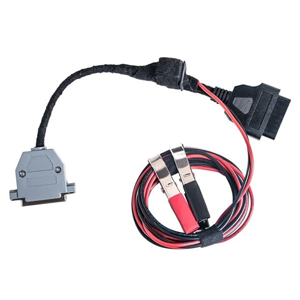
A cable to connect DSG and CVT cables to a J2534 device. Used for PCMflash Module 58.
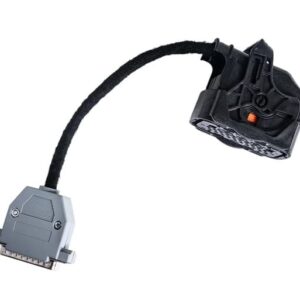
A cable to connect to DSG DL382. Compatible with PCMflash Module 58.
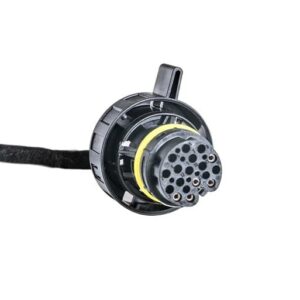
A cable to connect to DSG DL501. Compatible with PCMflash Module 58.
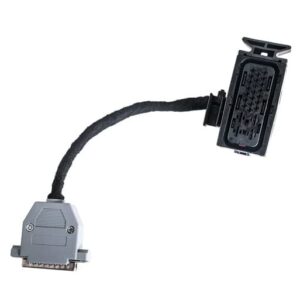
A cable to connect to DSG DQ200. Compatible with PCMflash Module 58.
A cable to connect to DSG DQ250. Compatible with PCMflash Module 58.
A cable to connect to DSG DQ500. Compatible with PCMflash Module 58.
A cable to connect to DSG VL300. Compatible with PCMflash Module 58.
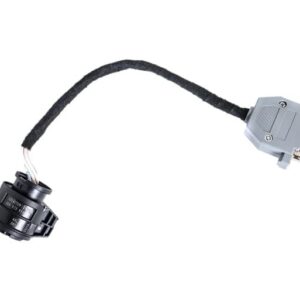
A cable to connect to DSG VL381. Compatible with PCMflash Module 58.
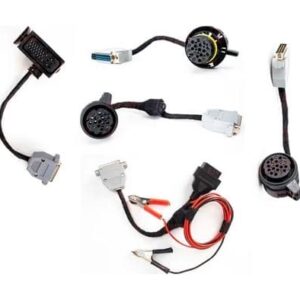
The full kit is designed for direct connection to VAG TCMs. The cables (together with PCMFlash module 58) allow full data transfer from one TCM to another. Both micro and eeprom are supported. Thus, cloning is possible as well as full reading of factory or modified files. The kit includes the main cable and cables for specific transmissions. You can use standard KESS DSG cables with the main cable. Includes DL382, DL501, DQ200, DQ250, DQ500 + mail cable.
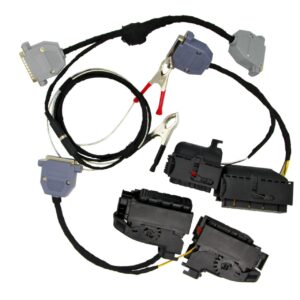
Allows connecting to the ECU via the original connector. It is possible to connect directly to the vehicle. Together with PCMFlash software (Module 71) and Scanmatik 2 PRO, you can read and write full flash. GPT contacts are changed by pinouting the chips and placing the pins in the right places, according to the diagram for a specific ECU. No special tool is required for pinout, it is enough to remove the retainer from the connector.
Cart
(0 Product)







Related products
Reviews
There are no reviews yet.