




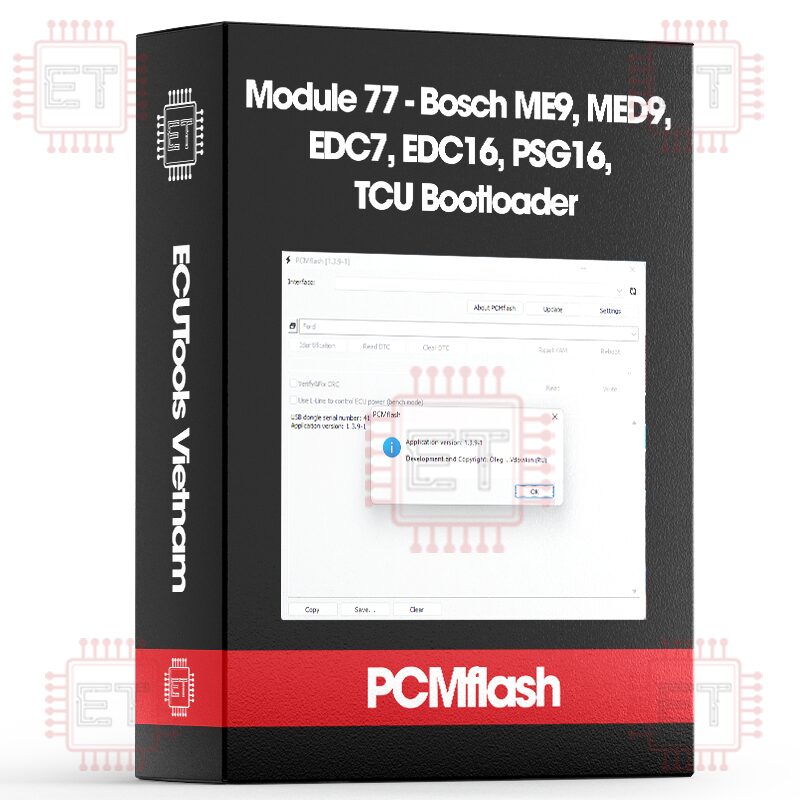
Module 77 - Bosch ME9, MED9, EDC7, EDC16, PSG16, TCU Bootloader
$340.16

Caption:
- RD: Read
- WR: Write
- CK: Checksum correction
Direct connection to the ECU, Scanmatik 2 Pro, a connection cable OR a quality J2534 device + Powerbox for PCMflash are required
Supported ECU
- ME9/MED9/EDC7/EDC16/PSG16/TCU (MPC556/MPC562/MPC564) [ RD/WR/CK ]
ME9/MED9/EDC7/EDC16/PSG16/TCU MICRO (MPC556/MPC564) [ RD/WR/CK ] - ME9/MED9/EDC7/EDC16/PSG16/TCU EXT (MPC556/MPC562/MPC564) [ RD/WR/CK ]
- ME9/MED9/EDC7/EDC16/PSG16/TCU EEPROM (MPC556/MPC562/MPC564) [ RD/WR ]
Explanations:
- Flash: This is a full flash, including both internal and external flash (if present). Essentially, it’s a combination of EXT + MICRO
- MICRO: This is the internal flash memory of the processor, present only in MPC556 and MPC564.
- EXT: This is the external flash memory, present in all ECUs of module
- EEPROM: This is an external eeprom. The size (type) is determined automatically when reading
Sample Procedure When Using This Module
- Connect the external ECU connector with a Bench/Boot cable according to the pinout (Power, Ground, K-line, GPT signals)
- Click the “Identification” button in any selection included in the module 77. Select the power management mode (as usual – using automatic). You’ll get something like this:
“Adapter: Tactrix Inc. – OpenPort 2.0 J2534 ISO/CAN/VPW/PWM
DLL: 1.02.4820 Jul 6 2016 17:20:04
Firmware: 1.16.4819
Module: Bosch: ME9/MED9/EDC16 (MPC556/MPC562/MPC564)
Identification
Entering programming mode
ECU type: EDC16_MPC564
Done”
- Select what you want to read (You can select everything to create a complete backup of the ECU). In the window, choose the ECU Type, which is required for checksum verification. After that, the reading process starts
- Writing: Select the correct processor type and files. Click “Write,” and everything will proceed as usual. Do not change the options “Use write optimizations” and “Write SW areas only, skip service areas” unless you fully understand their purpose.
+ The “Use write optimizations” option speeds up the writing process.
+ The “Write SW areas only, skip service areas” option skips service areas (like Boot service), which ensures safety if you’re only tuning the ECU.
+ If you’re cloning an ECU using Module 77, you need to disable “Write SW areas only, skip service areas” to allow writing to the service areas.
Supported ECUs
All EDC7 and EDC16 should work. Not all ME9/MED9 will work because manufacturers have blocked access at their discretion. For example, Volvo ME9.0 allows access, but Ford ME9.0 does not. BMW/Mercedes ME9/MED9 are not supported, access is locked
Connection option
- Use the Bench/Boot cable for Scanmatik 2 Pro.
- Use a high-quality PowerBox for PCMflash. Low-quality PowerBoxes are not recommended because dangerous voltage (up to +12V) can appear on the GPT pins, potentially damaging the ECU.
Whatsapp: +84.899.402.402
Facebook: ECUTools.vn
Youtube: ECUToolsvn
Tiktok: ECUTools
Website: ECUTools.vn
Cart
(0 Product)







Related products
Reviews
There are no reviews yet.