




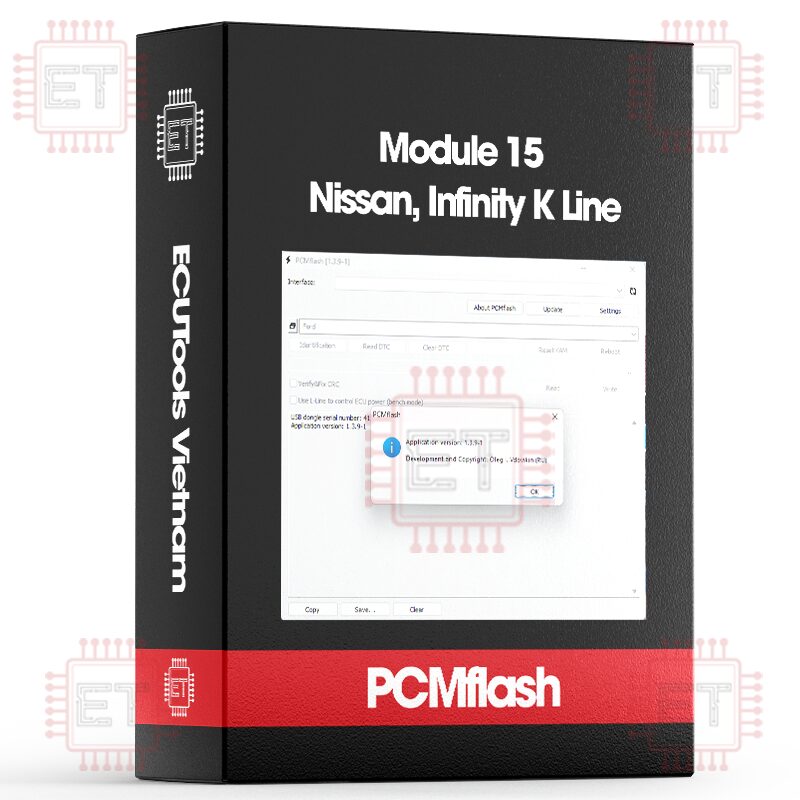

Caption:
- RD: Read
- WR: Write
- CK: Checksum correction
Supported ECU
- EFI SH705415N (Hitachi SH7054/384KB) [RD/WR/CK]
- EFI SH705507N (UJ/Hitachi SH7055/512KB) [RD/WR/CK]
- EFI SH705513N (Hitachi SH7055/512KB) [RD/WR/CK]
- EFI SH705520N (Hitachi SH7055/512KB) [RD/WR/CK]
- EFI SH705821N (Hitachi SH7058/1MB) [RD/WR/CK]
- EFI SH705823N (Hitachi SH7058/1MB) [RD/WR/CK]
- EFI SH705524N Almera Classic (Hitachi SH7055/512KB) [RD/WR/CK]
- EFI SH705826N (Hitachi SH7058/1MB) [RD/WR/CK]
- EFI SH705529N Almera Classic (Hitachi SH7055/512KB) [RD/WR/CK]
List of ECUs in the program
- SH705507N – Non-sealed ecu, installed on the X-Trail until 2005, also found in other older Nissans.
- SH705513N – Sealed ecu, two connectors. It was commonly installed on Almera N16, Primera P12, X-Trail T30, and Teana.
- SH705520N – Sealed ecu, three connectors, installed on Tiida C11, Qashqai J10, X-Trail T31, Teana; it replaced the SH705513N.
- SH705524N – Sealed ecu, two connectors, installed on Almera Classic from the start of its production.
- SH705529N – Sealed ecu, two connectors, installed on Almera Classic towards the end of its production.
- SH705821N – Sealed ecu, two connectors, primarily installed on Infiniti.
- SH705823N – Sealed unit, two connectors, used on Infiniti and American-origin Nissans)
Working with ECUs
- Always keep the vehicle on charge during the writing process. Make sure to turn off all high-power consumers like climate control. The ECU monitors the electrical load, and if the conditions aren’t met, it won’t allow writing. If you try to write under these conditions, you’ll get error 95.
- Use only the recommended drivers for OpenPort to avoid any issues.
- Never turn off the ignition if an error happens during writing. Instead, restart the program or reboot the computer, but do not turn off the ignition! Start the writing process again, and if the problem continues, contact support.
- In Windows, make sure to disable any power-saving settings while flashing the ECU.
- Disconnect the fan connector in advance and switch the headlights to “parking lights” to prevent interruptions.
Start by identifying the ECU, which can be done using any module. After that, you should get a result similar to this:
“ Module: Nissan: EFI 705513N (Nissan) (Hitachi SH7055/512KB)
Identification
Software Version: 1BZ20A
Module: 705520N
Completed
In this case, the system identified an ECU from a Qashqai, model 705520N. Select it from the module list and proceed with the next steps.
To perform fast reading or reprogramming, the engine must be off, with only the ignition turned on. If the engine is running, you will receive error 94 when attempting to access the ECU. Fast reading is only available for ECUs that are already listed in the program’s database. If no data for the ECU is found (and access fails without showing an error code), you will need to use the slow reading method the first time. For slow reading, enable “recovery mode” in the settings (be sure to turn it off afterward). Slow reading takes longer but always works. In this case, send the read stock file to me. Common vehicles are already supported. After completing fast reading or reprogramming, restart the ignition and clear any errors, especially error P0605 (which is normal after flashing). Reading time typically ranges from 2-6 minutes, depending on the ECU type and your computer’s performance.
For slow reading, the important factor is that the processor type must match to correctly determine the firmware size. Depending on the ECU type, slow reading takes between 60-160 minutes. If it’s not possible to charge the car battery, you can perform slow reading with the engine running.
After reading, it’s recommended to check the checksum for correctness by selecting the file and starting a write process, but canceling it before completion.
If you’re using pre-made firmware for the Almera Classic, you must first read the current firmware and transfer the immobilizer data into the new firmware before writing. There’s a program available for this in the Adacta store, or you can use a hex editor (check the address range 1C00-1FFF).
Before writing, disconnect the fan connector to avoid it running continuously during the process, which could drain the battery. If writing is interrupted, just restart the process without turning off the ignition. After successful writing, restart the ignition and clear error code P0605. This error will always appear after flashing and is completely normal.
If writing fails and an error occurs, recovery mode will be enabled automatically, reducing the writing speed by 2-3 times. If you know this isn’t necessary (which is usually the case), disable this option in the settings before trying again.
After flashing, you can reset all adaptations by clicking the Initialization button or perform a partial reset using the Adaptation Reset option. Technically, these are different procedures, with Initialization providing a more complete reset.
ECU Pinout:
For ECUs with two connectors (models 705513, 705524, 705529, 705821, 705823):
- 85 – K-Line
- 109 – Ignition
- 115 – Ground
- 120 – +12V

The pinout might be different, but for the ECUs I have:
Three connectors. 705520.
- 88 – K-Line
- 93 – Ignition
- 105 – +12V
- 108 – Ground (GND)

Whatsapp: +84.899.402.402
Facebook: ECUTools.vn
Youtube: ECUToolsvn
Tiktok: ECUTools
Website: ECUTools.vn
Cart
(0 Product)







Related products
Reviews
There are no reviews yet.