




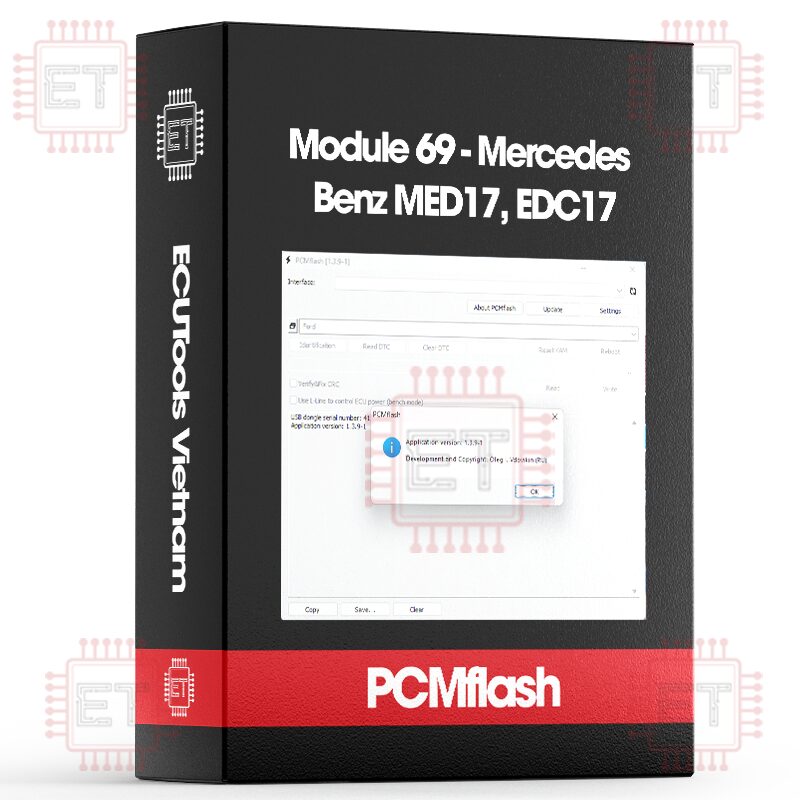

Caption:
- RD: Read
- WR: Write
- CK: Checksum correction
Supported ECU
- MED17.7.1/17.7.2/17.7.3/17.7.3.1/17.7.5 [ VR/WR/CK ]
- EDC17CP01/CP10 [ RD/WR/CK ] only ECU with external flash memory
- EDC17C43/CP46/CP57/CP60/C66 [ RD/WR/CK ]
- M156/M272/M273 (ME9.7) [ RD/WR/CK ]
- Aston Martin M177 (MED17.7.5) [ WR/CK ]
Version 1.1.98 has added support for MED17/EDC17 control units.
The package at the time of release includes:
- MED17.7.1/17.7.2/17.7.3/17.7.3.1 [VR/WR/CK]
- EDC17CP01/CP10 [RD/WR/CK] – only ECUs with external flash memory
- EDC17CP46/CP57/CP60/C66 [RD/WR/CK]
For EDC17, calibration area reading and writing are supported, while for MED17, writing and virtual reading are supported (starting from bootloader version 1.1.98-2). For MED17, files read in BSL (boot mode) can be used directly; there’s no need to transfer anything anywhere. Please note: software replacement is not possible, only work with calibration areas. Checksums are calculated, and I strongly recommend not trying to calculate them manually, as most editors corrupt files when preparing them for boot-mode writing, which is entirely unnecessary and outdated. You can read and write control units on the bench, except for those that communicate via FlexRay instead of CAN.
Work starts as usual with identification, demonstrated here using EDC17CP46 as an example.
Identification
VIN number: WDC166024
Hardware number: 0064467140
Software version: 642 902 7501 642 903 1306 642 904 0200
Calibration file: CR60-BJL1-166WA-642LS-EU6OPS_4x4_3S_MY13-ME17
Calibration: 642 903 1306
CVN number: 7D4E9BFF
ECU type: EDC17CP46
Completed
The key points in this output are:
The ECU type is displayed for EDC17, allowing you to choose the correct protocol for reading and writing. For MED17, this is not necessary, as the bootloader will automatically determine what needs to be written based on the file. Next, pay attention to the highlighted digits in the software version, as well as the entire version itself. The first three digits represent the engine model; in this case, 642 stands for OM642. Then comes the data type: 902 is the working program, 903 is the calibration, and 904 is the bootloader. Following that are four digits representing the version itself. For compatibility, we are only interested in the calibration (903), which is placed in a separate field. For different car models, calibrations may be shared, and such files can be written to different models if they match. Additionally, the calibration file is shown, which, for diesel engines, contains a fairly detailed description of the configuration.
An important note regarding EDC17CP10: initially, these units did not have external flash memory, in which case the ECU type will display “EDC17CP10 NOT SUPPORTED.” These units cannot be read or written. CVN is only displayed if you hold down the Shift key; this is because some units may take up to 5 minutes to calculate CVN after programming or a “cold” start.
On the ECU cover, you can see the 900 number, which is the order number, as well as 901, which is the hardware version. Flashing the software according to the sticker won’t work, so we perform a “free” identification.
Reading diesel ECUs is straightforward here. You press the read button, and you get something like this in the end:
15:22:24 Entering programming mode
15:22:24 Software version: 6429027501_6429031306_6429040200_CR60-BJL1-166WA-642LS-EU6OPS_4x4_3S_MY13-ME17
15:22:24 Reading data
15:22:24 Reading block 1
15:26:15 Reading block 2
15:26:53 Completing
15:26:53 Completed successfully
Reading can be performed with the engine running. The reading time is up to 10 minutes. The resulting file name will also include the Bosch number, for example:
1037534027_6429027501_6429031306_6429040200_CR60-BJL1-166WA-642LS-EU6OPS_4x4_3S_MY13-ME17-20181209-201843.bin
Writing. Select the file and proceed with writing.
15:20:44 Entering programming mode
15:20:53 Gaining access
15:20:54 Transferring data
15:20:54 Erase area 1
15:21:07 Transferring block 1
15:21:50 Verifying
15:21:51 Transferring block 2
15:21:58 Verifying
15:21:58 Completing
15:22:04 Completed successfully
After writing, turn the ignition off and back on, then clear the error codes using the corresponding button. If the writing process is interrupted, nothing bad will happen, and you can turn the ignition off if needed. Simply restart the writing process. There’s no need to turn off the fans, but it’s better to turn off other electrical consumers. The writing process doesn’t take long, but it’s better to be cautious.
Regarding MED17.7.x, everything mentioned above for diesel engines applies here. Below is information about finding the correct software using the example of MED17.7.2.
VIN number: WDD2073
Hardware number: 2749010700
Software version: 2709040100 2709026400 2749039801
Calibration file: 4D41070P57H0001 0904
Calibration: 2749039801
The most reliable option is searching by calibration number (highlighted), although unfortunately, it’s not always available. Often, only the Bosch number is present, which may be unknown. However, there is a great resource that can help you find the necessary numbers and software. It is the EVC database – https://www.evc.de/en/product/ols/reseller/projects.asp.
We search by calibration number – https://www.evc.de/en/product/ols/resel … 2749039801, and we get suggestions, including the Bosch number – 1037544264.
The same goes for the “Calibration File” – we check for a full match – https://www.evc.de/en/product/ols/resel … 70P57H0001.
Whatsapp: +84.899.402.402
Facebook: ECUTools.vn
Youtube: ECUToolsvn
Tiktok: ECUTools
Website: ECUTools.vn
Cart
(0 Product)







Related products
Reviews
There are no reviews yet.