




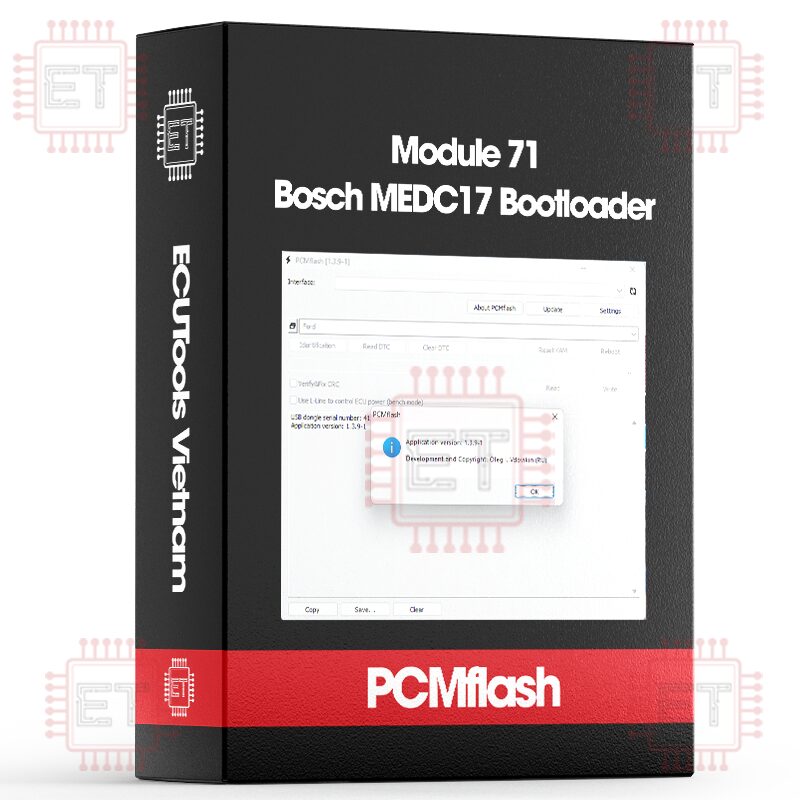

Caption:
- RD: Read
- WR: Write
- CK: Checksum correction
Supported ECU
Direct connection to the ECU connector and a Scanmatik 2 or Scanmatik 2 Pro adapter are required for operation
- MEDC17 (TC1762/1766/1792/1796) FLASH [RD/WR/CK]
- MEDC17 (TC1762/1766/1792/1796) EEPROM [RD/WR]
- MEDC17 (TC1724/1728/1767/1782/1784/1797) FLASH [RD/WR/CK]
- MEDC17 (TC1724/1728/1767/1782/1784/1797) EEPROM [RD/WR]
- MEDC17 (TC1791/1793) FLASH [RD/WR/CK]
- MEDC17 (TC1791/1793) EEPROM [RD/WR]
- MEDC17 BSL PASSWORD [RD]
- EDC17C06 EEPROM (8KB) [RD/WR]
- EDC17CV41 EEPROM (32KB) [RD/WR]
- MEV17.2 EXT EEPROM (8KB) [RD/WR]
Explanations:
- Flash: This is a full flash, including both internal and external flash (if present). The internal and external flash will not be read separately
- EEPROM: This is the internal EEPROM of the processor.
- BSL PASSWORD: This option is for reading the password, which can be used with Module 53. Module 71 does not require a password to work!
Sample Procedure When Using This Module
- Connect the external ECU connector with a Bench/Boot cable according to the pinout (Power, Ground, CAN bus, GPT signals)
- Click the “Identification” button in any selection included in the module 71. Select the power management mode (as usual – using automatic). You’ll get something like this:
“Adapter: Scanmatik – SM2 USB
DLL: 1.0.0.15 (built 01.02.19)
Firmware: FW:0802 HW:02 SN:A
Module: Bosch: MEDC17 (TC1762/1766/1792/1796) FLASH
Identification
Entering programming mode
Gaining access
Transferring bootloader
Checking
Serial number: 41808203-07C0B982-74080010-1118FB00
Hardware number: 00001820-00009101 0053C001-0055C001
ECU type: TC1797 rev. 1
Protection 1: RW W0 [00000-1FFFFF]
Protection 2: RW W0 [00000-1FFFFF]
Ext Flash: S29CD016 (2MB)
Done”
- This is the usual output, in this case this ECU is MED17.7.3.1 with TC1797 processor and 2MB external flash. Then select the correct processor type, either MEDC17 (TC1724/1728/1767/1782/1784/1797) Flash or EEPROM
- Click Read. It is recommend reading both FLASH and EEPROM when working
- It might be useful to save the processor password. In this case, regardless of the ECU type, simply select ‘Bosch: MEDC17 BSL PASSWORD’ and click Read. Again, the password is not required for the package to function. It’s only needed if BSL mode work is necessary
- Writing: Select the correct processor type and files. Click Write and everything proceeds as usual. This module supports unlocking for Module 36, Module 39, Module 66 without opening ECU
Connection option
- Use the Bench/Boot cable for Scanmatik 2 Pro.
- Use a high-quality PowerBox for PCMflash. Low-quality PowerBoxes are not recommended because dangerous voltage (up to +12V) can appear on the GPT pins, potentially damaging the ECU.
Whatsapp: +84.899.402.402
Facebook: ECUTools.vn
Youtube: ECUToolsvn
Tiktok: ECUTools
Website: ECUTools.vn
Cart
(0 Product)







Related products
Reviews
There are no reviews yet.