



Hino P0610 Fault Code: VIN Data Error





Technical Description
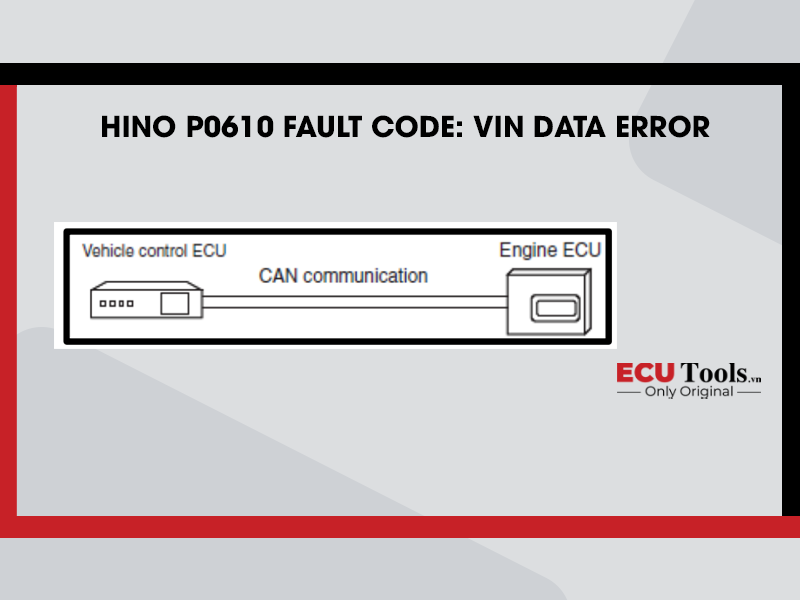
Receipt of vehicle information (VIN) is detected.
Description Of Malfunction
Vehicle information is not received, or the wrong vehicle information is received.
DTC Set Condition
DTC Detection Condition:
- Starter switch ON.
- Battery voltage is in the range of 10 V to 16 V.
The conditions described above remain for 5 seconds or longer.
NOTE: This DTC is detected when replacing the engine ECU and the VIN information from the vehicle control ECU has not been received.
Judgment Criteria:
Engine ECU cannot receive VIN information from the vehicle control ECU.
Reset Condition
After normal operation is restored and the starter switch is on the “LOCK” position.
Indication, Warning Or System Control Regulation When The DTC Is Set
- MIL: OFF
- SVS light: ON
- Engine output is restricted.
Symptoms On The Vehicle When The DTC Is Set
Symptoms on the Vehicle Due to Backup Control (Fail Safe Function):
Engine output is insufficient.
Pre – Inspection Work
Check that the battery voltage is in the normal range.
After – Inspection Work
- Clear all past DTCs.
- Check that no DTC is stored after test drive.
Possible Causes
- Vehicle control ECU failure.
- Engine ECU failure.
- Malfunction of vehicle power supply (noise).
- CAN circuit failure (noise).
Inspection Procedure
Troubleshooting Steps
Step 1) Check the DTC detected 1 (Engine ECU) [Diagnostic Tool].
- Set the starter switch to the “LOCK” position.
- Connect the vehicle to the diagnostic tool.
- Set the starter switch to the “ON” position.
- Select [Engine] and check if any DTC other than P0610 for example, U1001, U110A has been detected.
Has a DTC other than P0610 been detected?
| Yes – Go to the diagnostic procedure of a related DTC. | No – Go to Step 2. |
Step 2) Inspect the vehicle Information [Diagnostic Tool].
- Select [VCS] and read the vehicle information (VIN) written in the Vehicle control ECU.
- Compare the data with the vehicle’s VIN LABEL and check if the vehicle information (VIN) that has
been written to the Vehicle control ECU is correct.
Is the vehicle Information (VIN) in the vehicle control ECU correct?
| Yes – Go to Step 4. | No – Go to Step 3. |
Step 3) Reprogram the vehicle control ECU [Diagnostic Tool].
- Perform Vehicle control ECU reprogramming by using the diagnostic tool reprogramming function.
- Select [Engine] from the diagnostic tool menu and read the DTC that has been detected.
Has DTC P0610 been detected?
| Yes – Replace the vehicle control ECU.
Clear all past DTCs. Check that no DTC is detected after test drive. |
No – Procedure completed.
Clear all past DTCs. Check that no DTC is detected after test drive. |
Step 4) Reprogram the Engine ECU [Diagnostic Tool].
- Perform engine ECU reprogramming by using the diagnostic tool reprogramming function.
- Select [Engine] from the diagnostic tool menu and read the DTC that has been detected.
Has DTC P0610 been detected?
| Yes – Replace the engine ECU.
Clear all past DTCs. Check that no DTC is detected after test drive. |
No – Procedure completed.
Clear all past DTCs. Check that no DTC is detected after test drive. |
Whatsapp: +84.899.402.402
Facebook: ECUTools.vn
Youtube: ECUToolsvn
Tiktok: ECUTools
Website: ECUTools.vn
RELATED NEWS
See all