


What’s New in Scanmatik 3? How CAN FD and DoIP Help Workshops?




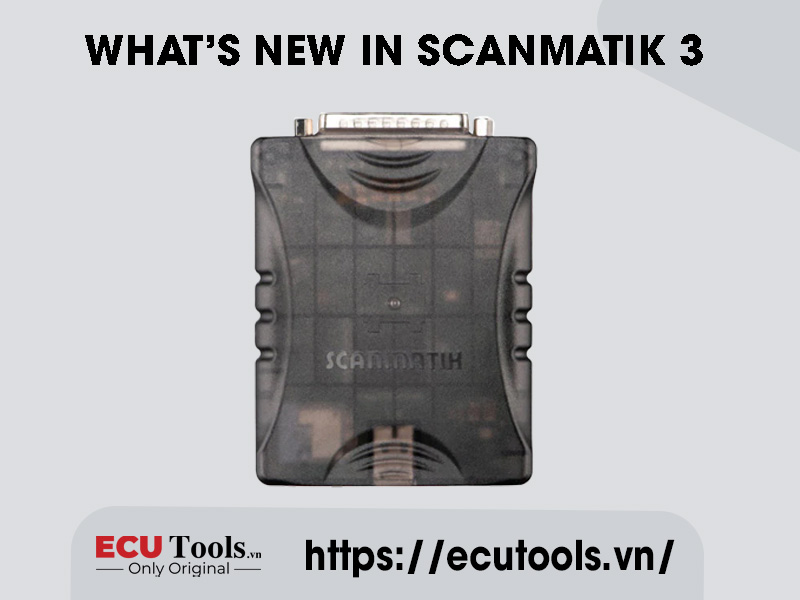
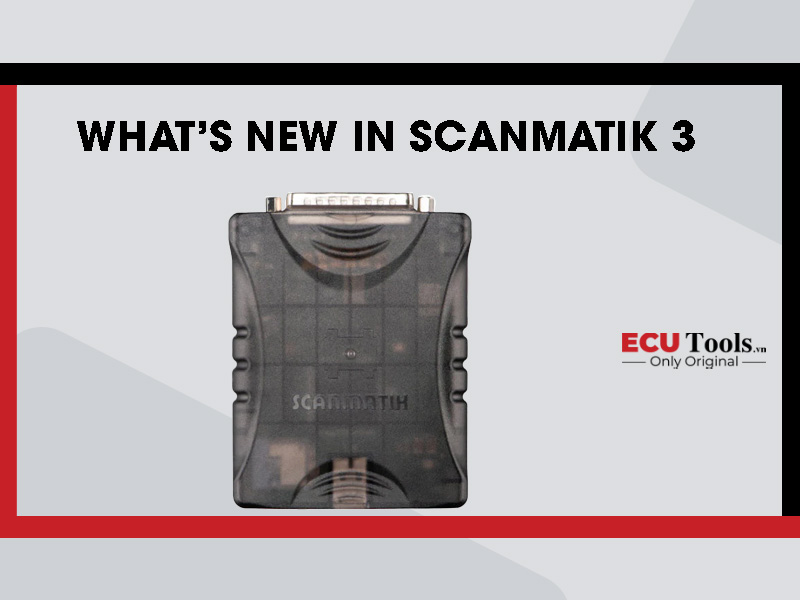
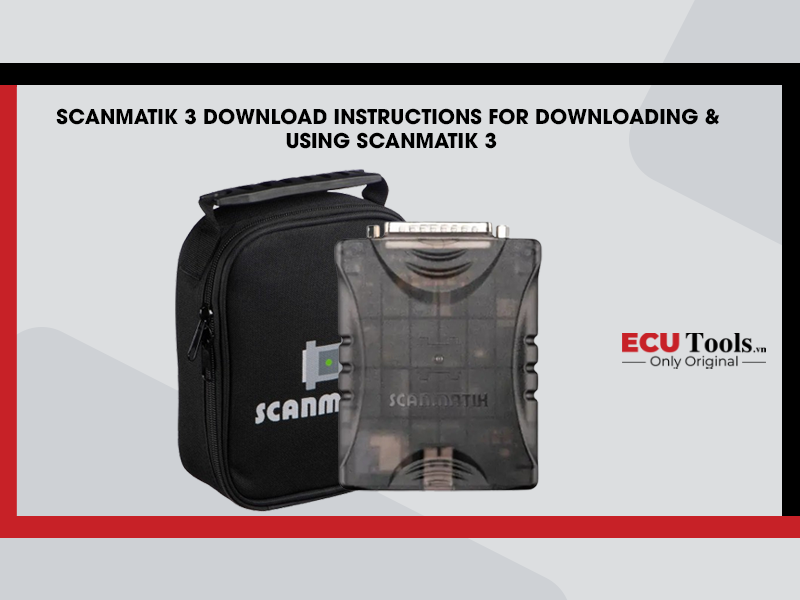
Scanmatik 3 succeeds Scanmatik 2 Pro and adds CAN FD, DoIP and high-speed USB. These upgrades matter as vehicle electrical and electronic systems exchange larger volumes of data and increasingly use Ethernet for diagnostics. However, the presence of newer protocols does not mean that the interface will automatically support every late-model vehicle. Actual coverage still depends on the software, license or module, vehicle platform, ECU and the specific job the workshop needs to perform.
Why was Scanmatik 3 upgraded for newer vehicles?
On many newer vehicles, the number of control units has increased, network traffic is heavier and diagnostic routines are more complex. CAN 2.0 and K-Line remain in use, while CAN FD and DoIP are increasingly present on newer vehicle platforms. An interface limited to legacy protocols may still access some systems, but it cannot fully replace hardware designed for newer communication networks.
Scanmatik 3 is designed for two groups of work: maintaining coverage for older vehicles and extending access to systems that use CAN FD or DoIP. It also supports 24 V vehicle systems, so it can be used on passenger cars, trucks and commercial vehicles when the software, adapter and diagnostic connector are compatible.
| In brief: CAN FD and DoIP extend the communication capability of the hardware. The software determines which systems can actually be diagnosed, programmed or read and written. |

Key Scanmatik 3 specifications
| Category | Scanmatik 3 capability | Practical meaning |
| CAN | 5 CAN 2.0/CAN FD channels | Works with conventional CAN and CAN FD networks on supported vehicles |
| DoIP | 1 x 10/100BASE-TX channel | Ethernet-based diagnostics on DoIP-capable vehicle platforms |
| K-Line/SCI | 13 switched channels routed to the OBD connector | Maintains access to many legacy systems |
| J1850 | VPW/PWM support | Relevant to certain older U.S. vehicles |
| PC connection | High-speed USB | Stable wired connection for data-intensive operations |
| Vehicle voltage | 24 V systems supported | Can be used on trucks and buses with a compatible configuration |
What is CAN FD and how does it help a workshop?
CAN FD is an extension of the CAN protocol. Compared with Classical CAN, a CAN FD frame can carry up to 64 data bytes instead of 8 and can switch to a higher bit rate during the data phase. This allows control units to exchange more information in the same period. CAN FD is therefore well suited to data-intensive systems such as ADAS, body electronics, powertrain control and newer electrical/electronic architectures.
In practice, CAN FD support matters when software must access an ECU located on a CAN FD network. Without CAN FD hardware, the software may fail to establish a diagnostic session or may detect only part of the vehicle. When the vehicle, software and driver all support the required protocol, Scanmatik 3 provides the communication path for reading DTCs, viewing live data, coding, programming or ECU read/write operations within the software’s supported scope.
CAN FD does not guarantee coverage for every late-model vehicle
A supported protocol is only one requirement at the communication layer. To perform a specific operation, the software must identify the correct vehicle and ECU, support the required security procedure and include the appropriate license or module. The better technical question is, ‘Does this software, together with Scanmatik 3, support this ECU and by which method?’ rather than simply, ‘Does the interface support CAN FD?’
What is DoIP and how is it different from online diagnostics?
DoIP carries diagnostic data over IP on the vehicle’s Ethernet network. Ethernet speed and bandwidth are suitable for high-volume data operations, especially OEM-level diagnostics and programming of multiple control units. Scanmatik 3 provides a 10/100BASE-TX DoIP channel that allows compatible software to communicate with the vehicle over Ethernet.
DoIP must not be confused with online diagnostics. DoIP describes the data path between the interface, software and vehicle systems; it does not provide an OEM account, grant access to a manufacturer’s server or bypass security controls. An online programming procedure may still require an account, subscription, authentication, Internet access and OEM-specific voltage conditions.
| Technical note: DoIP support does not make every online function available. The workshop must also verify the software, driver version, OEM account, market region and vehicle model year. |
Does high-speed USB reduce ECU write time?
High-speed USB reduces the data-transfer bottleneck between Scanmatik 3 and the computer. However, diagnostic and ECU writing time can still be limited by the in-vehicle network, ECU memory, the software algorithm and the security procedure. The USB data-rate figure therefore cannot be converted directly into a fixed time reduction for every operation.
The clearest benefit of high-speed USB is a stable wired path with enough bandwidth for CAN FD, DoIP and other data-intensive operations. During programming, stable power, the correct driver and module, and an uninterrupted session remain more important.
Is Scanmatik 3 still suitable for older vehicles?
Yes. Scanmatik 3 is not designed only for CAN FD and DoIP. It still supports CAN 2.0, multiple K-Line channels, J1850 VPW/PWM, Chrysler SCI and communication standards used in commercial vehicles. A workshop can therefore use one interface for both earlier-generation vehicles and newer platforms instead of changing hardware whenever a different network is encountered.
Actual coverage must still be checked against the software. The presence of K-Line on an older vehicle does not mean that every software package can control the correct communication pin. Likewise, a 24 V truck may still require the correct adapter, connector type and vehicle communication standard.
Two software interface standards to consider
J2534 PassThru
J2534 allows Windows software to communicate with an interface through a standardized API. In a workshop, Scanmatik 3 can be selected as the PassThru device for supported OEM diagnostic and programming software or compatible ECU read/write tools. Detection of the device confirms only the communication layer; available functions still depend on the license, account, vehicle and ECU.
RP1210
RP1210 is commonly used in truck, commercial-vehicle and off-highway equipment software. Scanmatik 3 can serve as the interface for RP1210 applications when both the vehicle and software are supported. Before deployment, the workshop should also verify the adapter, diagnostic connector, vehicle protocol and software version.
What does each upgrade contribute to real workshop tasks?
| Scenario | Useful capability | What must be verified |
| Newer passenger car using CAN FD | CAN FD hardware provides access to the relevant network | Software, model year, ECU and license/module |
| Vehicle with Ethernet diagnostics | DoIP 10/100BASE-TX | DoIP support in the software and required access rights |
| OEM programming | J2534, high-speed USB and CAN FD/DoIP | Account, subscription, stable power and OEM procedure |
| ECU read/write | Interface for compatible tools | Correct tool, dongle, module and OBD/Bench method |
| Truck or off-highway equipment | RP1210 and 24 V support | Adapter, connector type, protocol and software |
Which workshops should consider Scanmatik 3?
- Workshops that regularly receive late-model vehicles: CAN FD and DoIP help avoid hardware limitations when software needs to access newer networks.
- OEM diagnostics and programming specialists: J2534, CAN FD, DoIP and high-speed USB provide a suitable communication platform for many applications.
- ECU read/write technicians: Scanmatik 3 can act as the interface for PCMflash, BitBox, MMCflash and other compatible tools, but separate dongles, licenses or modules are still required.
- Workshops handling both passenger cars and trucks: J2534, RP1210 and 24 V support make it possible to build a more flexible tool set.
If a workshop mainly services older vehicles, performs only basic fault-code work and its current interface already meets demand, an upgrade may not deliver an immediate return. The decision should be based on the vehicles received and the missing functions, not simply on the number of supported protocols.
Five points to check before purchase
- Define the vehicle group: record the make, model, model year, engine and market region.
- Define the operation: diagnostics, coding, OEM programming or ECU read/write.
- Check the software: confirm that it supports J2534 or RP1210 and recognizes Scanmatik 3.
- Check the license/module: match the ECU, OBD/Bench method and required function.
- Check the cable set: confirm the OBD cable, adapter, Bench cable and a stable power supply for the actual job.
| Equipment selection principle: Start with the vehicle and the required operation, then select the software, module, interface and cable set. This avoids buying the correct interface while still missing other parts of the solution. |
Frequently asked questions about Scanmatik 3
Does CAN FD support mean Scanmatik 3 works with every late-model vehicle?
No. CAN FD confirms a hardware communication capability. Diagnostics, programming and ECU read/write coverage also depend on the software, vehicle model year, security requirements and license/module.
Is DoIP the same as online programming?
No. DoIP is the diagnostic data path over IP and Ethernet. Online programming may still require OEM software, an account, subscription, Internet access and the appropriate manufacturer permissions.
Does Scanmatik 3 include PCMflash, BitBox or MMCflash?
No. Scanmatik 3 is the interface. Third-party tools usually require their own software, USB dongle, license or module. The exact configuration must be confirmed for each product package.
Can Scanmatik 3 be used on 24 V trucks?
The interface supports 24 V vehicle systems and the RP1210 standard. Coverage on a specific vehicle still depends on the software, protocol, adapter and diagnostic connector type.
Conclusion
The value of Scanmatik 3 lies in its coverage of multiple generations of vehicle communication networks: CAN 2.0, CAN FD, DoIP, K-Line, J1850 and commercial-vehicle protocols. High-speed USB provides a stable wired connection for data-intensive operations.
For workshops expanding into late-model vehicles, OEM-level diagnostics, ECU read/write work, or both passenger cars and trucks, Scanmatik 3 is an interface worth considering. To use it effectively, the complete solution must include the appropriate software, license/module, adapter and cable set.
Whatsapp: +84.899.402.402
Facebook: ECUTools.vn
Youtube: ECUToolsvn
Tiktok: ECUTools
Website: ECUTools.vn
RELATED NEWS
See all